tacey
tacey Install on Shopify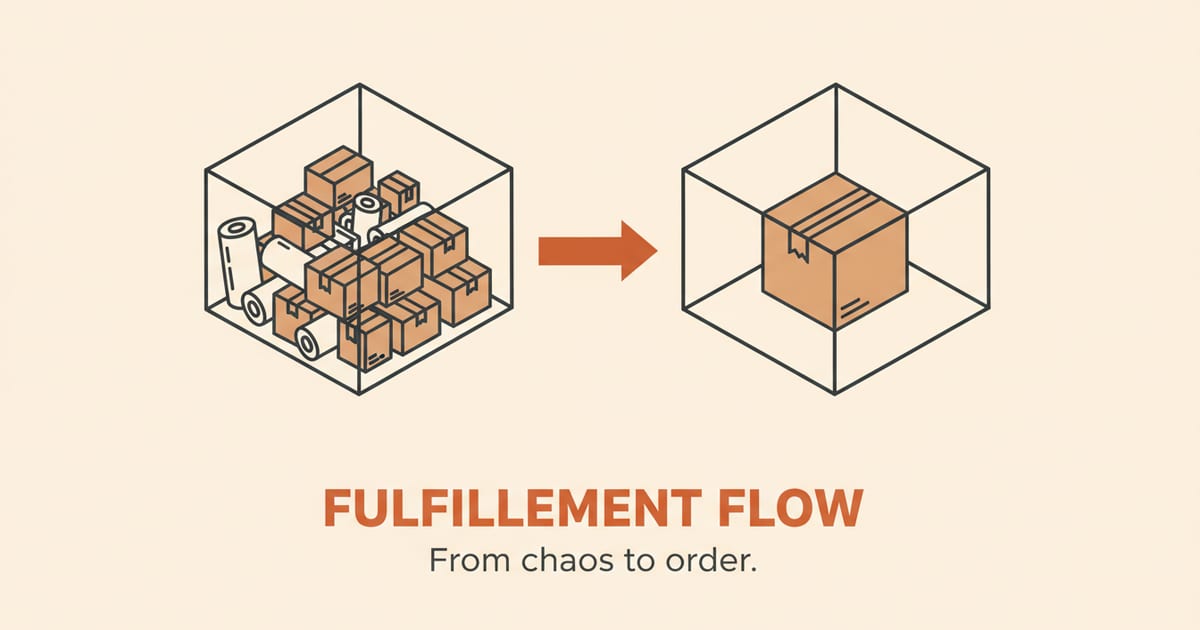
Scaling a Shopify store isn't just about driving more traffic and sales. The real operational test begins when your order volume grows from a manageable handful to hundreds or even thousands per day. A fulfillment process that was charmingly artisanal at 10 orders a day becomes a crippling bottleneck at 500. The systems that get you to your first thousand orders are fundamentally different from the ones that got you your first hundred.
Success requires rethinking the entire workflow, from how items are picked off the shelf to how you handle the inevitable increase in small errors. This guide outlines the key operational shifts required to move from a backroom operation to a high-volume fulfillment engine, ensuring that your growth is profitable, not chaotic.
What breaks first when scaling fulfillment?
Your time breaks first. Manual processes that were efficient for a few orders, like printing individual labels, walking to a bin for one item, and handwriting thank-you notes, become the primary bottleneck. At 10 orders, this personal touch is a strength. At 200 orders, it's an anchor.
Let's put a number on that. If it takes you three minutes to process one order, find the item, pack it, print a label, and stick it on, that's fine for 10 orders. That's 30 minutes. But at 100 orders, that's 300 minutes, or five hours of your day. At 200 orders, it's 10 hours. You become a full-time packer, not a business owner.
This calculation ignores interruptions and errors. The real cost is the opportunity cost. Those 10 hours spent packing are 10 hours you didn't spend on marketing, product sourcing, or customer conversations. The business stagnates because its most valuable person is trapped in a low-value, repetitive loop. Growth is physically capped by your personal bandwidth.
The core problem is that manual tasks scale linearly with order volume. Doubling your orders doubles the time spent walking, picking, and packing. Soon, you're spending your entire day on logistics instead of growing the business. This is the point where human error also begins to multiply, not because of carelessness, but because of repetition and fatigue.
As you scale, the cost of your own time becomes the most expensive line item in your fulfillment process. The goal is to replace that time with systems that allow one person to do the work of ten, not by working harder, but by working smarter. This transition from personal effort to process-driven workflow is the first and most critical step in scaling.
How do I move from single-order picking to batch picking?
You stop printing and fulfilling one order at a time. The single biggest time-waster in a small warehouse is travel time: walking to the same bin for the same popular product over and over again. Batch picking solves this by grouping multiple orders into a single picking run.
Instead of fulfilling order #1001, then #1002, you create a consolidated pick list for orders #1001 through #1050. The list tells you to grab, for example, 27 units of your bestseller, 14 of another item, and so on. You make one trip through the warehouse to collect all the items for all 50 orders. A 2025 study noted that picking can be up to 75% of total operating expenses in a warehouse, making travel time the first and best place to optimize.
Once you return to a sorting area, you break the bulk items down into their individual orders. Shopify's admin allows you to create batches and print consolidated pick lists natively. This shift from a one-by-one to a one-to-many approach is foundational for any store moving past 50-100 orders a day.
A worked example: The inefficiency of single-order travel
Imagine you have 50 orders to ship. 20 of them contain your popular "Blue Widget, " located in Bin A-1. 15 contain the "Red Widget" in Bin C-7. With single-order picking, you walk to Bin A-1, pick one Blue Widget, and return. You repeat this 19 more times. You do the same for the Red Widget. You are a human zig-zag machine.
Batch picking changes the instruction. Your pick list now says "Go to Bin A-1, pick 20 Blue Widgets. Go to Bin C-7, pick 15 Red Widgets." You make one trip to each location, gather the total quantity needed for the entire batch, and bring it all back to a sorting station. The travel time can be cut by as much as 90%, turning hours of walking into minutes.
The trade-off is space. You now need a dedicated sorting area where you can break down your bulk pick into individual orders. This might be a large table or a set of rolling carts. You are trading some of your floor space for a massive gain in time efficiency. It's the first step toward designing a real workflow instead of just winging it.
What is the role of a dedicated packing station?
A dedicated packing station centralizes all necessary materials, boxes, mailers, tape, filler, and printers, to create an efficient, factory-like assembly line for the final step of fulfillment. Its purpose is to eliminate all movement and decision-making that isn't directly related to packing an order.
In a low-volume setup, a founder might grab a box from a stack in the corner, walk to a desk to print a label, and then find the tape dispenser. At scale, this wasted motion is a disaster. A proper packing station has everything within arm's reach. The picker brings a bin of sorted items, and the packer takes over without moving.
Standardizing your packaging is a key part of this. Instead of having 20 different box sizes, you might find that three sizes cover 95% of your orders. This reduces the packer's cognitive load, speeds up their work, and often lowers material and shipping costs. The station becomes a specialized tool for a single, repetitive, and highly optimized task.
How to design an ergonomic packing station
Start by placing your most-used items in the "golden zone, " the area you can reach with a simple sweep of your arms without bending or stretching. Your thermal label printer, scanner, and tape dispenser should be on your dominant side. Your most common box sizes or mailers should be on your non-dominant side, ready to be grabbed.
The flow should be linear. Items arrive from one side (e.g., the left), are packed in the center, and the finished package exits on the other side (e.g., the right), ready for the mail cart. This assembly-line approach minimizes wasted motion and mental effort. The goal is for the packer to be able to complete their task almost by muscle memory alone.
Not having an ergonomic setup has a real cost. Repetitive strain injuries (RSI) from awkward bending and reaching can sideline your best packer. A disorganized station also leads to mistakes, like using the wrong size box or forgetting to include a packing slip, which create downstream costs and customer issues. Efficiency here is also a form of risk management.
When should I automate my shipping rules?
Automate your shipping rules as soon as you identify predictable patterns. If you find yourself repeatedly choosing the same shipping service for orders of a certain weight or destination, it's time to let software make that decision for you. This removes a manual step that is both time-consuming and prone to costly errors.
Using tools like Shopify Flow, you can create simple "if-then" rules. For example: "If an order weighs less than 1 pound, use USPS Ground Advantage." Or, "If an order's destination is outside our home region and it weighs over 5 pounds, use UPS Ground." These rules run automatically when you process orders in a batch.
This not only saves time but also enforces consistency. It prevents an employee from accidentally choosing an expensive express service for a package that didn't need it. By codifying your best shipping practices into automated rules, you protect your margins and free up your team to focus on exceptions, not routine decisions.
The trade-off between cost and customer experience
Your shipping rules codify your business promises. For example, you might offer "free shipping over $100." Your automation rule must reflect this: "IF order total is greater than $100, THEN apply 'Free Shipping - Standard Ground' service." This ensures you don't accidentally charge shipping and break a promise made on your storefront.
But what if a high-value customer needs something fast? The cheapest automated option might be slow. Here you face a trade-off. You can create a more complex rule: "IF order value > $250, THEN automatically upgrade to '2-Day Express' at no extra charge." This sacrifices some margin for a huge win in customer delight, potentially creating a repeat buyer.
An edge case that breaks simple automation is dimensional weight. A large but lightweight item, like a pillow, can have surprisingly high shipping costs. Your rules must account for this, using dimensions in addition to weight. If not, you could lose a significant amount of money on shipping for an entire product category without realizing it until it's too late.
The best systems are the ones you install six months before you think you need them. An operational problem doesn't announce itself; it shows up as a dozen small, unrelated fires that are already burning down your margin.
How do small errors create large problems at scale?
A 1% fulfillment error rate feels manageable when you ship 100 orders a month; it's just one unhappy customer. At 1,000 orders a day, a 1% error rate is 10 failed shipments every single day. That's 10 customer support tickets, 10 reshipment costs, and 10 moments where your brand's reputation is damaged. The impact of a fixed error percentage grows exponentially with your volume.
The most common errors are picking the wrong item or quantity, but one of the most expensive is shipping to a bad address. A single mistyped address can result in carrier correction fees, which can be as high as $24 per package for services like FedEx. The package might be returned, requiring you to pay for a second shipment. The total cost of a single bad address can easily run from $15 to $40 after accounting for fees, labor, and new postage.
This is where automated checks become non-negotiable. An incorrect address caught before it ships avoids the entire cascade of costs. Proactive tools like Tacey's address validation run checks automatically after payment, tagging potentially undeliverable addresses in the Shopify admin. This alerts the merchant by tagging the order, and the customer can often fix the issue themselves on the order status page using the general editing window Tacey provides before an order ships.
This allows your fulfillment team to focus on shipping correct orders, rather than chasing down packages that were doomed from the start.
The cascading cost of a single picking error
Let's trace the real cost of one mistake. A customer orders a $50 blue shirt, but your packer sends a $40 red one. The customer emails support. That's 15 minutes of your support person's time, which costs you about $7 in wages. You apologize and send a prepaid return label, costing another $8.
Now you must ship the correct blue shirt. The cost of that shirt is, say, $25. You also have to pay for shipping again, which is another $8. So far, your direct costs to fix the error are $7 (support) + $8 (return label) + $25 (new product) + $8 (new shipping) = $48. You've spent $48 to fix an error on a $50 sale.
This calculation doesn't even include the cost of receiving and restocking the returned red shirt, or the possibility that the customer will share their bad experience. A single, simple picking error can instantly erase your entire profit margin on an order. At scale, these small mistakes become a major financial drain on the business.
What metrics should I track for fulfillment efficiency?
To improve your fulfillment, you must measure it. Instead of drowning in data, focus on three critical metrics: order accuracy rate, time to fulfill, and cost per order. These three numbers give you a clear view of your operational health.
Order Accuracy Rate: This measures the percentage of orders shipped perfectly, with the right items and quantities. While the industry average fulfillment error rate is between 1-3%, best-in-class operations achieve 99.5% accuracy or higher. Calculate it as: (Total Orders - Orders with Errors) / Total Orders.
Time to Fulfill: This is the duration from when a customer places an order to when it is shipped. A shorter fulfillment window improves customer satisfaction. Track the average time and look for ways to reduce it, whether through batching or better organization. This is a key metric for managing customer expectations.
Cost Per Order: This includes all expenses related to getting an order out the door: labor, packaging materials, and shipping costs. The average all-in cost can range from $8 to $15 per order. Understanding this number is crucial for pricing strategies and identifying where costs are creeping up.
To calculate this, sum up your total fulfillment labor costs (wages for pickers and packers), your total cost of packaging materials, and your total shipping spend over a period. Divide this by the number of orders shipped in that same period. For example, if you spent $5,000 on labor, $1,500 on materials, and $8,500 on shipping to send 1,000 orders, your cost per order is $15.
A crucial metric for inventory: Dock-to-stock time
As you scale, another critical metric emerges: dock-to-stock time. This measures how long it takes for inventory arriving from your supplier to be processed and put away in your warehouse, ready to be picked for an order. A long dock-to-stock time is a hidden bottleneck that can cripple your sales.
If a new shipment of your bestseller arrives but it takes your team three days to count it, check for damages, and place it in the correct bin, that's three days you are effectively out of stock. Customers see an "out of stock" message on your site, even though pallets of the product are sitting on your receiving dock. This directly translates to lost sales.
Tracking this forces you to streamline your receiving process. Are boxes clearly labeled by the supplier? Do you have enough staff and space to handle incoming shipments quickly? Reducing dock-to-stock time from days to hours ensures that your available inventory is always ready for sale, maximizing your revenue potential.
When is it time to consider a 3PL?
You should consider a Third-Party Logistics (3PL) provider when the cost and complexity of in-house fulfillment begin to hinder your growth. This isn't about hitting a magic number of orders, but rather about recognizing operational and financial tipping points. Many brands start looking seriously at a 3PL when they are consistently shipping more than 50-100 orders per day.
Key triggers include spending more time on logistics than on marketing or product development, needing to lease warehouse space, or hiring dedicated fulfillment staff. A 3PL converts these large, fixed costs into a variable, per-order expense. This gives you access to enterprise-level efficiency, negotiated shipping rates, and the ability to scale up or down with demand without long-term commitments.
Outsourcing fulfillment is a major strategic decision. You trade direct control for expertise and scalability. The right time is when managing boxes keeps you from building your business, and the cost of your own warehouse space and labor becomes more expensive than a 3PL's per-order fee.
The hidden costs and risks of a 3PL migration
The advertised per-order fee is not the full story. Most 3PLs have additional line-item charges. You may pay a receiving fee for every shipment that arrives from your suppliers, often billed by the pallet or by the hour. There can also be account management fees and software fees that add to your monthly bill.
There is also the one-time cost and operational risk of the migration itself. You must physically transport all of your inventory to their warehouse. During this transit and setup period, which can take days or even weeks, you may be unable to fulfill orders. This planned downtime must be accounted for and communicated to customers.
Finally, you are entrusting a core part of your customer experience to a partner. If they are slow, make errors, or use cheap packaging that damages your products, it's your brand's reputation on the line. The vetting process for a 3PL is critical. You are not just buying a service; you are choosing a partner to represent you.
Frequently asked questions
What's the difference between batch picking and wave picking?
Batch picking involves gathering all items for a group of orders in one go. Wave picking is a more scheduled version, where batches (or "waves") are released at specific times throughout the day, often coordinated with truck departure or shift change times to create a smooth operational flow.
Can I use Shopify's built-in features for batch fulfillment?
Yes, Shopify allows you to create and manage batches of up to 250 orders directly from the admin. You can filter orders, create a batch, and print a consolidated pick list and packing slips, providing a native starting point for scaling your fulfillment process without immediate third-party software.
How much does a wrong shipping address actually cost?
A wrong address can cost between $15 and $40 when all factors are included. This includes carrier-imposed address correction fees (up to $24 from FedEx), the cost of the original failed shipment, the cost of reshipping the package, and the customer support labor required to resolve the issue.
Does a 3PL handle customer support for shipping issues?
Generally, no. A 3PL is responsible for the physical fulfillment: picking, packing, and shipping. Your own customer support team is still responsible for handling customer inquiries, including "where is my order" (WISMO) questions, managing expectations, and dealing with issues that arise from shipping delays or errors.
What is the first piece of equipment I should buy for fulfillment?
A thermal label printer. It's faster, more reliable, and cheaper to operate than a standard inkjet or laser printer. It doesn't use ink or toner, which eliminates a common point of failure and a recurring cost. This small investment pays for itself quickly in time saved and materials costs.
 Install on Shopify