tacey
tacey Install on Shopify
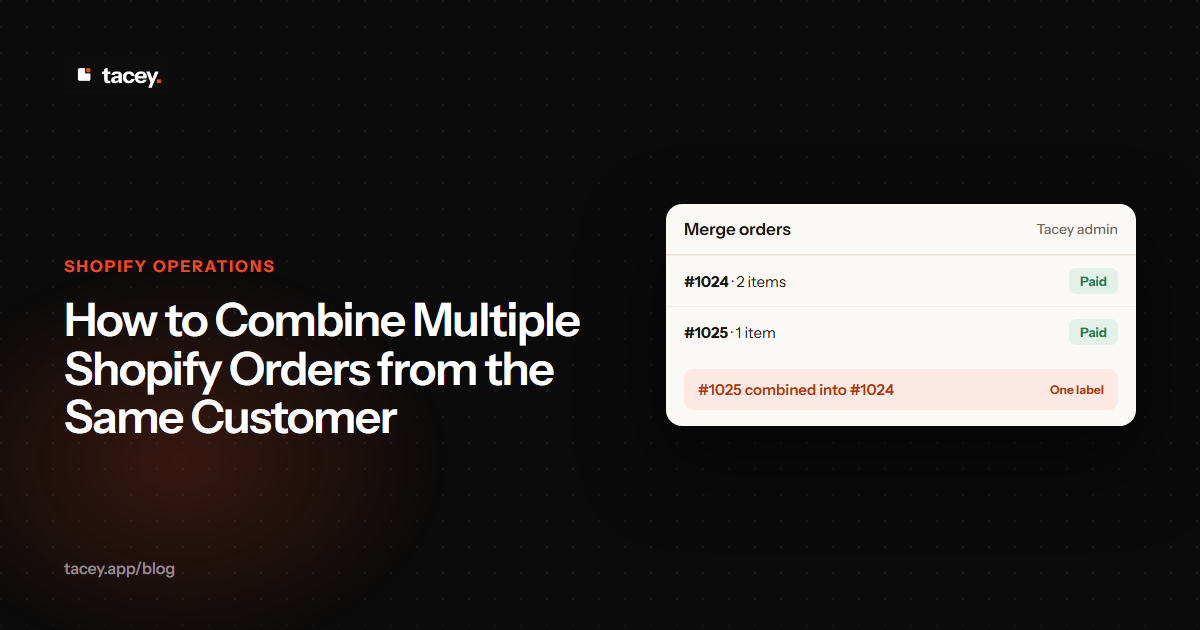
A customer places an order. Twenty minutes later, the same customer places a second one. Now you have two distinct orders, two packing slips, and two shipping labels for items going to the same address. Shopify's native platform does not include a one-click "merge orders" button, a deliberate design choice that prioritizes transactional integrity.
For merchants, this means that every time a customer makes a rapid-fire repeat purchase, you face a manual process. You must either combine shipments, absorb the cost of shipping two packages, or risk creating a disjointed customer experience. This choice has financial and operational consequences.
Why should I combine multiple Shopify orders?
You should combine orders to protect your profit margins. Shipping multiple packages to the same address creates redundant costs for postage, materials, and labor. These seemingly small expenses add up, eroding profitability on what should be good sales and creating a poor customer experience.
The most obvious cost is the second postage fee, but that is only the beginning. Each unconsolidated order carries hidden costs that extend far beyond the carrier's invoice. Calculating the true expense requires looking at several factors that compound with every duplicate shipment.
- Materials: Every shipment requires a box, tape, filler, and a packing slip. Shipping two packages instead of one doubles this material consumption. For a store with high order volume, this duplication becomes a significant and unnecessary budget item, directly reducing your profit margin.
- Labor: Your fulfillment team's time is a finite resource. Processing an order involves picking items, packing them, and generating a label. When a customer places two orders, your team performs this entire sequence twice, introducing inefficiency into the fulfillment queue and increasing your cost-per-order.
- Customer Experience: Receiving two packages for orders placed minutes apart can be confusing. It often leads to "Where Is My Order?" (WISMO) support tickets when a customer thinks an item is missing. As we've detailed, WISMO tickets are a preventable cost that signals a communication gap.
- Environmental Impact: Shipping two boxes when one would work uses more cardboard and plastic. It also creates a larger carbon footprint from the delivery. For brands built on sustainability, this operational inefficiency can contradict their core message and damage their reputation.
Imagine a customer places a $45 order and pays $8 for shipping. Minutes later, they place a second $20 order, again paying an $8 shipping fee. The second postage fee is an avoidable expense. The second box and packing materials might cost another $1.50, which is inside the typical $0.50 to $2.00 per-order range for packaging.
If your fulfillment staff is paid $22 per hour, the extra minutes spent processing the second order add a direct labor cost. This combination of redundant material, shipping, and labor fees creates an avoidable loss. On a combined order value of $65, that loss can turn a good sale into a marginal one.
How do I manually combine Shopify orders?
To manually combine orders in Shopify, you must cancel the secondary order and refund the customer. Then, you edit the primary order to add the items from the canceled one. Finally, you fulfill the single, consolidated primary order. This workaround requires precision to avoid inventory or record-keeping errors.
Before starting, it is critical to ensure that neither order has been fulfilled or sent to your fulfillment center. Changes cannot be made once the shipping process has begun. The process is a multi-step procedure that can lead to errors if rushed.
| Step | Action | Key Detail |
|---|---|---|
| 1. Identify Orders | In your Shopify admin, find two or more open orders from the same customer going to the identical shipping address. | Choose one order to be "primary" (often the first one placed) and the other(s) to be "secondary." |
| 2. Cancel Secondary Order | Open the secondary order, click "More actions," and select "Cancel order." Refund the full amount to the original payment method. | Crucially, leave the "Restock inventory" checkbox unchecked for now. This prevents the items from being sold to someone else before you can move them. |
| 3. Edit Primary Order | Navigate to the primary order and click "Edit." Use the search bar to add the products from the canceled secondary order. | Double-check that all quantities, variants, and prices are correct. You can add a custom discount to account for any extra shipping fees paid. |
| 4. Fulfill Combined Order | After confirming the edited primary order is accurate, pick and pack all items together. Purchase and print one shipping label for this order. | The customer will receive a single shipping confirmation email with one tracking number for all their items. |
| 5. Final Housekeeping | As a final step, add the tracking number from the fulfilled primary order as a note in the timeline of the canceled secondary order. | This creates an internal record linking the two orders, which is useful for future customer service inquiries. |
What are the risks of manually merging orders?
The main risks of manually merging orders are human error and excessive time consumption. Mistakes can lead to incorrect refunds, inventory overselling, and skewed analytics. These problems can easily cost more to fix than the savings on a second shipping label, especially as order volume grows.
Each manual merge is a gamble. You are betting that an employee's time and the risk of a mistake are less than the cost of redundant postage. For growing businesses, this is often a losing bet.
- Time Cost: A single manual merge can take three to five minutes. Just two merges per day adds up to over an hour of administrative labor per week. This is time your team could spend on revenue-generating activities.
- Human Error: With multiple steps involving refunds and order editing, mistakes are common. An employee might cancel the wrong order or forget to add an item. These errors create a negative customer experience that is costly to resolve.
- Complex Scenarios: The process breaks down with complexities like discount codes or gift cards. You cannot re-apply a discount code to an edited order. The only fix is a manual line-item discount, which requires careful calculation and pollutes your financial reporting.
- Inventory Sync: If you accidentally restock items from the canceled order too early, your inventory count becomes temporarily inflated. If another customer buys that item, you will have an oversold situation, leading to a backorder and a disappointed customer.
- Skewed Analytics: Canceled orders, even for operational reasons, can impact metrics like conversion rate. A Shogun study found the median ecommerce conversion rate to be 1.74%. In a business where every conversion is hard-won, explaining data anomalies from manual workarounds is an added complication.
Which Shopify apps can automatically merge orders?
Shopify apps like Mergify: Combine, Merge Orders and Triom: Combine, Merge Orders can automate this process. They use a rules engine to merge orders based on criteria you set. Tacey's order merge tool offers a merchant-confirmed merge that preserves original payment data without complex refunds.
The decision to automate is about tipping points. If your team spends hours per month on merges, or if one costly mistake has occurred, it is time to invest in a tool. Automation is a necessary step to scale operations efficiently and protect your margins.
When evaluating apps on the Shopify App Store, look for a customizable rules engine. A good app lets you define when to merge, based on matching addresses, time between orders, or fulfillment status. The best tools also provide a manual override, so you remain in control of edge cases.
The goal of any operational tool is to remove friction and reclaim time. Every minute a merchant spends on a repetitive manual task is a minute not spent talking to customers or developing new products. Automating processes like order merging is about creating the space for a business to grow.
If manual merges have become a weekly task, Tacey is built for this workflow. You review the candidate orders and confirm the merge. The absorbed order is canceled with no refund for its items, and the surviving order takes on its items. Both original payments remain untouched, replacing the risky manual sequence with one confirmed action.
Another approach prevents the second order entirely. Tacey can offer a customer an additional item on their order status page. If the customer accepts, the item is added to their existing order, becoming part of the same shipment. This uses the customer's own post-purchase experience to consolidate demand before it becomes a problem.
How can I prevent customers from placing multiple orders?
You can prevent multiple orders by addressing why customers place them. Make free shipping thresholds highly visible, offer smart product bundles, and use the post-purchase window to let customers add items to their existing order. This proactive approach can increase AOV and improve the shopping experience.
Viewing multiple orders as a symptom of a missed opportunity is more strategic than just treating it as an operational problem. The best solution is a funnel where merging is rarely needed.
- Promote Shipping Thresholds: A frequent cause of a second order is a customer realizing they were just short of free shipping. Use a dynamic banner in the cart that states, "You're only $7 away from free shipping," to encourage larger initial orders.
- Use Intelligent Bundling: If customers often buy specific items in separate orders, create a product bundle that offers them together. Also, use recommendation algorithms on product pages to suggest relevant add-ons before checkout.
- Leverage the Post-Purchase Window: The order confirmation page is a sales tool. Include a section like, "Forgot something? Add one of these popular items to your order before it ships." This is the principle behind post-purchase one-click upsells.
- Communicate a Modification Window: A simple line in your order confirmation email, like "You have 30 minutes to modify your order before it's locked for fulfillment," can change customer behavior. It empowers them to add a forgotten item themselves.
Before you overhaul your workflow, perform a simple audit. Go through your last month of orders and identify every instance of back-to-back shipments. Add up the redundant shipping fees you paid and estimate the labor time spent. This number will tell you exactly what the problem is costing you.
Frequently asked questions
Why doesn't Shopify have a built-in order merge feature?
Shopify's platform does not include a one-click merge button as a deliberate design choice. This approach prioritizes the integrity and finality of each transaction, treating every completed order as a distinct and unchangeable record to prevent data complications.
What should I do before starting a manual merge?
Before attempting a manual merge, you must confirm that neither order has been fulfilled. If an order has already been processed by your warehouse or a 3PL, you cannot make changes to its contents. The merge must happen before the shipping process begins.
How do manual merges affect discount codes?
You cannot re-apply a discount code to an order after it has been edited. If you merge orders where a discount was used, you must manually calculate and add a line-item discount to the primary order. This complicates financial reporting and can lead to accounting errors.
What is a WISMO ticket?
WISMO stands for "Where Is My Order?" It is a common customer support inquiry. When a customer receives only one of two packages they were expecting, they may create a WISMO ticket, believing an item is missing, which consumes support team resources.
How do I avoid overselling inventory when merging orders?
When you cancel the secondary order, do not check the "Restock inventory" box. This is critical. Add the items to the primary order first, and only after the merge is complete should you account for the inventory changes to prevent overselling.
What is the main benefit of using an order merging app?
The primary benefit of an app is saving significant labor time and reducing the risk of costly human errors. Automation handles the repetitive steps of merging, which protects your profit margins and allows your team to focus on growth activities instead of administrative tasks.
 Install on Shopify