tacey
 Install on Shopify

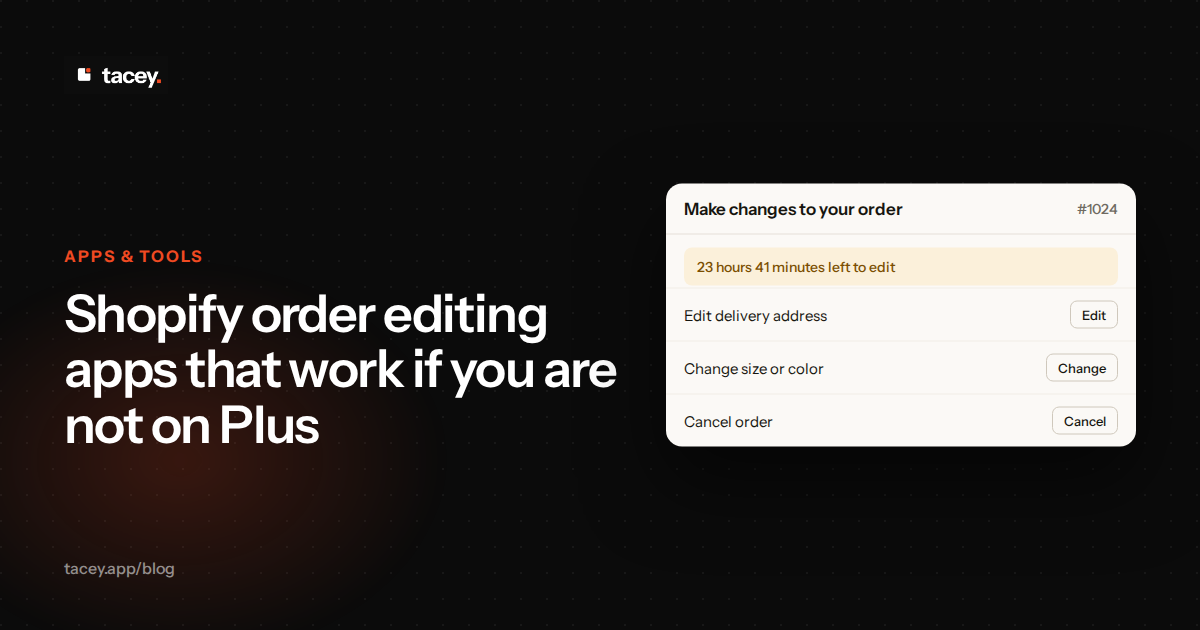
You can give customers the power to edit their own orders without upgrading to Shopify Plus. The solution is to use an app that works after the sale is complete, on the thank you and order status pages. This approach sidesteps the checkout restrictions that apply to most Shopify plans, providing a path to better customer self-service for nearly any store.
This guide is for store owners who want order changes without a Plus contract. If you run Basic, Shopify, or Advanced and get the same handful of emails each week about wrong sizes and old addresses, this applies to you. The fix is not a bigger plan. It is a change in where the edit happens.
What limits what an app can do inside checkout itself?
Shopify tightly controls its checkout process for merchants not on the Plus plan. This is done to maintain security, speed, and reliability across millions of stores. The code for the core checkout pages, where customers enter payment and shipping information, is largely locked. Only Shopify Plus merchants get the deeper access needed to add custom fields or complex logic directly into the payment steps.
This limitation means that on plans like Basic, Shopify, and Advanced, an app cannot place a full order editing tool directly within the checkout flow. While you can adjust branding and add certain blocks to the pages just before and after payment, the core transaction process is sealed. This is a deliberate platform decision to ensure a consistent and secure experience for shoppers.
An app that promises to edit an order *during* checkout on a standard plan is likely using a workaround that can be brittle or may not be fully compliant. The most reliable and Shopify-approved method for non-Plus stores is to handle edits after the initial transaction is complete.
The workaround trade-off
Some apps inject custom scripts into checkout to fake an editing step. These can work for months. Then Shopify changes a page template, and the script stops firing. The customer sees a broken button at the exact moment they are trying to pay.
The cost of that failure is more than one lost edit. A checkout that breaks on a busy day can lose a whole afternoon of sales. On a 300-order day, one broken hour can mean roughly 12 lost orders, or about $750 at a $60 average order.
What is the difference between editing at checkout and editing after payment?
Editing at checkout happens before a customer pays, while post-purchase editing happens after. The distinction is critical. Adding steps or complexity to the live checkout process can introduce friction, slow down the page load, and potentially cause a customer to abandon their cart. Any hesitation or confusion before payment is a direct risk to your conversion rate.
Editing after payment, on the other hand, works with a customer who has already committed to the purchase. The sale is secure. The customer is now on the order confirmation or order status page, motivated to fix a small mistake like a wrong address or a forgotten size. Providing tools here is a customer service enhancement, not a conversion risk.
This post-payment environment is a safer, more stable place to offer modifications. The initial order is logged, and any changes are applied to that confirmed transaction. It turns a potential support headache into a smooth, self-serve correction for the customer.
A worked example with real numbers
Take a store with 4,000 checkout starts a month and a 3.0% conversion rate. That is 120 orders. Now suppose a new step in checkout drops conversion to 2.5%. That is 100 orders, a loss of 20 sales.
At a $70 average order, those 20 lost sales are $1,400 a month. That is the price of one extra checkout field. The post-purchase route leaves those same buyers with an edit link they may never use.
These numbers are invented for illustration. Run your own. Pull last month's checkout starts and conversion rate from your analytics, then ask how many points you could lose before the change stops paying for itself.
Which Shopify plans can show an editing block on the thank you page?
Nearly every Shopify plan can support post-purchase editing. You can add app blocks to the Thank You page on all modern Shopify plans except for the Starter plan. For the Order Status page, which customers can access any time from their confirmation email, app blocks are available on all plans as long as you are using Shopify's new customer accounts.
This broad compatibility is because these customizations happen outside the locked-down checkout flow. Shopify has specifically designed the thank you and order status pages to be extensible with "app blocks". A merchant can go into their checkout editor, select the relevant page, and add a block from an installed app with a few clicks.
This means whether you are on the Basic, Shopify, or Advanced plan, you have the necessary capabilities to install an app that provides customer order editing. The key is that the app must be designed to work in this post-purchase space.
Adding the block, step by step
Start in the Shopify admin. Open Settings, then the checkout and accounts section, and find the editor for the Thank you page. Choose the app block from your installed apps, place it near the top of the page, and save. Then open a test order in a private browser window to see the result.
Check the order status page separately. It is a different template, and its block only appears when new customer accounts are enabled. If your block does not show, the usual cause is that account setting, not the app.
Here is the edge case. A store with a heavily customized theme may have a thank you page that the standard editor does not reach. In that case, a developer may need to place the block. Ask the app's support team before you buy, not after.
Why can editing after payment not cost you the sale?
Editing after payment cannot cost you the original sale because the sale has already happened. The customer has entered their payment details, Shopify has processed the transaction, and you have received the order. The entire interaction takes place on the order confirmation and order status pages, which are only shown after a successful payment.
This is the fundamental safety of the post-purchase model. You are not risking cart abandonment, because the cart has already been converted into an order. You are simply offering a convenience to a paying customer. They can correct a shipping address, change a size, or even add another item to their order.
If a customer makes a change that increases the order total, they pay the difference separately through Shopify's payment link before the order ships. If the change lowers the cost, the refund goes to you for approval. It is paid automatically only if you have switched that on. The original sale is never in jeopardy; it is the starting point for any subsequent modifications.
When the payment for the difference fails
Here is the case the usual advice skips. A customer adds a $90 item to a $45 order. They are asked to pay the $90 difference, and their card declines. The order is still the original $45 order, and the new item is not on it.
What happens next depends on the app. Some hold the change as pending and let it expire. Others may leave a half-updated order in your admin. Before you install, ask how a declined difference payment is recorded and whether stock is held for it.
The cost of getting this wrong is a packed box that does not match the paid order. Test it on day one with a declined test card. It takes about ten minutes, and it saves an argument with a customer later.
Your customer wants to fix their mistake, not cancel their order. Giving them the tools to do so in the moments after checkout is the cleanest way to reduce support tickets and improve their experience.
What limits still apply on any plan?
Even with a post-purchase editing app, some limitations exist. These are often tied to payment methods or order states that Shopify itself restricts. For example, orders paid with certain accelerated checkouts or installment plans like Shop Pay Installments often cannot have their items edited, though address changes may still be possible.
Likewise, once an order is marked as fulfilled and a shipping label is created, the window for editing closes. The app's job is to provide a clear cutoff before the order reaches your warehouse team. An app cannot change an order that is already in a box on the loading dock. Any changes after that point become a return or exchange.
Other specific cases, like local delivery orders or orders from before 2019, may also have editing restrictions based on Shopify's API rules. A good editing app will clearly show what is and is not possible for any given order, preventing confusion for both you and your customer.
Worked example: the fulfillment cutoff
Say your warehouse packs at 2 p.m., and orders placed at 9 a.m. are usually labeled by noon. If the editing window runs for 24 hours, a customer can change a size after the box is already packed. That gap is where most edit-related returns come from.
Now the numbers. Suppose 3% of 600 monthly orders get an edit after packing, and each one ends in a return. At $12 for the return label and $6 to inspect and restock, that is $18 per return. Eighteen returns come to about $324 a month.
The fix is to end the editing window at your pack time, not 24 hours after purchase. A much shorter window is often still enough to catch address typos, which are the edits customers ask for most. Set the cutoff, then tell the customer clearly when the order locks.
How do you test an order editing app on your own plan before committing?
The best way to test an order editing app is to use its free trial period to run a real test order through your own store. Most reputable apps offer a trial, allowing you to install the app and see its functionality firsthand without any financial commitment. Tacey, for example, offers a 14-day free trial on all plans.
During the trial, place a test order as if you were a customer. Go through your store's checkout process and pay for the order. When you land on the thank you page, you should see the editing options provided by the app. Test the common scenarios: change a shipping address, update a quantity, or swap a variant.
This hands-on testing confirms that the app works with your Shopify plan and theme. It also lets you experience the editing process exactly as your customers will. This is the most effective way to evaluate if the tool is a good fit for your business before you subscribe.
A test checklist you can follow
Run these checks in order, using a test order with a real card and a small amount. First, change the address and confirm the new address appears on the order in your admin. Second, change a quantity and check that the price difference is correct.
Third, remove an item and confirm the refund matches the item price, including any discount that applied to it. Fourth, apply a discount code to the new total. Each check takes two or three minutes, and together they cover most of what customers will try.
Last, do the whole flow on your phone. Many customers open confirmation emails on mobile. A block that looks fine on a desktop can be cut off or hard to tap on a small screen.
How Tacey enables customer self-service without Plus
Tacey is designed specifically to work within the post-purchase window, making it compatible with all Shopify plans that support checkout page blocks. It adds a powerful set of self-service tools to your order status and thank you pages, allowing customers to manage their own orders without needing to contact your support team. Because it runs after payment, it does not require a Shopify Plus plan.
By default, Tacey enables customers to edit their delivery address, update contact details, change quantities, replace products, or even cancel their order within a time window you set. Tools for adding products, applying discounts, and adding gift messages are also included on every plan. Every tool is available on every plan, from Starter at $29/month for 750 orders to High Volume at $399/month for 20,000 orders.
This transforms your order confirmation page from a simple receipt into an interactive customer service portal. It empowers your customers to fix common mistakes instantly, which reduces support ticket volume and improves overall satisfaction. You can explore the full feature set for order editing and start a free trial from the Shopify App Store.
Running the ticket math
Here is a worked example for the Starter plan, which covers 750 orders a month. Assume 5% of those orders need an address or size change. That is about 38 requests. At six minutes each, handled by someone paid $25 an hour, the support time comes to about $95 a month.
Self-service does not remove that cost completely. Some customers will still email you. Count the tickets you handle now for each edit type, then ask how many the page would have solved. Be honest about the answer, because it decides whether the plan pays off.
The trade-off is control. Every edit you allow is a change to a paid order that your team must pack correctly. Set limits on what customers can change, especially after the packing window opens, so the savings are not lost to packing mistakes.
Frequently asked questions
Does the customer need an account to edit their order?
No. Customers can access the order status page and its editing tools directly from the link in their order confirmation email. They do not need to create a separate account on your store to make changes.
What happens if a customer adds a more expensive item?
If a customer's edit increases the total cost of the order, they will be prompted to pay the difference. Tacey uses Shopify's own secure payment link to handle the transaction before the updated order is confirmed for fulfillment.
Can I limit what customers can edit?
Yes. In the Tacey app settings, you have full control. You can set the length of the editing window, choose which editing tools are available to customers, and decide whether refunds for removed items are processed automatically or require your approval.
Is using a post-purchase editing app safe?
Yes, when the app works with Shopify's intended extension points. Apps that use official app blocks for the thank you and order status pages are working within Shopify's framework, which is designed for security and stability.
Will an order editing app slow down my store?
A well-built post-purchase app should have no impact on your storefront's loading speed or the checkout process. Since the tools load after payment is complete, they do not interfere with the critical path to conversion.
What's the main benefit of not needing Shopify Plus for this?
The main benefit is cost and accessibility. It means stores of all sizes, not just large enterprises, can offer advanced customer service features. You can reduce support workload and improve the customer experience without needing a plan that starts at thousands of dollars per month.
What if the edit request comes after the order is fulfilled?
Once fulfillment starts, the editing tools should close. Customers should see a clear message that the order can no longer change, with a route to request a return or exchange. Set your editing window to match your pack time, so the page and the warehouse agree on when an order locks.
How are edits recorded for accounting?
Each change should appear in your Shopify order history as its own event. An added charge or refund shows up as a separate payment record, so the original sale stays intact. Ask your accountant how your region handles adjusted orders, since the rules on partial refunds vary.
 Install on Shopify