tacey
tacey Install on Shopify
The average 'Where Is My Order?' (WISMO) ticket isn't just a question. It's a symptom of a larger problem: post-purchase anxiety. For many Shopify merchants, these inquiries represent the single largest category of support requests, consuming staff time and eroding customer confidence. The solution isn't just a better tracking page; it's a fundamental shift from reactive support to proactive communication that gives customers clarity and control from the moment they complete their purchase.
This playbook outlines a layered strategy to cut your WISMO volume in half. It moves from simple adjustments you can make today to implementing powerful self-service tools. The goal is to answer your customer's questions before they even think to ask them, turning a moment of anxiety into an opportunity for trust.
What Really Causes 'Where Is My Order?' Tickets?
WISMO tickets are primarily caused by an information gap between a customer's delivery expectations and the reality of the fulfillment process. This uncertainty, rather than the shipping time itself, creates post-purchase anxiety and prompts customers to contact support for updates on their order's status.
When a customer does not know what is happening with their order, they tend to assume the worst. This uncertainty creates a post-purchase anxiety that many online shoppers experience, and it is this feeling, not just the shipping time itself, that generates a support ticket. These inquiries can account for a significant portion of all support volume.
For instance, Shopify's own data suggests WISMO questions make up 30% to 40% of support volume, rising to over 50% during peak season. Other analyses find they can account for up to 50% of all inbound calls. This is not just a logistics issue; it is a communication failure that happens after you have already secured the sale.
The Hidden Costs of a Single WISMO Ticket
The cost of a WISMO ticket goes far beyond the few minutes it takes to answer. For ecommerce, the blended cost to resolve a single support contact often falls within a wide range, with some estimates placing it between $5 and $22. This cost compounds quickly. For a store processing several thousand orders a month, even a small percentage of WISMO inquiries translates into hundreds of tickets.
When each of those tickets carries a fully-loaded resolution cost, the monthly expense can easily reach thousands of dollars, a significant operational drain spent just confirming order statuses.
That per-ticket cost is a blend of several factors. It includes the agent's salary and benefits, a share of software licenses for help desk and CRM tools, and management overhead. It does not just represent a few minutes of an agent's time; it is the fully-loaded cost of running the infrastructure needed to resolve that single ticket.
That cost is purely operational. It doesn't account for the erosion of trust or the increased likelihood of a customer churning. A bad delivery experience is a powerful reason for a customer to not shop with you again. The real cost of WISMO is measured in both wasted support budget and lost lifetime value.
The root causes often lie in opaque shipping policies, unpredictable processing times, or a simple lack of updates. The moment a customer pays, a clock starts ticking in their mind. Every day without information widens the gap between their expectation and their experience, making a support ticket almost inevitable.
Why Isn't My Standard Tracking Page Enough?
A standard carrier tracking page is not a customer experience tool. It answers the question of "where" in the most literal, and often unhelpful, way possible. These pages are filled with logistics jargon, confusing statuses, and no context about what the customer should actually expect.
When a customer leaves your Shopify store to view a third-party tracking page, you lose control of the narrative. A status like "Tendered to delivery service provider" or "In transit, arriving late" can create more questions than it answers. This sends the customer right back to your support team for a translation.
Losing the Customer Journey to a Third-Party Page
Sending customers to a carrier's site is a missed opportunity. You lose the chance to reinforce your brand, show related products, or offer help on your own terms. Instead, the customer is left in a generic environment that treats their exciting purchase like any other tracked parcel. This undermines the brand experience you worked hard to build.
A generic tracking link tells a customer they are just one package in a massive logistics network. It fails to provide reassurance, brand context, or helpful next steps. Effective WISMO reduction requires keeping the customer within your brand's ecosystem, where you can provide clear, curated information, often through a branded tracking page.
How Can I Set Clearer Delivery Expectations?
You can prevent a huge number of WISMO tickets by setting accurate expectations before the customer even clicks "buy." This means being transparent about your entire fulfillment timeline, not just the final shipping speed. Your goal is to provide a realistic estimated delivery window.
Start on your product pages. Instead of a vague "Ships fast, " use specific language like, "Usually ships within 2 business days." On your cart and checkout pages, provide an estimated delivery date range that accounts for both your processing time and the shipping carrier's timeline.
How to Calculate a Reliable Delivery Estimate
A trustworthy delivery estimate has three parts: your internal processing time, the carrier's transit time, and a small buffer. First, measure how long it takes your team to pick, pack, and hand off an order to the carrier. This is your processing time. Next, use your carrier's stated transit times for the shipping methods you offer.
Finally, add a one or two-day buffer to account for minor delays. The formula is: (Maximum Processing Time + Maximum Carrier Transit Time) + Buffer. This gives you a safe delivery window to display on your site. This simple act of expectation management is a powerful tool for building trust.
A Worked Example
Let's say your warehouse takes one to two business days to process an order. You offer a shipping option with a carrier transit time of three to five business days. To be safe, you add a one-day buffer. Your calculation is (2 days processing + 5 days transit) + 1 day buffer = 8 business days. You can confidently display "Arrives in 4, 8 business days" on your site.
Honesty is critical, especially during busy periods. It's much better to communicate a potential delay upfront than to deal with a flood of support tickets later. A simple banner stating "We're experiencing high order volume; please allow an extra 3-5 days for processing" can save your team countless hours.
What Are Proactive Shipping Notifications?
Proactive notifications are automated messages, typically via email or SMS, that update customers at key moments in the fulfillment journey. They give your customers information before they need to ask for it, which is the core principle of reducing WISMO inquiries. This consistent communication provides peace of mind.
These messages transform the post-purchase experience from a silent black hole into a guided journey. Instead of one "order shipped" email, a good notification strategy includes updates for major milestones: order confirmed, order shipped, out for delivery, and finally, delivered. Proactive notifications can significantly reduce WISMO tickets, with some reports indicating a potential reduction of up to 65%.
Beyond the Basics: Notifications That Handle Edge Cases
A truly effective strategy anticipates problems. Consider adding a "shipment stalled" notification. If a tracking number shows no movement for 48 hours, an automated message can inform the customer that you've noticed the delay and are looking into it. This single alert prevents a wave of anxious inquiries.
Without this proactive step, a stalled shipment can quickly escalate. The customer may assume the package is lost or that the order was fraudulent. This can lead to them initiating a chargeback with their bank, which comes with significant, non-refundable fees and can harm your payment processing relationship.
Another powerful notification is the "delivery exception" alert. When a carrier marks a package with an issue like a wrong address or access problem, you can immediately notify the customer. This allows them to participate in the solution rather than discovering the problem days later when the package fails to arrive.
Each message is a chance to build trust and reinforce the value of your brand. You are demonstrating to the customer that you are in control of their order and that you haven't forgotten about them. This consistent communication provides the peace of mind that a static tracking page never can.
The moment after payment is the peak of customer trust. Protecting that trust means giving them clarity and control, not a tracking number and silence.
Can Self-Service Tools Reduce WISMO Before It Starts?
Yes, by addressing the root cause of pre-shipment anxiety. Many WISMO-related tickets are triggered when a customer realizes they made a mistake in their order, such as entering the wrong address or selecting the wrong size. Their immediate reaction is to contact support, creating a ticket that isn't even about shipping yet.
Empowering customers to solve these problems themselves is a powerful way to prevent tickets. A self-service window on the order status page allows a customer to correct their own errors before the order is fulfilled. This shifts their focus from worrying about where their package is to feeling confident that their corrected order is on its way.
Resolving Customer Anxiety in Real Time
Imagine a customer places an order at 10 p.m. and immediately spots a typo in their address. Without self-service, they must email support and hope for a fix before the order ships. This creates hours of anxiety, waiting for your support team to start their day. They may even contact you on multiple channels, creating extra work.
A self-service portal resolves this anxiety instantly. The customer can log in, fix the address, and receive immediate confirmation that the change was successful. The problem is solved in minutes, without any support interaction. This is a vastly better experience that builds confidence and prevents a needless support ticket.
This approach tackles the problem at its earliest stage. Instead of becoming a complex support issue that involves intercepting a package or processing a return, the mistake is fixed by the customer within minutes of placing the order. The result is a better customer experience and a lighter load for your support team.
How Does Post-Purchase Order Editing Prevent Support Tickets?
Post-purchase order editing gives your customers a defined window of time to manage their own orders directly from the Shopify order status page. This is the page they are already sent to after payment, requiring no new logins or confusing portals. It directly prevents the most common sources of pre-shipment tickets.
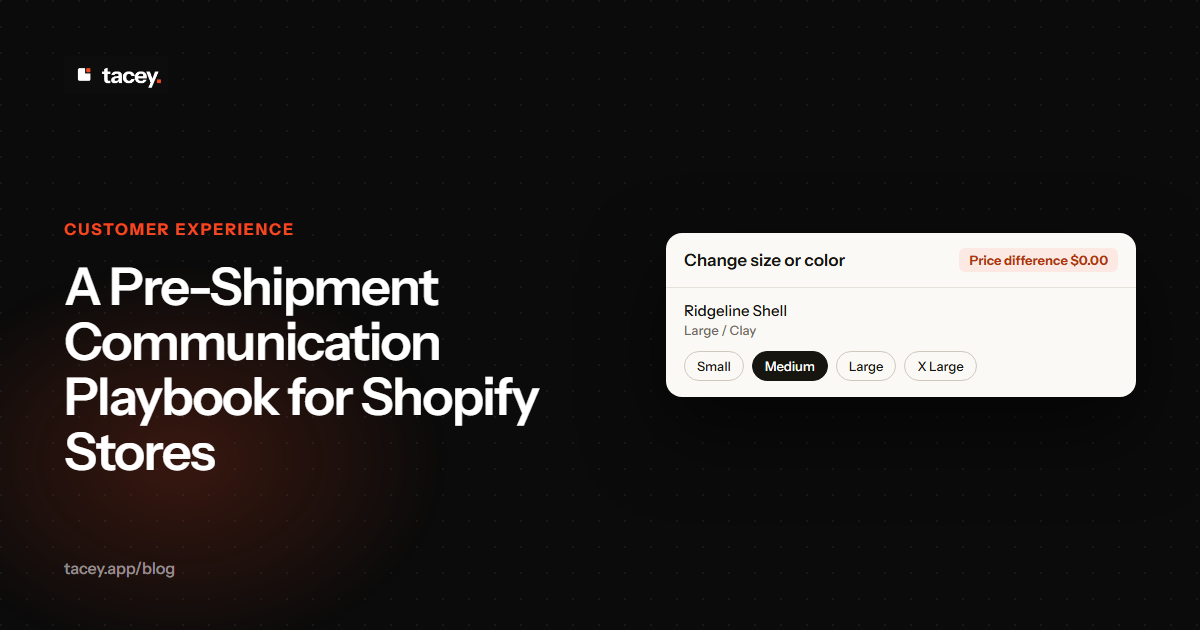
When a customer can perform their own order editing, they can fix a typo in their shipping address, change a product variant, or even add a gift message without needing to contact you. This self-service capability turns a moment of panic into a moment of empowerment. It solves the problem instantly, at the source.
The True Cost of a Single Wrong Address
A wrong shipping address is one of the most expensive errors in ecommerce. The direct costs alone can be significant, with carriers imposing substantial address correction fees for each rerouted package. If the package is returned, you also pay for return shipping and then the cost to ship it out a second time.
If the error isn't caught before shipping, you must contact the carrier to request a package intercept or rerouting. This is a manual process that is not always successful and incurs its own fee, separate from the address correction charge. It is a costly, time-consuming reaction to a problem that could have been prevented.
But the hidden costs are often worse. Your support team spends time locating the package and communicating with the frustrated customer. You may need to replace the product if it's lost. When factoring in support time, potential product loss, and multiple shipping charges, the total cost for a single bad address can easily wipe out the profit from that order and several others.
Tools like Tacey enable this by providing a merchant-configurable edit window that closes automatically before fulfillment begins. This ensures that no changes can be made once an order is sent to the warehouse. By validating addresses and allowing customer-led corrections, you can dramatically reduce the number of tickets related to wrong addresses and incorrect order details.
What's the Best Way to Implement a WISMO Reduction Strategy on Shopify?
The most effective approach is a layered one. Start with the foundational elements of clear communication and then add automation and self-service tools. Each layer builds on the last, progressively reducing the need for customers to contact you.
First, audit and improve your on-site messaging. Ensure your product, cart, and policy pages clearly state your processing times and shipping estimates. This is the low-effort, high-impact first step. Next, enable proactive shipping notifications through Shopify's own settings or a dedicated app from the Shopify App Store.
The Edit Window Trade-Off: Speed vs. Customer Convenience
When implementing self-service edits, you must balance fulfillment speed with customer convenience. A very short edit window, say, 30 minutes, minimizes disruption to your warehouse but gives customers little time to spot an error. A longer window of four hours is more convenient but may require you to adjust your fulfillment process.
The right choice depends on your operations. If you use a third-party logistics (3PL) partner that pulls orders instantly via API, a shorter window is necessary. If you process orders in batches every few hours, you can offer a longer window. The key is to define a cutoff that is safe for your workflow and communicate it clearly to customers.
This gets complex if you use a hybrid model, where some items ship from your warehouse and others are dropshipped. The edit window must be set to the shortest fulfillment timeline in the entire order. An order with one in-house item and one dropshipped item is limited by whichever partner pulls the order data first.
Finally, for the greatest impact, implement a post-purchase self-service tool. An app like Tacey gives customers a crucial window to manage their own orders, solving problems before they even become tickets. The plans are based on order volume, with no feature differences between tiers, starting at $29/month. You can find more details on the pricing page.
Reducing WISMO is not about deflecting questions; it's about making them unnecessary. By giving customers the information and control they need, you build the trust that turns a one-time buyer into a loyal customer. Your support team is then freed up to handle the complex issues that actually require a human touch.
Frequently asked questions
What does WISMO stand for?
WISMO is an acronym for "Where Is My Order?". It's a common term in ecommerce used to describe customer inquiries about the status of their shipment after they have made a purchase.
What percentage of support tickets are WISMO?
This varies by store, but industry benchmarks suggest WISMO inquiries can make up 30-50% of all customer support tickets. This number often increases significantly during holiday seasons or sales events.
Do branded tracking pages really work?
Yes, they are more effective than standard carrier pages. A branded tracking page keeps the customer on your site, provides clearer information, and allows you to reinforce your brand and even cross-sell other products.
How long should my pre-shipment edit window be?
This depends entirely on your fulfillment speed. The window should be long enough for a customer to spot an error but must close before your warehouse team begins picking and packing the order. For most stores, this is between one and four hours.
Can I stop WISMO tickets completely?
You cannot completely eliminate them, as unexpected carrier delays or other issues will always happen. However, a proactive communication and self-service strategy can drastically reduce the volume of these tickets, often by 50% or more.
Does Shopify have built-in tools for WISMO?
Shopify provides basic email notifications for key events like "order confirmation" and "shipping confirmation." For more advanced proactive notifications, branded tracking pages, or customer self-service editing, you will need to use a third-party app.
 Install on Shopify