tacey
tacey Install on Shopify
A loyal customer places an order on Monday. On Tuesday morning, before the first order has shipped, they place another one. Your Shopify admin now shows two separate orders, both with unfulfilled status, heading to the same address. This scenario is not a sign of a problem. It is a sign of a healthy, growing store with repeat customers.
The problem is operational. You are now set to pay for two boxes, two shipping labels, and two separate fulfillment actions for items that could easily travel together. While Shopify does not provide a simple "merge orders" button, this is a solvable issue. Fixing it can significantly reduce costs and operational drag.
How much does not merging orders actually cost?
Failing to merge orders costs more than just extra shipping labels. It includes wasted packaging, additional labor for picking and packing, and the expense of handling confused customer support tickets. These hidden costs can add up to thousands of dollars per month, quietly eroding your profit margins on valuable repeat customers.
The true cost is spread across your entire operation. It moves from the warehouse floor to the customer's inbox and even impacts your environmental footprint. Let's look at an example. A store processes 500 orders per day with an average shipping cost of $9. It sees 10 mergeable order pairs each day.
The total cost of this inefficiency includes:
- Shipping Labels: The most visible cost is $90 per day in wasted shipping labels ($9 x 10), which adds up to $2,700 per month.
- Packaging: If a box and materials cost $1.50, that is another $450 per month. This estimate is within the typical $0.50 to $2.00 per-order range for ecommerce packaging.
- Labor: At three minutes per extra order and a $20 hourly wage, you spend an extra $300 per month on labor.
The true cost in this scenario is not $2,700, but $3,450 per month, or over $41,000 per year. This calculation does not even include the downstream costs of customer support tickets. A single ticket can cost $5-$10 to resolve, further inflating the total financial impact.
This duplication also degrades the customer experience. A customer with two tracking numbers may get confused, leading to preventable "Where Is My Order?" (WISMO) queries. Providing a single shipment with one tracking number creates a cleaner, more professional post-purchase experience.
Shopify lacks a native merge function because each order is an immutable financial record. An order number links to a specific payment, inventory change, and tax calculation. Combining orders would break data integrity in reporting. Any solution must create a new shippable unit while preserving the original financial records.
Can I just merge Shopify orders manually inside the admin?
Yes, by using draft orders, but it is a high-risk process. Manually merging orders is slow and prone to critical errors in inventory counts and financial reporting. This method is not scalable and can easily corrupt your store's data, making it unsuitable for most businesses.
The process involves canceling the original orders, creating a new draft order with all the items, and marking it as paid. While it avoids a third-party app, each step is a potential failure point. For example, if a customer used a discount code on one order but not the other, replicating this in a draft order requires manual math and invites error.
The single greatest risk is inventory desynchronization. When you cancel an order, you might forget to check the "Restock items" box. If you do this for one order but not the other, your inventory count becomes incorrect. You may then oversell a product you no longer have, turning one shortcut into two customer service failures.
Financial reporting is the second major vulnerability. A manually created draft order exists outside the context of the original transactions. This can skew sales reports and tax data. It may also appear as 'unattributed' traffic in analytics platforms, obscuring the performance of your marketing campaigns.
Ultimately, the manual merge is a brittle process that relies on flawless execution. The risk of one wrong click corrupting your data makes this a solution to avoid. For any store with significant order volume, this method is not scalable or safe.
What should I look for in a Shopify order merging app?
Choose an app that preserves data integrity by not using draft orders. It should automate inventory adjustments accurately and offer flexible rules for merging. Look for features that create a clear audit trail and integrate smoothly with your existing fulfillment workflow to prevent reporting errors and overselling.
A well-built app handles the merge without corrupting your core analytics. It should create a new fulfillment record while ensuring the original order data remains intact for reporting. Verify that the app uses Shopify's APIs to create a new order that correctly references the originals, rather than automating the flawed draft order process.
Next, evaluate how the app handles inventory. It should automatically return items to stock from one order and decrement the correct total for the final shipment. This reduces the risk of overselling. A good app will provide a clear log of these inventory movements, so you can trace every automated action.
Flexibility is also essential. The best apps let you define smart rules for automatic merging, such as combining orders to the same address within a 48-hour window. They should also include a manual override or a "suggested merges" feature. This provides a valuable human safeguard against merging an order intended as a separate gift.
What are the best apps for merging Shopify orders?
The best app depends on your needs. Dedicated tools like Mergify and MergeIt focus purely on safe merging. Triom offers merging plus customer self-service editing. Tacey provides a different approach by modifying the original order, avoiding a new record, and also offers post-purchase upsells to prevent second orders.
The Shopify App Store offers several solutions, each with a different approach. The top contenders are built to protect data integrity while saving time and shipping costs. They replace the risky manual process with a reliable system that can scale with your business.
| App | Key Feature | Best For |
|---|---|---|
| Mergify: Combine, Merge Orders | Dedicated merging with smart suggestions and customizable rules. Preserves sales and tax data. | Stores needing a focused, reliable merging tool without extra complexity. |
| Triom: Combine, Merge Orders | Includes merging and a customer-facing portal for self-service order edits (e.g., address changes). | Merchants wanting to solve merging and other common support tickets with one app. |
| MergeIt ‑ Combine Merge Orders | Offers smart rules, one-click merging, and an "undo" function for added security. | Teams that are cautious about automation and want a clear audit trail for all actions. |
| Tacey | Modifies the surviving order instead of creating a new one, keeping original payments intact. | Merchants who want to avoid creating new order records during a merge. |
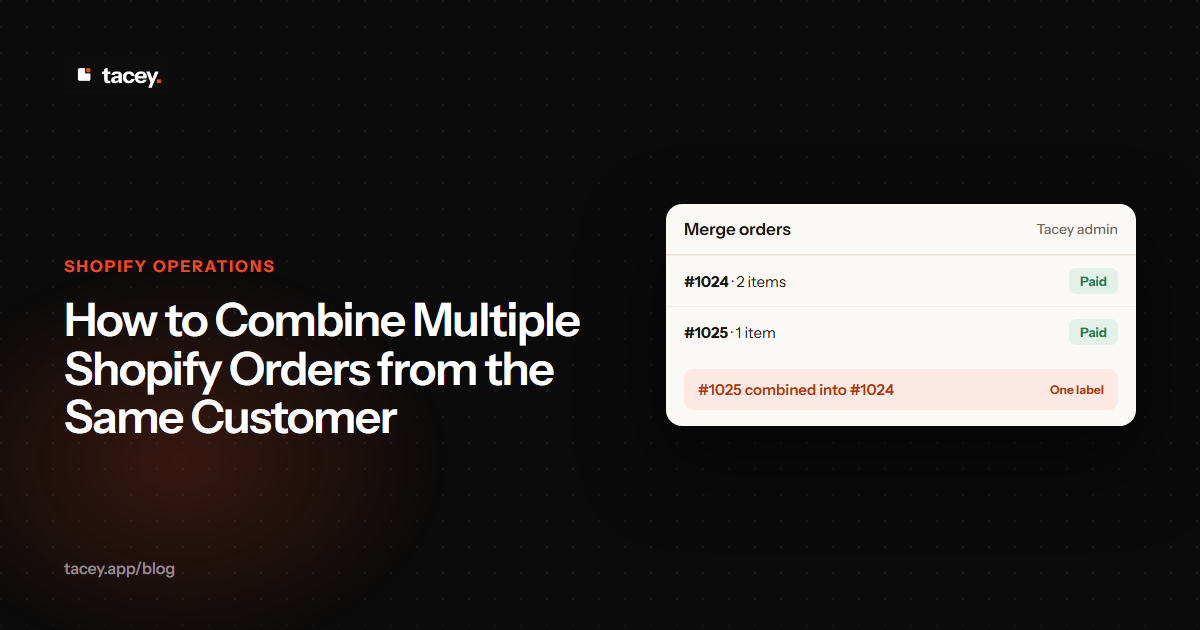
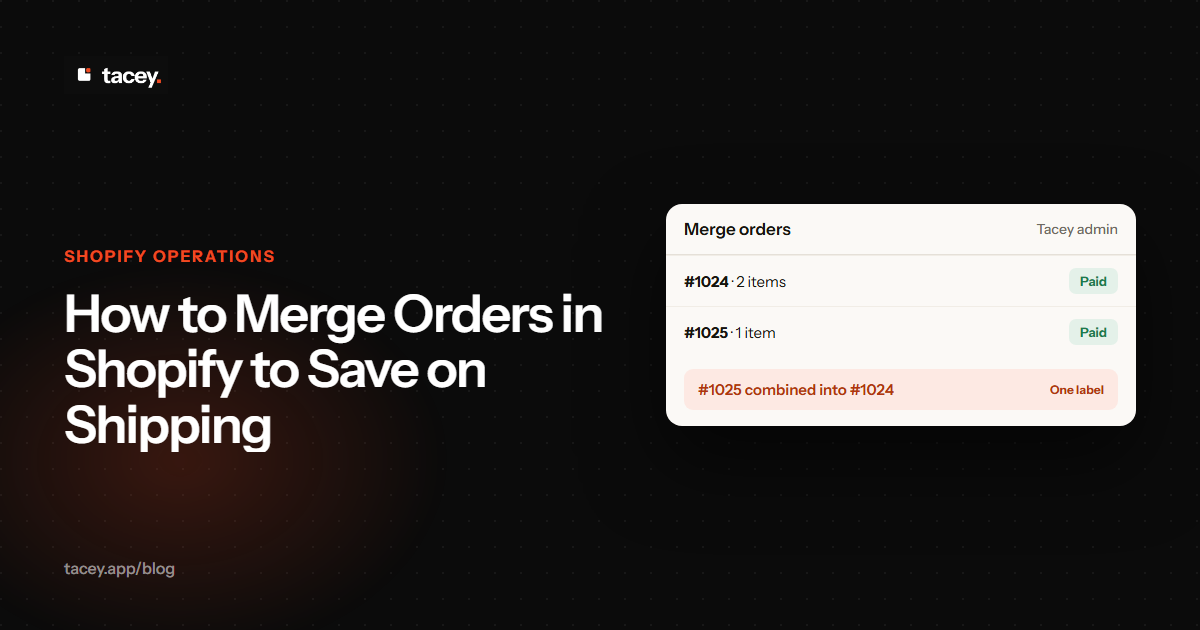
Tacey takes a different approach to the pair of orders itself. The merchant reviews each mergeable pair in Tacey's own admin and confirms it. The absorbed order is cancelled with no refund for its items, the surviving order takes on its items at no additional charge, and both original payments stand exactly where they were, each with a record of what happened. It is a merchant action, not something the customer does.
Tacey's post-purchase upsell feature approaches the same root problem from the customer's side. After their purchase, a customer can add a specific, merchant-offered item to their order directly from Shopify's order status page. This action is designed to increase the value of the shipment without creating a second one. In the current version, adding the item is free for the customer; no payment is needed, and there is no charge to confirm the addition.
The new item simply rides along in the same shipment as the original order. Because neither this tool nor the order merge feature creates a new order record, neither ever requires a merge of its own.
How do I change my warehouse process to handle merged orders?
Integrate the app with your fulfillment process by using Shopify tags. Create a rule in your shipping software to recognize a "merged-order" tag for fulfillment and another to ignore the original orders. This ensures your team only sees the final, consolidated order and prevents duplicate shipments.
An app is only part of the solution. It must be integrated with your team's daily processes. The first step is to establish a clear signal for your fulfillment team or 3PL. Most merging apps can apply a specific tag like "merged-order" to the consolidated order. Your process must be updated to recognize this tag.
In a tool like ShipStation, create a filtered view that isolates orders with the "merged-order" tag. This view becomes the source of truth for your packing station. At the same time, a rule should archive orders tagged "original-merged-order" to prevent them from appearing in the fulfillment queue by mistake.
Effective merging relies on the window between order placement and fulfillment. This window is determined by your operational cadence. A warehouse that picks orders continuously has a short window. In contrast, a process built around batches, like a 2 PM cutoff, creates a longer window for merges to occur.
This introduces a trade-off between shipping speed and efficiency. A batching strategy may mean a slight delay, but it enables cost savings. The key is finding a balance that works for your business without actively blocking a paid order from being fulfilled. This concept is central to any form of order editing.
You also need a clear policy for handling extra shipping fees. You can refund the cost, issue store credit, or keep the fee. A cash refund is cleanest, while store credit can drive loyalty. Automating your chosen policy through your app removes another manual task and ensures all customers are treated fairly.
Finally, train your customer support team. They need to understand how to identify a merged order in Shopify, often by looking for specific tags. Equip them with a script to explain the process to customers, framing it as a benefit that saves packaging and ensures everything arrives together.
Frequently asked questions
Why doesn't Shopify have a built-in merge button?
Shopify treats each order as a unique and permanent financial record tied to a specific payment and inventory event. A native merge function would create data integrity problems for accounting and reporting, as the final record would no longer match the original transactions.
What is the biggest risk of merging orders manually?
The biggest risk is inventory desynchronization. If you forget to restock items from a canceled order, your inventory counts become inaccurate. This can lead to overselling products you do not have, creating a poor customer experience and corrupting your stock data.
How do I know if I need an order merging app?
Export your orders from the last 30 days and find instances where the same customer placed multiple orders to the same address within a 48-hour window. Multiply that number by your average shipping cost to calculate your minimum monthly loss on unnecessary shipments.
What is a fulfillment window and why does it matter for merging?
A fulfillment window is the time between when an order is placed and when it begins the shipping process. A longer window, often created by batching orders for fulfillment at set times, provides more opportunity for a second order to be placed and merged with the first.
How should I handle the extra shipping fee from a merged order?
You have three main options: issue a cash refund, offer store credit to encourage a future purchase, or keep the fee. The best choice depends on your business goals, but it is critical to choose one policy and apply it consistently for all customers.
How do I signal a merged order to my warehouse team?
Use a specific Shopify tag, such as "merged-order," which your merging app can apply automatically. Configure your fulfillment software or 3PL's system to create a special queue for orders with this tag, ensuring your team only packs and ships the final, consolidated order.
 Install on Shopify