tacey
tacey Install on Shopify
Most Shopify merchants view the order confirmation page as the end of a transaction. The customer has paid, the deal is done, and the page exists simply to say "thank you." This perspective treats your most valuable post-sale asset as a digital receipt, and it is quietly costing you revenue every single day.
The truth is, the moment after a customer clicks "buy" is when they are most receptive to your brand. Their trust is at its peak, and their buying momentum is high. Leaving them at a dead-end "thank you" screen is like a salesperson walking away right after a customer has pulled out their wallet. It’s an abrupt end to a conversation that should be just beginning.
What Is the Shopify Thank You Page, Really?
The Shopify Thank You page is the post-payment screen, now called the Order Status page, where customers land after checkout. It acts as their central hub for order tracking and delivery updates until the package arrives, representing a valuable and revisited point of contact for merchants.
For years, this page was a static conclusion. But Shopify has evolved it into a dynamic, stateful page that customers revisit multiple times to check on their order's progress. This behavior transforms the page into a point of sustained, high-intent attention from your most qualified audience: a paying customer.
This behavior is even more pronounced for purchases with longer shipping windows or high-value items. The customer's anticipation drives them back to this page for reassurance. Each visit is a fresh opportunity to engage, reinforce their decision, and continue the conversation. It is a live channel, not a final destination.
How can you see this traffic for yourself? A simple way is to add UTM tracking parameters to the links in your shipping confirmation emails. When customers click "View Your Order," your analytics will show this traffic source. This isn't new traffic you paid for; it is existing customers returning to a page you control, proving its value as a marketing channel.
Thinking of it as just a "thank you" page is a holdover from an older era of e-commerce. Today, it represents a critical, and often completely unused, phase in the customer journey. It is the first step in turning a one-time buyer into a repeat customer.
Why Does the Default Thank You Page Lose Money?
The default page is a conversational full stop. It confirms the order and provides a shipping address, but it presents no further action for the customer to take. This polite but passive approach misses the peak moment of buyer's excitement.
Immediately after making a purchase, a customer experiences a rush of positive feeling and validation. They are excited about their decision and have demonstrated the highest possible level of trust in your brand by providing payment details. The default page lets this powerful combination of trust and enthusiasm dissipate completely.
It creates a transactional dead end where a relationship could begin. Instead of continuing the journey, it brings the customer's momentum to a halt. Every order that ends this way is a missed opportunity to increase that specific order's value and deepen the customer relationship.
Let’s Talk Numbers: The Cost of a Dead End
Consider a store with a steady stream of monthly orders and a typical average order value. By leaving the default order status page in place, this store is leaving a significant amount of money on the table with each transaction. Now, let's introduce a simple post-purchase offer. If even a small fraction of customers accept a low-cost upsell, the additional revenue adds up quickly. Over a year, this can become a substantial new stream of sales from a single optimization.
But the financial impact is even more profound when you consider profit margins. The original revenue has associated costs, including the cost of acquiring the customer. That extra revenue, however, has a customer acquisition cost (CAC) of zero. It is pure, high-margin revenue generated from an asset you already own: the customer's attention.
This is not about creating new traffic or spending more on ads. It is about maximizing the value of the customers you have already successfully converted. The cost of inaction is the cumulative loss of this potential revenue, order by order, day by day.
Can You Customize the Standard Shopify Thank You Page?
Yes, but the extent of your control depends heavily on your Shopify plan. All merchants can add scripts and basic content, but creating truly interactive or dynamic experiences has traditionally been complex or restricted to higher-tier plans.
Merchants on standard plans can use the "Additional scripts" box in the checkout settings to add tracking pixels or simple messages. You can find this under `Settings > Checkout > Order status page`. However, this method offers limited control over the page's structure and cannot create interactive upsell offers. It is more for analytics than for conversion.
The biggest risk of the script editor is its fragility. A simple script to add a message today might be broken by a Shopify platform update tomorrow without any warning. This could cause your custom content to disappear or, in a worst-case scenario, prevent the page from loading correctly. You become responsible for maintaining and debugging that code indefinitely.
Historically, Shopify Plus merchants had access to the `checkout.liquid` file, which allowed for deep customizations. However, this is being phased out in favor of Checkout Extensibility, which focuses more on the checkout process itself, not the post-purchase page. This shift makes third-party apps the most practical and secure solution for all merchants who want to add meaningful functionality.
The trade-off is clear: using the script editor is free but limited and risky if you are not a developer. Using a dedicated app involves a subscription fee but provides a stable, secure, and feature-rich way to enhance the page without touching code. For most merchants, the app route offers a better return on investment.
What Is a Post-Purchase Upsell?
A post-purchase upsell is an offer you present to a customer on the order status page *after* their original payment is complete. Unlike a traditional upsell, it does not interrupt or add risk to the initial checkout process.
In-checkout offers can sometimes create friction, causing a customer to reconsider their purchase and abandon the cart. A post-purchase offer avoids this entirely. The primary sale is already secured. The upsell is a zero-risk invitation to add to an order that is already confirmed and paid for.
Choose the Right Kind of Offer
The best post-purchase offers are impulsive. They should be highly relevant, low in cost, and easy to understand. Offering a complex or expensive item will likely fail, as it requires too much thought. The customer's decision-making energy is already spent.
A perfect offer is a complementary cross-sell. If a customer bought a new pair of leather shoes, a one-click offer for leather protector spray is a natural fit. If they purchased a bag of coffee, offering a pack of filters makes sense. The goal is to present a "no-brainer" addition that enhances the original purchase.
There is an edge case where this advice breaks: luxury or high-AOV brands. Offering a cheap, plastic widget alongside a $1,000 handbag can devalue the core purchase and erode brand perception. For these stores, the upsell shouldn't be a product but an experience. Think premium gift wrapping, an extended warranty, or a donation to a chosen charity, which enhances the purchase without cheapening it.
This approach capitalizes on the customer's peak buying intent without jeopardizing the core transaction. It’s an additional, complementary sale presented at the perfect moment: right when the customer is feeling most positive about their purchase and your brand.
How Do Post-Purchase Recommendations Increase Order Value?
Post-purchase recommendations work by showing a customer relevant products right after they've made a purchase. Displayed on the order status page, these offers capitalize on peak buying momentum, prompting them to add a complementary item to their just-placed order.
Imagine a customer buys a new tent for a camping trip. On the order status page, they see a recommendation for a high-powered flashlight or a pack of all-weather fire starters. They can add this item to their existing order with a single click. This reframes the interaction from a completed purchase to an ongoing, personalized shopping experience.
This functionality requires an app that can be configured to display specific product recommendations. Merchants can set up rules to show items that are frequently bought together or that complement the original purchase. The app then presents these offers to the customer on the order status page, creating a seamless upsell opportunity.
The Value of a Zero-CAC Addition
Let's break down the economics. The customer has already been acquired and has completed their primary purchase. Any additional item they add from a post-purchase recommendation carries a customer acquisition cost (CAC) of zero. It's a purely incremental sale that increases the average order value and profit margin of the original transaction.
This is a powerful way to increase revenue without spending more on marketing. Instead of letting the customer's high intent and trust dissipate, you provide them with more value and, in turn, capture more revenue from a transaction that has already occurred. It turns a simple confirmation page into a final, high-margin sales opportunity.
Are There Risks to Modifying the Order Status Page?
Yes, any modification to core commerce pages carries risk if not implemented correctly. The primary dangers are damaging the customer experience, slowing down page load times, or creating fulfillment complexities that your warehouse cannot handle.
Adding heavy third-party scripts can make the page feel sluggish, eroding the trust you just earned. A confusing interface can make customers question if their order was even successful. This is a sensitive moment, and a poor technical implementation can introduce doubt and anxiety.
The Real Cost of Getting It Wrong
When modifications fail, the costs are tangible. A broken script that hides the order tracking number can flood your support team with "Where Is My Order?" (WISMO) tickets. Since every support ticket has a real cost to handle, a surge in these simple requests can quickly erase any profit from your upsell offers.
Furthermore, offering an upsell that requires a separate shipping charge or creates a second, distinct order defeats the purpose. This is the "Fidelity vs. Fulfillment" trade-off. An offer might look great on the screen, but if it creates logistical chaos in your warehouse, it is a net loss. The best solutions integrate directly, modifying the original order before it enters the fulfillment stage.
Here is a concrete example of the fulfillment trade-off going wrong. Your upsell offer is a runaway success, but the offered item is stored in a separate warehouse from your main products. Now, every accepted offer creates a split shipment. This doubles your pick-and-pack costs and shipping fees for that order. The customer also gets two packages, which can cause confusion and lead to more support questions, wiping out your profit.
How Can Tacey Optimize the Order Status Page?
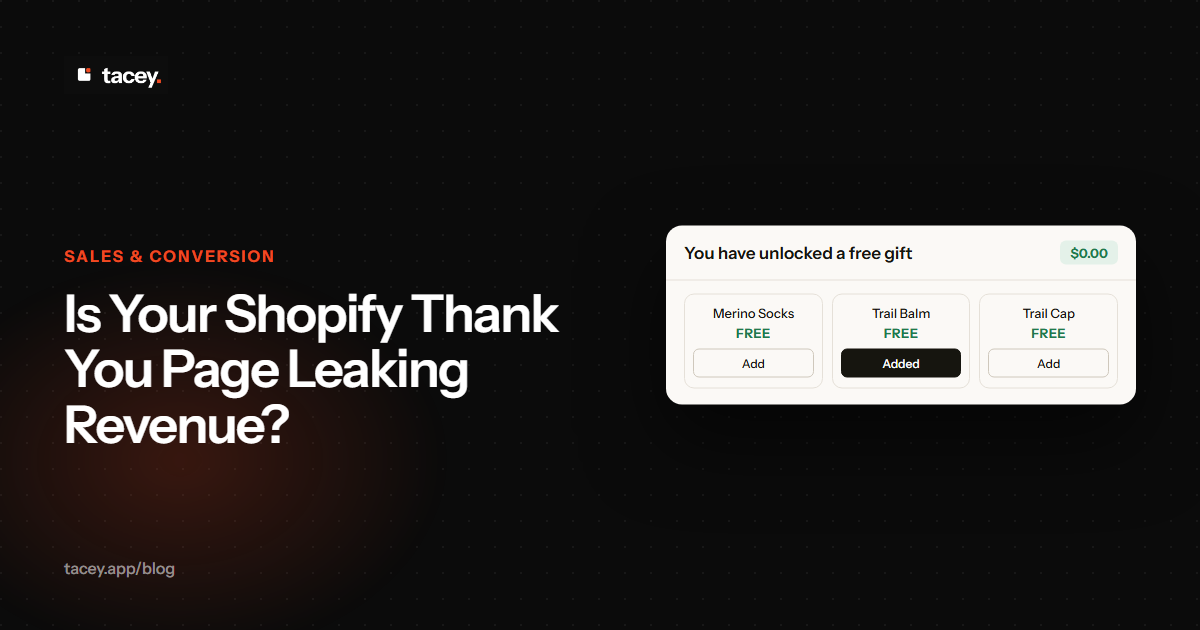
Tacey adds one-click post-purchase upsells directly onto the native Shopify order status page. This functionality is available for all Shopify plans, turning the thank you page into an active revenue source without needing a Plus subscription.
Tacey uses Shopify's Order Editing API to add accepted offers directly to the original order. This means when a customer says yes, the new item is simply added to the existing order before it is fulfilled. Your fulfillment team sees a single, updated packing slip. There is no second order, no extra shipping label, and no confusion.
Setting up an offer is straightforward. Tacey enables merchants to present product recommendations directly on the order status page. These offers can be presented in a way that is relevant to the customer's original purchase, which helps to maximize the chance of acceptance.
Because Tacey works on the existing order status page, there is no disorienting redirect or unfamiliar portal for the customer. They see an offer integrated directly into the confirmation screen they already expect. When they accept an offer, the new item rides on the original order, using the same shipment and label, which avoids creating extra shipping costs or logistical headaches.
In the current version, the customer can add the item with a single click. This frictionless experience is key to converting the high intent of a new buyer into a larger order. It transforms the page from a static receipt into an interactive, value-adding experience.
The moment after payment is the highest point of trust in the entire customer journey. A great post-purchase experience respects that trust by adding value, not friction.
By giving customers a simple way to enhance their order, you increase average order value and provide a better experience. Tacey offers a 14-day free trial, with paid plans based on order volume. You can see the full breakdown on our pricing page or install directly from the Shopify App Store.
Take a look at your store’s order status page right now. Is it the end of the road, or is it the start of your next sale? If it’s just a thank you, it’s an expensive one, paid for in the currency of missed opportunity.
Frequently asked questions
What's the difference between the Thank You page and Order Status page?
They are effectively the same thing. Shopify now officially calls the post-checkout confirmation screen the "Order Status page," as customers use it to track their order's progress long after the initial "thank you."
Do post-purchase upsells require a Shopify Plus plan?
No. While deep code customization of checkout pages often requires Shopify Plus, apps like Tacey use Shopify's standard APIs to enable post-purchase upsells on the order status page for merchants on any Shopify plan.
Will adding offers slow down my confirmation page?
A well-built application should have a minimal impact on page speed. Tacey is designed to be lightweight and integrate with Shopify's native structure to avoid creating a slow or clunky user experience.
How does a customer pay for a post-purchase upsell?
For many post-purchase offers, Shopify can charge the same card used for the original purchase without the customer re-entering details. If a customer accepts a paid upsell via Tacey, they pay the difference through a secure Shopify payment link. For free promotional items, no additional payment is needed, making the experience straightforward.
Do customers have to enter their payment information again?
No. This is key to a high-converting post-purchase offer. For paid offers, the customer’s payment details are securely vaulted from the first transaction, so they only need to approve the new charge. For free items offered by Tacey, no payment is needed. In both cases, the customer accepts with a single click without needing to find their credit card again.
Can I offer any product as an upsell?
Yes, Tacey allows for products to be offered as post-purchase upsells. The most effective strategies involve offering items that are complementary to what the customer just bought, like accessories or a matching product.
Does this work on mobile devices?
Yes. The Shopify order status page is fully responsive, and any offers presented through an integrated app like Tacey will adapt to the customer's device, whether it's a desktop, tablet, or smartphone.
 Install on Shopify