tacey
tacey Install on Shopify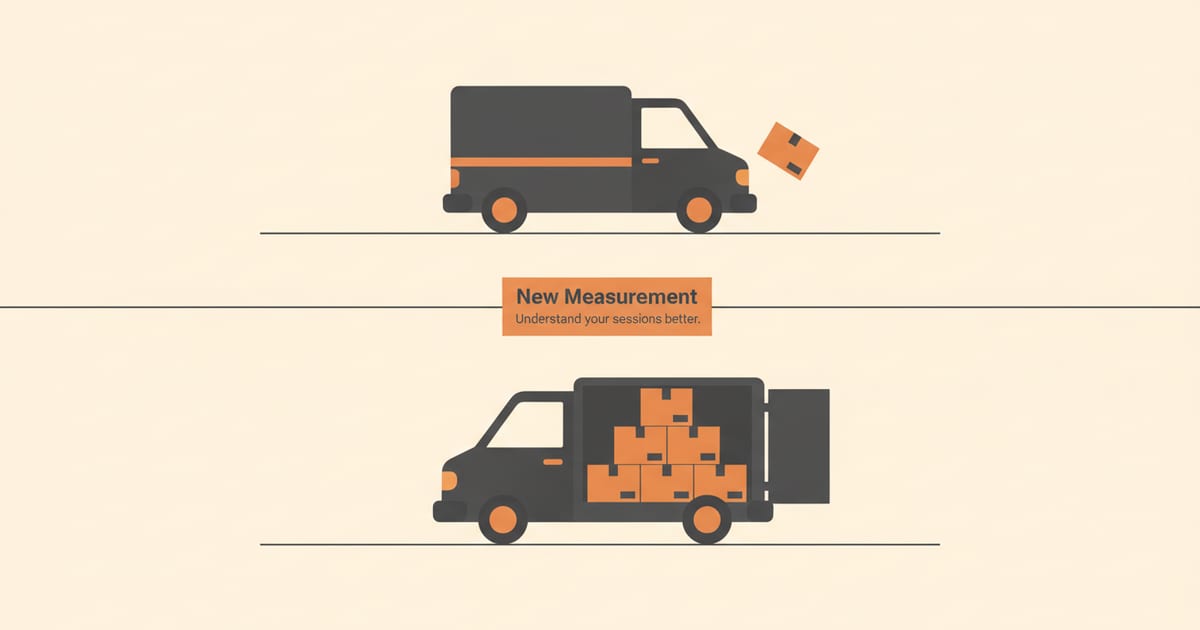
If you noticed a sudden shift in your Shopify store’s traffic reports this week, you are not imagining it. Shopify has rolled out a significant update to its analytics, fundamentally changing how it measures a "session." This isn't a bug; it's a deliberate platform change aimed at providing merchants with more accurate data about real customer visits.
What is a session in Shopify Analytics?
A session is a single visit to your online store. The new measurement rules make this definition more precise by focusing on actual engagement, aiming to filter out automated traffic and visits that show no interaction. This provides a cleaner baseline for all your other metrics.
Previously, the definition was broader and could include visits from bots or sessions where a visitor landed on a page and did nothing before leaving. While technically a "visit," this traffic offered little value for understanding customer behavior. The new system works to isolate meaningful interactions.
So what counts as a meaningful interaction? Shopify now requires at least one pageview for a visit to be counted as a session. This simple rule change is powerful. It means the visitor did more than just arrive; they loaded a page and had the opportunity to see your products, content, or branding. It’s the digital equivalent of someone stepping fully inside your store.
This introduces a classic trade-off: data volume versus data accuracy. By filtering out non-engaged traffic, Shopify intentionally reduces the total session count. The benefit is that the remaining data is far more accurate. It represents real potential customers, not just passive digital noise, making your analytics a sharper tool for decision-making.
Getting the session count right is critical because it forms the denominator for many other key metrics. Your conversion rate, add-to-cart rate, and bounce rate all depend on it. A cleaner session count means all of these downstream metrics become more reliable indicators of your store’s actual performance, giving you a truer sense of what’s working.
This change is part of a larger effort to make native Shopify analytics more reliable. For years, merchants have noted discrepancies between the numbers in their Shopify admin and those in third-party tools. This update is a direct step toward closing that gap by improving the quality of the raw data.
How did Shopify's session measurement change?
The update, which rolled out between September 21 and 23, 2026, refines session tracking by excluding low-quality traffic. Specifically, it filters out sessions that do not include a pageview and introduces better identification for bot traffic, which is then excluded from your reports.
According to Shopify's official documentation, the update centers on a few key adjustments. First, some visits that were previously counted as sessions but involved no actual page engagement are no longer included. Think of this as ignoring someone who walks up to a shop window but never opens the door.
Second, the platform has improved its ability to identify and filter out automated bot traffic. These non-human visits can inflate session counts without contributing to sales, skewing conversion rates and other key performance indicators. Removing them gives you a truer picture of your human audience.
Finally, the timeout for sessions has been standardized. A session ends after 30 minutes of inactivity or at midnight UTC. This consistent logic helps ensure that a single visitor's prolonged but inactive browsing isn't counted as multiple sessions, further cleaning the data.
A Tale of Two Sessions: Old vs. New
Let’s walk through a concrete example. Imagine a marketing bot clicks a link to your store, loads the HTML without rendering the page (so no pageview is tracked), and leaves. A minute later, a real customer clicks the same link, views three product pages, adds an item to their cart, and then gets distracted for 45 minutes before returning to buy.
Under the old rules, this scenario could have been counted as three separate sessions. The bot visit was one. The real customer’s initial visit was two. When they returned after 45 minutes of inactivity, the 30-minute timeout would have expired, triggering a third session upon their return. This inflates your session count significantly.
With the new measurement, the bot visit is not counted at all because it involved no pageview. The real customer’s initial activity is counted as one session. Their return after 45 minutes still starts a new session due to the 30-minute timeout. The final tally is two sessions, a much more accurate reflection of what actually happened.
However, this filtering can create edge cases. What if a legitimate user has a browser extension that blocks Shopify’s pageview tracking? Their visit might be filtered out, even if they make a purchase. This is rare, but it highlights that no analytics system is perfect. The goal is to be more accurate for the vast majority of traffic.
Why did Shopify make this change?
Shopify updated its session measurement to give merchants a more accurate and reliable picture of store activity. By filtering out bot traffic and non-engaged visits, the new analytics baseline is designed to reflect genuine human shopping behavior more closely.
The core motivation is to increase trust in the platform's native reporting. When your analytics are full of noise, making sound business decisions becomes difficult. Inflated session counts can mask problems with a marketing campaign or make your conversion rate appear lower than it actually is for real shoppers.
The Real Cost of Bad Data
The cost of acting on inflated metrics is very real. Imagine you are spending $5,000 per month on an ad campaign that generates 20,000 sessions. If you later discover that 80% of that traffic was bots, you have been wasting $4,000 every month. Cleaner data directly protects your marketing budget by revealing which channels bring real people.
Bad data also undermines your ability to test and optimize your store. You might run an A/B test on a new homepage design and see no significant change in conversion rate. But if your traffic is diluted with non-human visitors, their zero-percent conversion rate will wash out any gains from real users. You might discard a winning design because the data lied.
This isn't just about money; it's about focus. When your data is noisy, your team spends time chasing ghosts. You might try to fix a "low" conversion rate that is actually healthy, or analyze traffic sources that deliver no value. Accurate analytics allow your team to focus on initiatives that genuinely move the needle for your business.
This change directly addresses a long-standing point of frustration for many store owners: the difference between data in Shopify and Google Analytics. While differences will always exist, improving the quality of Shopify's own data makes it a more dependable source of truth for day-to-day operations and strategic planning.
What impact will this have on my store's reports?
You will likely see a decrease in your total session count and a corresponding increase in your conversion rate. Because the update removes low-quality traffic, the remaining sessions are from more engaged, human visitors, which naturally makes your conversion metrics look better.
This change will be visible across several key reports in your Shopify admin. The Overview dashboard, as well as reports for Sales, Marketing, and Acquisitions, will all reflect the new session numbers. Metrics that rely on sessions in their calculation will also change, including:
- Online store conversion rate
- Add-to-cart rate
- Reached checkout rate
- Sessions by location, device, or traffic source
How Key Metrics and Reports Will Shift
The most important concrete step you can take is to analyze your "Sessions by traffic source" report. Compare the data from before and after the September 23rd cutoff. This is where the story of your traffic quality will be told in stark numbers. Which channels saw the biggest drop in sessions? This is your first clue to where bot traffic was coming from.
You might find that traffic from a specific referral site or a particular ad network has fallen dramatically. This does not mean the channel is bad, but it shows that a portion of its traffic was low-quality. You can now make a more informed decision about where to allocate your marketing spend, focusing on sources that deliver engaged human visitors.
Your Add to Cart rate will also increase. This metric is calculated as (Adds to Cart / Sessions). By reducing the denominator (sessions), the rate goes up. This gives you a better signal on the effectiveness of your product pages. A higher rate means the people who *do* visit are more compelled to take action.
Similarly, the Reached Checkout rate will climb. This follows the same logic. A smaller, more qualified pool of sessions means a higher percentage of visitors are making it deeper into your funnel. This helps you more accurately assess the performance of your cart page and the transition to checkout, as the data is no longer diluted by non-shoppers.
It is important to remember that this does not mean you have fewer actual customers. It means the number you see now is a more accurate representation of your legitimate potential buyers. Your historical data will also be updated to reflect the new measurement method.
Will my total session count drop?
Yes, your session count will most likely drop. This is an expected and positive outcome of the update. The decrease comes from filtering out previously counted bot traffic and visits with zero engagement, which were never potential customers in the first place.
Seeing a primary metric like "sessions" go down can be alarming, but it is crucial to understand the context. The sessions that were removed were noise, not signal. They were visits that never had any potential to convert into a sale, and their presence was distorting your other, more important metrics.
Think of it as cleaning a list of sales leads. You might start with 1,000 names, but after removing duplicates and invalid contacts, you are left with 700 real prospects. Your list is smaller, but its quality is much higher. The same principle applies here: your new session count is smaller but more valuable.
For many merchants, this requires a mental shift away from vanity metrics. For years, total traffic has been a go-to indicator of growth. You must now retrain yourself and your team to focus on the quality of that traffic, not just the volume. The key metrics are now your conversion rate and other engagement-based numbers.
But what if your session count does not drop? This is an edge case worth considering. It could be a sign that your traffic sources were already very clean, with little to no bot activity. This is great news. It could also mean you have a more sophisticated type of bot traffic that the new filters are not yet catching, so stay vigilant.
Bad data isn't just a number on a screen; it's a wrong decision waiting to happen. The closer your analytics get to reflecting real human behavior, the better your business runs.
How does this affect my conversion rate?
Your conversion rate is likely to increase because the formula used to calculate it (Orders / Sessions) now uses a smaller, more accurate denominator. With fewer low-quality sessions being counted, the same number of orders results in a higher rate.
For example, imagine your store had 100 orders from 10,000 sessions last month. Your conversion rate was 1%. After the update, Shopify identifies that 2,000 of those sessions were bots. Your reports now show 100 orders from 8,000 sessions, raising your conversion rate to 1.25%.
Worked Example: The Full Funnel Impact
Let's go deeper. Say your store had 50,000 sessions, 5,000 "add to cart" events, and 1,000 orders. Your old reports would show an add-to-cart rate of 10% and a conversion rate of 2%. You might think your checkout flow is the problem, since so many people add to cart but only a fraction buy.
Now, the update reveals 15,000 of those sessions were bots. Your new session count is 35,000. The bots never added to cart or purchased, so those numbers remain 5,000 and 1,000. Your new add-to-cart rate is 14.3% (5000/35000) and your conversion rate is 2.86% (1000/35000). The picture has completely changed.
Suddenly, your product pages and checkout look much more effective. The problem wasn't a leaky funnel; it was a dirty lens. This clarity is crucial. It stops you from wasting time and money "fixing" a checkout process that was actually performing well, and instead lets you focus on acquiring more of the right kind of traffic.
Herein lies a major risk: misattribution. If you are unaware of this analytics change, you might credit the jump in conversion rate to a new app you installed or a pricing change you made. This creates a false positive, leading you to double down on a strategy that had no real effect. Always check for platform changes before analyzing results.
No new sales were created, but your understanding of store performance is much clearer. This allows you to set more realistic targets and better evaluate the success of your marketing efforts. A higher conversion rate on cleaner data is a more powerful indicator of business health.
Does this fix discrepancies with Google Analytics?
This update narrows the gap between Shopify and Google Analytics, but it does not eliminate it entirely. The two platforms will likely always report slightly different numbers because they use different tracking technologies and have different definitions for certain events.
Factors like cookie-consent banners, ad blockers, and different methods for identifying returning visitors can all contribute to discrepancies. For instance, a visitor who blocks Google's tracking but not Shopify's will appear in one report but not the other. Neither platform is necessarily "wrong," they are just measuring with different rulers.
Why Shopify and Google Analytics Will Never Match Perfectly
The core difference often comes down to when tracking starts. Shopify’s tracking is integrated at the server level, giving it a dependable view of every visit. Google Analytics relies on a client-side JavaScript snippet that can be blocked by browser settings, extensions, or network issues. A single ad blocker can create a permanent discrepancy between the two.
User consent for cookies adds another layer of complexity. A visitor might accept Shopify's essential cookies but reject Google's analytics cookies. In this case, Shopify will record a session, but Google Analytics will not. This behavior varies by region and by how you have configured your consent banner, making perfect alignment impossible.
The most productive approach is to stop chasing a perfect 1:1 match. Instead, use each platform for its strengths and focus on trends. If both Shopify and Google Analytics show a 20% week-over-week increase in traffic from a specific campaign, the trend is real. The exact session count is less important than the directional signal you are receiving.
However, by filtering bots and junk traffic more effectively, Shopify's session data is now more philosophically aligned with the "engaged sessions" metric used in Google Analytics 4. This makes comparing the two datasets more of an apples-to-apples exercise than it was before.
The key takeaway is to treat this change as a positive step toward data clarity. Your new numbers provide a stronger foundation for understanding your customers and making decisions. Instead of focusing on the drop in volume, focus on the increase in quality and use this new baseline to guide your strategy forward. This clarity allows you to confidently optimize other parts of the customer journey, such as enabling customer post-purchase order editing, and measure the true impact.
Frequently asked questions
When did the Shopify session measurement change happen?
The update was rolled out globally between September 21 and September 23, 2026. Your store's analytics, including historical data, now reflect the new measurement method.
Do I need to do anything to my store?
No, you do not need to take any action. The change is automatic and has already been applied to your Shopify Analytics. Your job is simply to understand what the new numbers mean for your reports.
Is this why my conversion rate suddenly went up?
Yes, this is the most likely reason. Because the update removes low-quality sessions from the calculation, the same number of orders results in a mathematically higher conversion rate. It reflects better data, not necessarily a change in customer behavior.
Does this update affect all Shopify plans?
Yes, the change to session measurement applies to all stores on all Shopify plans. It is a platform-wide update to the core analytics engine.
Will this change impact my third-party app analytics?
This update only affects the data within Shopify's native analytics. Third-party tools, including Google Analytics or marketing apps, will continue to report sessions based on their own tracking methods. Discrepancies between platforms will still exist.
How should I explain this to my team or clients?
Frame the change as a positive step toward data hygiene. Explain that Shopify is now filtering out "junk" traffic, which makes your key metrics more accurate. The key message is that your conversion rate didn't magically increase; it's now being calculated correctly. Focus on establishing a new, more reliable baseline for future growth.
Should I adjust my performance targets?
Yes, you should absolutely re-evaluate your goals. Your old conversion rate targets are now obsolete. Use the first few weeks of data after the change to establish a new baseline. Your new conversion rate goal will be higher, but it will be a much more accurate reflection of your store's performance. This is an opportunity to set smarter, more realistic targets.
 Install on Shopify