tacey
tacey Install on Shopify
Understanding the architecture of Shopify's fulfillment system is not just for developers. For a new merchant, confusing an order with a fulfillment, or not knowing what a line item represents, can lead to shipping delays, incorrect inventory, and frustrated customers. These terms describe the fundamental building blocks of how a purchase moves from a click to a customer's doorstep.
Getting the vocabulary right is the first step to building a scalable shipping workflow. It allows you to diagnose problems faster, communicate clearly with your team or third-party logistics (3PL) partners, and use the full power of the Shopify platform. This guide breaks down the core components: orders, line items, fulfillments, and the newer concept of fulfillment orders.
What is a Shopify Order?
A Shopify order is the master record of a customer's transaction, created the moment they complete a purchase. Think of it as the primary container holding every piece of information related to that sale, from what was bought to where it's going. When it is first created, its status is typically "Unfulfilled."
This single object is the source of truth for everything that happens next. It includes the customer's name, email, and phone number, their billing and shipping addresses, the payment details, and any discount codes applied. Most importantly, it contains the specific products the customer bought, which are organized as line items.
An order also has two distinct statuses that can be confused. Its fulfillment status tracks shipping (e.g., "Unfulfilled, " "Fulfilled"), while its financial status tracks payment (e.g., "Paid, " "Pending, " "Refunded"). These are independent. An order can be fully paid but remain unfulfilled for days, which is standard for most stores.
The danger is when the statuses are mismatched in the other direction. Fulfilling an order with a "Pending" financial status means you are shipping a product you have not been paid for. This can happen with certain payment gateways that have delays. It's a direct path to losing both the product and the revenue.
Every action, from sending a confirmation email to processing a return, traces back to this initial order record. It’s the starting point of the entire post-purchase journey and the central hub for managing that customer's experience for that specific transaction.
What are Line Items in a Shopify Order?
Line items are the individual products within an order. If a customer buys three different products, their order will contain three distinct line items. Each line item specifies the product, the variant (like size or color), the quantity, and the price for that single item.
A Worked Example of Line Items
Imagine a customer buys two large blue t-shirts and one red hat. The order will have two line items, not three. The first line item will be for the "Blue T-Shirt, " with its specific SKU, a quantity of "2, " and the variant property "Large." The second line item will be for the "Red Hat, " with its own SKU and a quantity of "1."
They are not just a simple list. Line items are crucial for accurate operations. Your warehouse team uses them to generate a picklist, ensuring they grab the correct size medium blue shirt, not the small red one. Your inventory system decrements stock for each specific line item's SKU, not just the parent product.
Each line item also has a `fulfillment_service` property. This tells Shopify who is responsible for shipping it. It could be your own warehouse ("manual"), a dropshipper, or Fulfillment by Amazon. This is how Shopify knows where to create the fulfillment order, routing the request to the correct location automatically.
This granularity is also what enables partial fulfillment. If a customer orders two items and one is on backorder, you can fulfill the in-stock line item first. The order will then show as "Partially Fulfilled" until the second line item is shipped, demonstrating how these individual components drive the overall order status.
Some line items are not shippable at all. A digital gift card or a service like "premium gift wrapping" still exists as a line item on the order. However, its `requires_shipping` property is false. This can sometimes complicate fulfillment reporting if you are not filtering for only shippable line items.
What is a Fulfillment in Shopify?
A fulfillment is the record of a shipment containing one or more line items from an order. Creating a fulfillment is the act of telling Shopify that you have sent a package to the customer. This action is what changes an order's status from "Unfulfilled" to "Fulfilled" or "Partially Fulfilled."
This process is where the digital order becomes a physical reality. When a fulfillment is created, it captures the tracking number from the shipping carrier and the date of shipment. This information is then used to send the shipping confirmation email to the customer, allowing them to track their package's progress.
The Cost of a Fulfillment Error
Mistakes during fulfillment creation have real costs. If a team member accidentally enters the wrong tracking number, the customer receives incorrect information. This leads to confused "Where is my order?" (WISMO) support tickets. The cost is your support team's time and a loss of customer trust at a critical moment.
This event is a historical record. Once created, a fulfillment cannot be easily edited; it must be canceled and re-created. This process can be confusing and is not always possible, especially if the fulfillment was created by a third-party app or 3PL. Getting it right the first time is essential for clean record-keeping.
An order can have multiple fulfillments. This happens frequently for stores that ship items from different locations or use dropshipping for certain products. Each separate shipment will have its own fulfillment record and its own tracking number, all linked back to the original parent order.
What is a Fulfillment Order?
A fulfillment order is a more recent and technical Shopify object that represents a group of items in an order that need to be shipped from a single location. When a customer places an order, Shopify automatically creates one or more fulfillment orders based on your inventory locations and fulfillment service settings.
Think of a fulfillment order as the instruction set or the "to-do list" for your warehouse. It tells your fulfillment team, "Here is a group of items from Order #1234 that you are responsible for shipping." This allows for much cleaner management of complex logistics before any shipment actually happens.
For example, an order contains three items. Item A is stocked at your New York warehouse. Items B and C are at your Texas warehouse. Shopify automatically generates two fulfillment orders: one for New York with Item A, and a second for Texas with Items B and C. Your teams only see the work assigned to them.
Using Holds to Prevent Errors
A fulfillment order's status can be changed to "On Hold." This is a powerful tool for preventing shipping errors. For example, if your fraud analysis tool raises a concern about an order, you can programmatically place a hold on the fulfillment order. This action pauses the fulfillment process, stopping the warehouse from packing a potentially problematic shipment while you investigate.
The key difference is that a fulfillment order is the *request* to fulfill, while a fulfillment is the *record* of that request being completed. A fulfillment order can be open, on hold, or closed. Only when the items are packed and shipped is a fulfillment created to close out that fulfillment order.
How Do These Concepts Work Together?
These four concepts form a clear hierarchy that governs the entire shipping process. A customer places an `Order`, which contains specific `Line Items`. Shopify then generates one or more `Fulfillment Orders` based on where those line items are located. Finally, a `Fulfillment` is created as each fulfillment order is shipped.
Imagine a customer buys a t-shirt and a coffee mug. The t-shirt ships from your main warehouse, but the mug is made and shipped by a dropshipping partner. This creates one `Order` for the customer. Internally, Shopify generates two `Fulfillment Orders`: one for your warehouse and one for your partner.
A Complex Example: Backorders and Split Shipments
Let's take a harder case. A customer buys a T-Shirt (in stock at your warehouse), a Mug (from a 3PL), and a Hoodie (backordered, ships from your warehouse). Shopify creates two `Fulfillment Orders` immediately: one for the in-stock T-Shirt at your warehouse, and one for the Mug at the 3PL. The Hoodie line item is unfulfilled.
First, the 3PL ships the mug. They create a `Fulfillment` for their part of the order. The order status changes to "Partially Fulfilled." The customer gets a shipping notification for the mug. Next, your warehouse ships the T-Shirt, creating a second `Fulfillment`. The order is still "Partially Fulfilled."
Weeks later, the Hoodie is back in stock. Your warehouse team can now fulfill that remaining line item, creating a third and final `Fulfillment` record with its own tracking number. Only at this point, when all line items across all locations are shipped, does the parent `Order` status change to "Fulfilled."
Why Do Fulfillments Get Delayed?
Fulfillment delays are most often caused by simple data errors or customer change requests that happen after payment. An incorrect shipping address, a typo in the postal code, or a customer emailing support to swap a product size can halt an otherwise smooth process, creating manual work and slowing down the entire operation.
These small issues create significant friction. A wrong address might not be caught until the package is returned by the carrier weeks later, forcing you to pay for reshipment. A customer request to change a variant creates a race against time, requiring a support agent to find the order and communicate the change to the warehouse before it's picked.
The Real Cost of a Bad Address
Consider the cascading costs from a single incorrect address. The first loss is the original shipping fee, which is non-refundable. When the carrier fails delivery, the package is often returned to the sender. This usually incurs a second, separate return shipping fee from the carrier.
On top of the carrier fees, a support agent must invest time contacting the customer for the correct address. After that, they process the reshipment, and a new shipping label must be purchased. These labor and material costs add up quickly.
The sum of these hard costs, the initial postage, the return fee, and the second shipping label, can easily exceed the profit margin on the sale. This calculation does not even account for the support agent's time. A once-profitable transaction is now at risk of becoming a net loss.
This happens purely due to an operational friction point. These seemingly minor errors are not minor in aggregate. They are margin killers that compound across hundreds or thousands of orders, quietly eroding your store's profitability.
The financial damage extends beyond the immediate operational costs. The money spent to acquire that customer in the first place, the customer acquisition cost (CAC), is a sunk cost. When an order results in a loss due to fulfillment errors, the business not only loses the revenue from that sale but also fails to recoup its initial marketing investment.
A seemingly small address error can therefore turn a sale that looked successful on paper into a significant financial drain, eroding the profitability of a marketing campaign one failed delivery at a time.
Another common delay comes from inventory discrepancies. Your Shopify store might show five units of a product are in stock, but the physical count in the warehouse is zero. The order is placed, but the fulfillment order cannot be completed. This creates an exception that requires manual investigation and a disappointing email to the customer.
How Can Merchants Reduce Pre-Fulfillment Errors?
Merchants can significantly reduce these errors by treating the post-purchase, pre-fulfillment window as an opportunity for correction. This involves using automated tools to verify data and empowering customers to resolve common issues themselves before they become support tickets or shipping problems.
Manually reviewing every order is not scalable. Instead, a proactive approach is more effective. Address validation services can automatically flag potential issues with a shipping address the moment an order is placed. This allows your team to investigate the exceptions, rather than checking every single order.
The "Edit Window" Trade-off
Deciding on the length of a customer edit window is a key trade-off. If it is too short, like 15 minutes, most customers will miss it. If it is too long, like 24 hours, it can significantly delay your fulfillment process for all orders. A good starting point is one to two hours, or tying the cutoff time to your warehouse's daily pick-and-pack schedule.
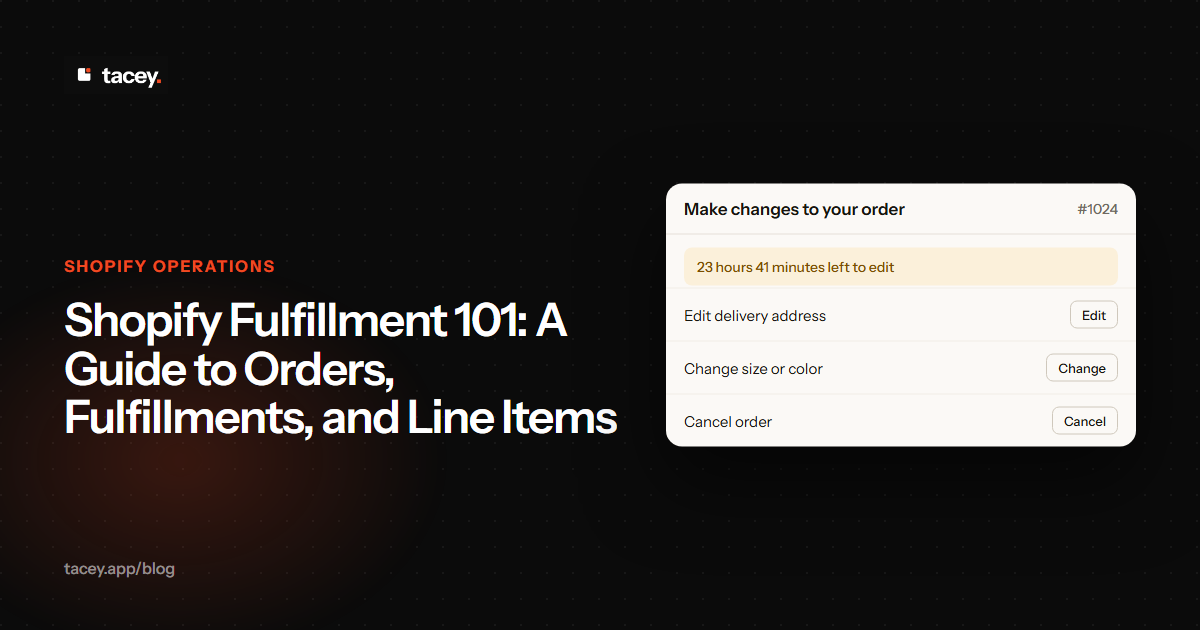
Similarly, giving customers a short, controlled window to fix their own mistakes is a powerful lever. Tools like Tacey provide a path for customers to edit their shipping address or even change a product variant directly on the order status page Shopify already sends them. This self-service approach for order editing resolves issues before they ever reach your fulfillment team, reducing errors and support load.
A true order editing tool does more than send an email to your support team. When a customer updates their address, the tool should provide a structured form that adapts to the chosen country. This prompts for correct fields like states or postcodes, guiding the customer toward a valid format and reducing typos.
Similarly, if a customer swaps a product variant, the change should be written directly to the order data. This prevents the need for a support agent to manually update the record. This API-first approach helps prevent new errors by keeping the order data as the source of truth.
Your customer knows their own address better than any validation service. Giving them the power to fix it themselves is the simplest way to get it right.
By automating these corrections, you narrow the window for human error. The fulfillment team receives a cleaner, more accurate set of orders, allowing them to pick, pack, and ship with greater speed and confidence. This transforms the pre-fulfillment phase from a source of potential costs into a final checkpoint for quality.
Frequently asked questions
Can one Shopify order have multiple tracking numbers?
Yes. If an order's items are shipped in separate packages, either from different locations or at different times, it will have multiple fulfillments. Each fulfillment will have its own unique tracking number associated with it.
What does it mean when an order is partially fulfilled?
This status means that some, but not all, of the line items in an order have been shipped. The remaining items are still waiting to be fulfilled in a future shipment, at which point the order status will change to "Fulfilled."
Does canceling a fulfillment cancel the order?
No, canceling a fulfillment only cancels that specific shipment. The order itself remains active, and the associated fulfillment order becomes open again, indicating that the items still need to be shipped. The customer's payment is not affected.
Can a fulfillment contain multiple line items?
Yes, and this is the most efficient scenario. If all items in an order are shipping from the same location in one package, they will all be part of a single fulfillment. This is the ideal state for minimizing shipping costs and simplifying tracking for the customer.
What is the difference between archiving and canceling an order?
Archiving an order is a housekeeping action. It removes the order from your open orders list to keep it tidy. Canceling an order is a financial action. It officially voids the transaction and, if payment was captured, requires a refund to be issued. A canceled order cannot be fulfilled.
How do I see Fulfillment Orders in my Shopify admin?
Fulfillment orders are visible within the details of a specific order. On the order page, you will see sections indicating which items are grouped for fulfillment and from which location, each representing a separate fulfillment order.
What's the difference between an order and a fulfillment order?
An order is the customer's complete purchase record. A fulfillment order is an internal instruction set for your warehouse, representing a group of items from that purchase that must be shipped from a single location.
Can I edit an order after it has been fulfilled?
No. Once a line item is part of a fulfillment that has been shipped, it is locked. This is to ensure that your order records accurately reflect what was physically sent to the customer and what inventory was used.
 Install on Shopify