tacey
 Install on Shopify

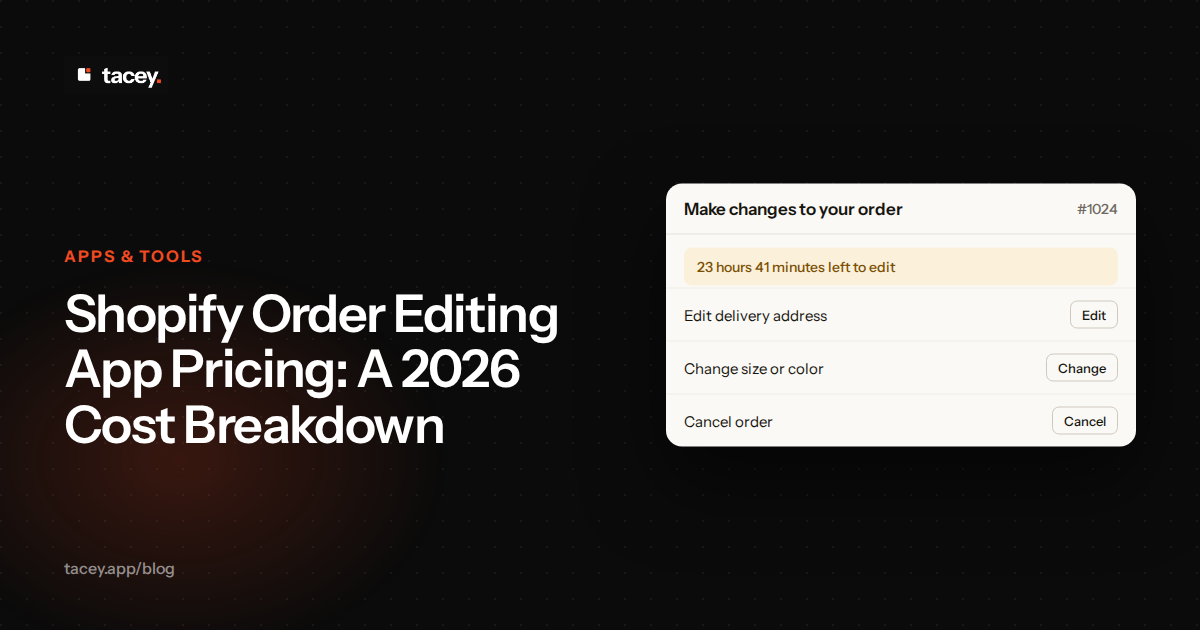
Choosing a Shopify order editing app can significantly reduce customer support tickets and recover sales, but understanding the real cost is complex. Pricing models vary from free plans with tight limits to volume-based tiers and per-edit fees. The right choice depends entirely on your store's size, edit frequency, and the specific features you need.
| Your situation | Pick | Pricing Model |
|---|---|---|
| You're a new store and want to test the waters. | Revize: Order Editing & Upsell | Free plan with a monthly edit limit. |
| You need simple, predictable pricing that scales. | Tacey | Volume-based tiers, all features included. |
| You're a high-volume brand needing deep integrations. | OrderEditing.com | Volume-based tiers, starts at a higher price point. |
What features typically determine the price of an order editing app?
The price of an order editing app is determined by its features, from basic address correction to advanced functions like post-purchase upsells and complex rule engines. The more complex the capabilities, such as integrations with logistics providers or automatic refunds, the higher the cost of the plan.
More advanced features command higher prices. These can include post-purchase upsells, where customers can add recommended products to their paid order, or complex rule engines that allow merchants to set specific conditions for edits. Functions like automatic refunds, store credit options, and integrations with third-party logistics (3PL) providers also push apps into higher pricing tiers.
Finally, some apps bundle order editing with other services like subscription management or advanced analytics. While this can offer value, it also means you might pay for features you don't need. The key is to match the app's feature set to the actual problems your store faces every day.
This creates a clear trade-off for merchants: the "Suite vs. Specialist" dilemma. A suite might offer a discount for bundling services, but a specialist app will almost always have deeper, more powerful features for its one job. You must decide if you want one vendor for everything or the best tool for each task.
How do top apps like Revize, OrderEditing.com, and Tacey structure their pricing?
Top apps structure their pricing in distinct ways: some use a flat monthly fee with a free tier for a limited number of edits, others base their price on your store's total order volume, and some offer volume-based tiers where all features are included on every plan.
Apps like Revize often use a flat-fee structure combined with a free tier. The free plan typically allows a small number of edits per month, while paid plans offer unlimited edits for a predictable monthly fee. This model is well-suited for stores with consistent edit volumes.
OrderEditing.com targets high-volume brands and prices its service based on the total number of orders your store processes, not the number of edits. Its plans start at a higher price point and scale up with order volume, which includes orders that are never touched by a customer. This model aligns cost with overall store size and is often suited for enterprise clients who need deep integrations.
Tacey offers a straightforward, volume-based model similar to OrderEditing.com, but with a lower entry price and a key difference: no feature-gating. Every tool, from address editing to the free gift, the Recommended for you row and order merging, is included on every plan, starting at $29/month for up to 750 orders. This approach provides predictability without forcing merchants to upgrade plans to access a specific function.
Are there any free or low-cost order editing apps for new stores?
Yes, several apps provide free or low-cost plans for new stores, which typically include a limited number of order edits per month. These plans allow merchants to offer self-service editing and measure its impact on support requests without an initial financial commitment, though limits can be reached quickly.
While a free plan is an excellent starting point, it's important to understand the limits. A low monthly edit cap might cover a store processing a small number of orders, but it can be quickly exhausted during a sales event or if a product goes viral. When the cap is hit, the editing function typically disappears, and all subsequent requests revert to manual support tickets.
The real cost of a free plan appears when you hit the limit unexpectedly. During a flash sale, the monthly edit allowance can be used up in a few hours. Your customer-facing tool vanishes, support tickets surge, and frustrated customers may cancel orders or leave negative reviews. The hidden cost is damaged trust and operational chaos.
For stores that have outgrown a free plan but aren't ready for a high-cost solution, there are several low-cost options. Apps like AE: Order Editing & Upsell offer paid plans with unlimited edits starting at a lower price point than enterprise-focused tools, providing a middle ground for growing businesses.
What is the average monthly cost for order editing on a mid-sized Shopify store?
There is no single average cost for a mid-sized store, as it depends on the app's pricing model and your store's order volume. Costs can range from lower-tier plans for basic needs to more expensive subscriptions for high-volume stores requiring premium features like complex integrations or upsells.
An app with per-edit pricing might seem cheap but can become expensive if a high percentage of your customers make changes. Conversely, an app that charges based on total order volume provides a predictable cost but means you pay for the service across all orders, even those that are perfect.
The most effective way to estimate your cost is to analyze your own support tickets. Determine how many edit requests you receive in a typical month and what your total order volume is. This data will allow you to model your costs against different pricing structures and find the most economical fit for your business.
To find your edit rate, start with your support inbox. Tag all tickets related to address changes, size swaps, or cancellations for one month. Divide that number by your total orders for the same period from your Shopify Analytics dashboard. This gives you a baseline percentage to work with.
Do any apps charge a percentage of sales or have transaction fees?
While it's less common for the core order-editing function, some apps do introduce percentage-based fees for specific features, particularly post-purchase upsells. An app might charge a flat monthly fee for basic editing but take a small percentage of the revenue generated from any products added to an order after the initial sale.
Other apps might have usage-based fees that act like transaction fees. For example, some platforms charge a small, per-order fee for optional services like address validation, on top of the monthly subscription. These costs can seem minor on their own but can accumulate significantly for high-volume stores.
It's crucial to read the pricing details carefully. What appears to be a simple monthly subscription can sometimes be accompanied by add-on fees or revenue-sharing agreements that scale with your success. These models aren't inherently bad, but they must be factored into your calculations to understand the app's true total cost.
How does order volume affect the total cost of an order editing solution?
Order volume is one of the primary drivers of cost for many Shopify order editing apps. For apps that use a tiered pricing model based on order volume, like OrderEditing.com or Tacey, your monthly bill is directly tied to how many orders your store processes. As you grow from hundreds to thousands of orders per month, you will move into higher-priced tiers.
Even for apps with flat-fee pricing, order volume has an indirect effect. A store with high order volume is more likely to have a high number of edit requests, quickly surpassing the limits of any free or low-tier plan. For example, even a low edit rate on a few hundred orders can be enough to exhaust a typical free plan's monthly allowance. The same edit rate on a higher volume of orders would generate far more edits, making a paid plan with a higher limit or unlimited edits a necessity.
Understanding your store's edit rate, the percentage of orders that require a change, is critical. A high order volume with a low edit rate might be cheaper on a per-edit plan. A lower order volume with a high edit rate, common in apparel, might be more cost-effective on a plan with unlimited edits.
This calculation gets tricky for seasonal businesses. A gift shop might have low volume for much of the year but see a dramatic spike in the fourth quarter. A flat-fee plan with unlimited edits could be cheaper during the peak, but you'd overpay the rest of the year. A volume-based plan might be better overall.
What hidden costs should merchants look for when choosing an app?
The sticker price of an app is rarely the full story. One of the most common hidden costs is feature-gating, where essential functions require upgrading to a more expensive plan. An app might advertise "order editing" on its base plan, but critical tools like post-purchase upsells or store credit refunds are reserved for higher tiers.
Overage fees are another potential hidden cost, especially on plans that meter usage. If your plan includes a set number of edits and you exceed that limit in a busy month, those extra edits might be billed at a higher per-edit rate than the ones included in your plan. Similarly, some apps charge extra for services like priority support or specific integrations.
Finally, consider the cost of removal. Some apps can be difficult to uninstall completely, leaving behind code that can slow down your site. Others may make it difficult to export your data, creating a form of lock-in where switching to a competitor means losing valuable history. Always check an app's documentation and reviews for any mention of these issues.
We believe simple, transparent pricing is essential. Merchants should be able to predict their costs and access all the tools they need to grow, without being penalized for their success with feature gates or complex fees.
How can you calculate the ROI of an order editing app for your store?
Calculating the return on investment (ROI) for an order editing app involves looking at both cost savings and potential new revenue. The most direct saving comes from reduced customer support hours. Calculate the average time your team spends on manual order edits each month and multiply it by their hourly cost to find your baseline.
Next, consider the cost of shipping errors. Estimate how many packages are lost or returned due to incorrect addresses or items each month. The cost of replacements, including shipping and the product itself, is a direct loss that a good order editing app helps to reduce. Preventing even a few of these incidents can often pay for the app's monthly subscription.
On the revenue side, look at features like post-purchase upsells. If an app allows customers to add items to their order, that is new, incremental revenue. An app that helps you retain a sale by offering a simple exchange instead of a cancellation also contributes positively to your bottom line. Compare these combined savings and new revenue against the app's monthly fee to determine its true value.
A worked example: calculating ROI for a mid-sized store
Consider a mid-sized store that processes a significant number of orders each month. A small percentage of these orders will inevitably require an edit. Each manual edit consumes staff time, as a support agent must communicate with the customer and update the order. The store also experiences shipping errors from incorrect addresses, which incur costs for replacement products and re-shipment.
The first major saving comes from reducing support workload. To quantify this, consider the total time your team spends on manual edits. An app automates this process, freeing up those hours. This time can be redirected to higher-value tasks, or it can translate into direct payroll savings. This reduction in manual intervention alone can often exceed the app's monthly subscription cost.
The second saving is from error reduction. When customers can correct their own shipping addresses before an order is fulfilled, it cuts down on packages sent to the wrong location. Each prevented error saves the cost of the lost product, the expense of shipping a replacement, and the potential loss of a customer frustrated by the delay. These savings compound quickly.
When you combine the savings from reclaimed support hours and fewer shipping errors, the total value can be substantial. Compare this total monthly saving to the cost of an app plan suited to your order volume. For many stores, the app not only pays for itself through these efficiencies but also generates a clear positive return on investment from the start.
Ultimately, the right order editing app is an investment in customer experience and operational efficiency. By giving customers the power to fix their own mistakes on the order status page, you free up your support team and reduce the costs associated with fulfillment errors. Tacey provides a complete suite of order editing tools on every plan, giving you the flexibility you need without unpredictable costs. See if it's right for your store by starting a free trial on the Shopify App Store.
Frequently asked questions
What is the difference between pricing by order volume and pricing by edits?
Pricing by order volume means your monthly fee is based on the total number of orders your store receives, regardless of how many are edited. Pricing by edits means you are charged based on how many orders are actually changed by customers, often with a set allowance per plan.
Can a Shopify order editing app really reduce support tickets?
Yes. A significant portion of customer service inquiries are routine requests to fix shipping addresses, change a size or color, or cancel an order. A self-service order editing app empowers customers to resolve these common issues themselves on the post-purchase page, which can dramatically lower ticket volume.
Do I still need an editing app if I'm on Shopify Plus?
Yes, in most cases. While Shopify allows staff to edit orders in the admin, it does not provide a native, customer-facing way for shoppers to edit their own orders after purchase. Even on Shopify Plus, an app is required to offer this self-service functionality.
What happens if a customer adds an item that costs more?
When a customer adds an item or chooses a more expensive variant, the app calculates the difference. The customer is then prompted to pay the remaining balance through a secure Shopify payment link. The order is typically held from fulfillment until the additional payment is complete.
Will an order editing app slow down my store?
Most modern order editing apps are designed to have minimal impact on your store's performance. They primarily load scripts on the post-purchase thank you and order status pages, which are not critical to the initial page load speed of your storefront or product pages. However, it's always wise to choose apps with the "Built for Shopify" badge, as they are reviewed by Shopify for performance and quality.
Can customers edit an order after it has shipped?
No. Order editing apps only function in the window between when an order is paid for and when it is fulfilled. Once an order is shipped or picked by the warehouse, it can no longer be edited through the app. The goal is to correct mistakes before they become costly shipping errors.
Are all features available on every plan?
This varies significantly between apps. Many apps gate their most valuable features, like post-purchase upsells, on their more expensive plans. Tacey is an exception, offering all of its tools on every plan, with pricing based only on order volume.
What's the most important factor when comparing app pricing?
The most important factor is understanding your own store's data, specifically your monthly order volume and your edit rate (the percentage of orders that need changes). Without these numbers, it's impossible to accurately compare a flat-fee plan against a volume-based or per-edit plan. Calculate your metrics first, then model the costs.
 Install on Shopify