tacey
tacey Install on Shopify
A single typo in a shipping address can quietly cost a business more than the product inside the box. An order sent to the wrong location triggers a cascade of expensive problems: carrier surcharges, returned package fees, and hours of support time. According to one survey, 74% of companies point to bad address data as the reason for up to 25% of failed deliveries.
The real cost of a single bad address is a hidden expense. It rarely appears as one line item, instead bleeding from carrier invoices, support payroll, and customer retention metrics. While a customer is responsible for entering their address correctly, the fallout, including a lost package or a chargeback, lands squarely on the merchant.
The good news is that these errors are both correctable and preventable. The race is against the fulfillment clock. Once a package is in a carrier's hands, options become expensive and unreliable. The best solutions involve catching the error seconds after the order is placed, either manually or by empowering the customer to fix their own mistake.
Why do customers enter the wrong shipping address?
Customers accidentally enter wrong addresses due to outdated browser autofill, mobile checkout haste, or simple typos. Missing apartment numbers and confusion over international address formats are also common causes. These small mistakes often lead to undeliverable packages and significant extra costs for the merchant.
No customer intentionally sends their purchase to the wrong place. Address errors are almost always accidents born from modern checkout flows. The most frequent culprit is the browser or device's autofill feature. A customer who moved recently may have their old address saved in their browser, Shop Pay, or PayPal profile.
In the rush to complete a purchase, especially on mobile, they can easily select the wrong saved address without noticing. The small screen and minimal friction of express checkouts make it easy to overlook the error until the shipping confirmation email arrives. Even with manual entry, simple typos are common.
Common address entry errors include:
- Typos: Transposing two digits in a street number or zip code can send a package to a different street or an entirely different city.
- Missing Information: A forgotten apartment or suite number often makes a package undeliverable, forcing the carrier to return it to the sender.
- Unclear Fields: Some checkout themes can make the distinction between Address Line 1 and Line 2 unclear, causing customers to enter key details in the wrong place.
- International Formats: Customers may struggle to fit their local postal conventions into a structure designed for a different country.
Some merchants have found that even Shopify's own systems can sometimes populate the wrong address after a customer inputs the correct one. The financial impact of these small errors is disproportionately large. A carrier like FedEx or UPS will charge a significant address correction fee just to fix the data on their end.
If the package is undeliverable, it gets returned to the sender, often incurring another shipping charge. At that point, the merchant has paid for shipping three times and has a frustrated customer waiting. The cost is not just financial; it is operational. Every wrong address creates a support ticket, pulling a team member away from other tasks.
To make this concrete, let's trace the financial journey of a single botched address. The merchant pays for initial shipping, but the customer reports the error too late. The package is already gone. An intercept request with the carrier incurs a fee but fails. The package is marked undeliverable, triggering a return shipping charge.
The product might arrive back at the warehouse with damaged packaging, rendering it unsellable. Meanwhile, a support agent has spent significant time on emails, adding a labor cost. To save the customer relationship, the merchant reships the order, incurring the cost of a new product and paying for outbound shipping a third time. The original sale's profit margin is gone.
How do I manually fix a shipping address in Shopify?
You can edit an address in the Shopify admin under the specific order's "Shipping address" panel. This must be done before the order is fulfilled. This manual process is a race against time, especially for stores with automated fulfillment, and it has several key limitations.
For stores using third-party logistics (3PL) services, this window can be just a few minutes. If you catch it in time, the fix is simple. Navigate to the "Orders" section of your Shopify admin, open the order, and click "Edit" in the "Shipping address" panel. You can modify the street, city, postal code, and other details.
Once you save the changes, any new shipping labels will use the corrected address. This is the frontline defense for many merchants. However, this native process has critical limitations. The ability to edit an address disappears the moment the order is fulfilled.
Key limitations of Shopify's native address editor include:
- Labels are not voided: Editing the address does not automatically void any shipping labels you already purchased. You must do this manually.
- Shipping is not recalculated: Shopify does not recalculate shipping rates. If the correction moves the destination to a more expensive zone, the merchant absorbs the cost.
- Billing address is locked: The billing address cannot be changed after the order is complete. This is a security measure to prevent fraud.
The manual workflow is fragile with complex orders, like those with backordered items. Imagine an order with one in-stock item and one pre-order item. The in-stock item ships immediately from a 3PL. The customer then notices the address error. The merchant can edit the address for the unfulfilled item, but the first package is already gone.
This forces a costly package intercept for the first shipment while managing a corrected address for the second. It creates two shipping realities for one order number, confusing the customer and internal systems. The real challenge is the operational bottleneck. The workflow depends on a human seeing an email and acting before an automated process takes over.
What can I do if an order with the wrong address has already shipped?
Once an order has shipped, your main option is a package intercept service from carriers like USPS, UPS, or FedEx. This service is not guaranteed, comes with a fee for the attempt, and is often unsuccessful. If it fails, you must decide whether to absorb the cost of a replacement.
Once an order is marked as fulfilled, the tools within the Shopify admin are no longer useful. The package is in the carrier's hands, and the problem is now more expensive to solve. The success of a package intercept depends on how quickly the request is made and where the package is in the carrier's network.
The biggest issue with package interception is its unreliability. Carriers state the service is a best-effort attempt, not a guarantee. A package moves quickly through automated sorting centers. There are few moments when it sits still long enough for a human to find it. If it is on the final vehicle for delivery, an intercept is almost impossible.
When an intercept fails and the package is delivered to the wrong address, the merchant is in a difficult position. The product is now legally with the resident at that address. This forces a difficult policy decision: who bears the cost? Forcing the customer to pay for a replacement can damage the relationship.
Whoever ends up paying, decide it before it happens and write it into your shipping policy. ShopWil's guide to who pays when a package is lost shows how to word that exclusion. For problems after the order ships, Sam Shipping Protection covers in-transit loss, damage, return shipping and extended warranty once the order is on its way; check its terms for wrong-address orders.
According to a report by PwC, 32% of consumers will leave a brand they love after just one bad experience. Many businesses absorb the cost and reship for free as a gesture of goodwill. Others may offer a discount or only charge for shipping. Whatever the policy, the situation is a losing one. You either lose money, the customer, or both.
How can I prevent wrong address errors on my Shopify store?
Prevent errors by customizing your order confirmation email to ask customers to double-check their address. You can also use address validation apps from the Shopify App Store. These tools check addresses against postal databases either before or after checkout to flag potential issues for review.
The simplest change is to optimize your post-purchase communication. The standard Shopify order confirmation email can be customized with a prominent call to action. Instead of a generic "Thank you," try: "Your order is heading to the address below. Please take 5 seconds to confirm it is 100% correct. If you spot an error, reply to this email IMMEDIATELY."
The next level of prevention involves address validation apps. These tools check a customer's shipping address against official postal databases. They flag common problems like a missing apartment number or a mismatched ZIP code. Some apps operate during checkout, suggesting corrections as the customer types, but this can add friction and potentially lower conversion rates.
A more common approach is post-checkout validation. These apps run checks on the order confirmation page, after payment is complete. They can alert the customer to an issue or tag the order in the Shopify admin for manual review. This secures the sale at the moment of highest intent, making validation an operational step, not a sales obstacle.
Choosing an address validation tool requires care. Some apps check against postal service data, while others use carrier-specific databases from UPS or FedEx. Global coverage is also a key factor for international merchants. The goal is to shift from a frantic, manual race to a calm, system-driven process that protects your profit margin.
Giving a customer the ability to solve their own problem is the highest form of customer service. It replaces their anxiety with agency, and it builds more trust than a process that never makes a mistake.
While preventative tools reduce errors, the most efficient solution combines prevention with resolution by allowing the customer to fix the problem themselves. A comprehensive post-purchase editing tool fundamentally changes the dynamic. It turns a potential problem into a straightforward, self-service experience.
Tacey provides a two-part solution. First, it incorporates post-checkout address validation. After an order is paid for, Tacey checks the shipping address against professional data. This happens behind the scenes and after checkout is complete, so it has zero impact on conversion rates. If an issue is flagged, the order is tagged for review, but fulfillment is never blocked.
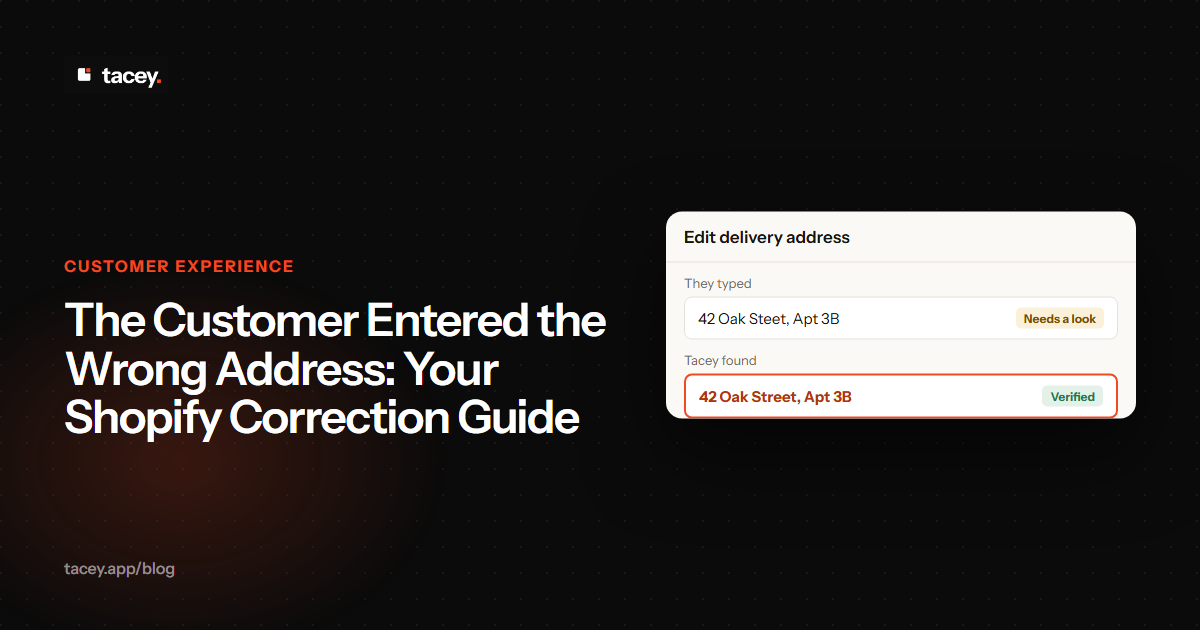
The second part is the customer-facing order editor. When a customer realizes they made a mistake, they can click the "View your order" button in their confirmation email. Embedded on the order status page is an option to edit their order. The customer can directly correct their own shipping address or contact information.
This self-service capability is governed by a merchant-defined edit window, such as two hours or until fulfillment. Once the window closes, the editing function disappears. This eliminates the frantic race against the clock, reduces support costs, and replaces customer anxiety with the relief of being able to fix their own mistake.
If you're ready to stop putting out fires, you can install Tacey from the Shopify App Store and start a 14-day free trial. You can explore the features further at Tacey Address Validation and view transparent pricing at Tacey Pricing.
Go into your Shopify admin and review the last five orders that involved a shipping address correction. Add up the cost of support time, carrier fees, and any lost products. That number is the true budget you have to invest in a better system. Moving from a reactive process to a proactive one saves money, buys back time, and builds customer trust.
Frequently asked questions
What is the most common cause of a wrong shipping address?
The most common causes are accidents stemming from modern checkout convenience. Outdated browser or payment autofill is a frequent culprit, along with simple typos made during manual entry, especially on mobile devices. Missing information like an apartment number is also a primary reason for failed deliveries.
Can I edit a shipping address in Shopify after an order is fulfilled?
No, you cannot edit a shipping address in the Shopify admin after an order has been marked as fulfilled. The editing capability disappears once the fulfillment process begins, which can be just minutes after the order is placed for automated stores.
Does editing an address in Shopify automatically cancel the old shipping label?
No, it does not. If you have already purchased a shipping label before editing the address, you must manually go into the fulfillment section and void the incorrect label. Forgetting this step will cause the package to ship to the original wrong address.
What is a package intercept and is it reliable?
A package intercept is a service offered by major carriers to stop and redirect a package that is already in transit. It is not reliable and is considered a "best-effort" attempt, not a guarantee. The service has a fee, and its success depends on catching the package before it is on the final delivery truck.
What's the difference between pre-checkout and post-checkout address validation?
Pre-checkout validation checks the address before the customer pays, which can add friction and potentially lower conversion rates. Post-checkout validation checks the address after the sale is complete, securing the order first and then flagging potential issues for review without interrupting the buying process.
Can a customer fix their own shipping address mistake?
Yes, but only with a specific app that enables this feature. With a tool like Tacey, customers can use a link in their order confirmation email to access their order and correct their own shipping address within a time window set by the merchant.
How does Tacey's address validation work?
Tacey validates addresses after the checkout is complete, so it never impacts conversion rates. It checks the address against professional data and, if it finds a potential issue, it applies a tag to the order in Shopify for merchant review. The system flags potential errors but never blocks or holds fulfillment.
 Install on Shopify