tacey
tacey Install on Shopify
An order is placed, and minutes later, the email arrives: "I need to cancel my order." For a Shopify merchant, this is the start of a manual, multi-step process. By default, Shopify does not allow customers to cancel their own orders. The responsibility falls entirely on the merchant or their support team to intervene before the order is fulfilled.
This manual process is not just a time sink; it is a significant source of operational friction and customer frustration. It is also often a detour from a continued sale. The intent behind many cancellations is to correct a simple mistake. In fact, one analysis found that over 80% of order cancellations are immediately replaced with a new order by the same customer.
Every request requires a support agent to stop their work, locate the order, verify its status, and process a refund. They must also manually restock inventory and communicate with the customer. While this seems manageable for a new store, it quickly becomes an expensive bottleneck. A more efficient approach is enabling customers to cancel orders themselves from their order status page.
What is the default Shopify order cancellation process?
The default Shopify process is fully manual. A customer must email your support team to request a cancellation. A merchant or agent must then find the order in the Shopify admin, process the cancellation and refund, and manually restock the items before confirming the action with the customer.
When a customer on a standard Shopify store decides to cancel, they have no button to click. Their only option is to find a "Contact Us" page or reply to their order confirmation email. This single missing feature triggers a cascade of manual tasks for the merchant, creating a race against the fulfillment clock.
Once a cancellation email lands in the support inbox, a team member must:
- Open the ticket and find the corresponding order in the Shopify admin.
- Check the fulfillment status. If the warehouse has already picked the item, it is too late to cancel.
- If unfulfilled, click "More actions" and then "Cancel order."
- Choose how to refund the payment and ensure the "Restock inventory" box is checked.
- Return to the support ticket to inform the customer their request is complete.
Forgetting to check "Restock inventory" is a costly error. If an item was the last one in stock, the system now incorrectly shows zero available units. The product appears "Sold Out" to the next customer, losing an immediate sale. This data error also disrupts re-ordering forecasts and marketing campaigns based on stock levels.
This entire sequence can take at least 10 minutes of a support agent's time for one request. Multiplied by hundreds of requests, the cost adds up. It pulls skilled staff away from complex issues where they can add real value, like helping a customer find the right product.
Furthermore, the process is not transparent for the customer. They have no visibility into whether their email was received or if the order will be canceled before it ships. This uncertainty erodes confidence and can lead to follow-up emails or even a preemptive chargeback if they fear they will be ignored.
What are the risks of manual order cancellations?
Manual cancellations are slow, creating a high-risk window where an order ships before the request is processed. This leads to direct costs from shipping and returns, a poor customer experience, and an increased chance of chargebacks. The process also creates a constant stream of low-value work for your support team.
The core problem is the time delay in any email-based workflow. If a customer's cancellation email is not seen before the item ships, the merchant has already paid for an outbound shipping label. To get the item back, the merchant will likely have to pay for a return shipping label as well.
When the item arrives back at the warehouse, an employee must spend paid time inspecting it, processing the return, and restocking it. These direct costs can turn what should have been a zero-touch cancellation into a financial loss. The item might also come back opened or damaged, forcing a discount or a complete write-off.
A slow response also signals to the customer that their problem is not a priority. This erodes trust and can drive them to a competitor. Fearing they will be ignored and charged for an unwanted item, a customer may initiate a chargeback with their credit card company. This is the worst-case scenario, resulting in lost revenue and a non-refundable chargeback fee.
Relying on manual intervention also generates a constant stream of low-value support tickets. This distracts the team from more complex problem-solving. Compounded over thousands of orders, it becomes a significant operational drag. It also introduces data integrity issues from forgotten restocks or incorrect refund amounts.
How can I let customers cancel their own orders?
You can let customers cancel their own orders by adding an app that places a cancellation button on the Shopify order status page. This is the page customers see after checkout and from their confirmation email. It is a trusted, secure environment ideal for self-service actions without affecting your store's theme.
For every purchase, Shopify generates a unique order status page. Customers are trained to visit this page to track shipments and check details. Because it is a native part of the Shopify flow, it carries a layer of trust. Crucially, this page is not part of your theme, so apps installed here will not break when you make site-wide updates.
Through features like Checkout Extensibility, Shopify has transformed this page from a static display into a dynamic platform. Merchants can now add apps and custom logic, turning it into a post-purchase hub. Instead of being the end of a transaction, it is the beginning of the post-purchase experience.
Offering a cancellation button here feels natural to the customer. They are already on a page related to their specific order. Finding an option to manage that order is an expected convenience. It is far better than forcing them to search for a contact page and write an email, which adds friction at every step.
We see the order status page as the most valuable, underutilized real estate in ecommerce. The customer is engaged, they trust the page, and they are there for one reason: to get information about their order. Giving them the power to act on that information, right there and then, is the most logical way to improve the customer experience.
Placing a self-service option on the order status page solves the core problems of a manual workflow. It is instantaneous, eliminating the risky time gap. It is always on, allowing a customer to fix a late-night mistake immediately. It is also accurate, as automation ensures the refund is correct and inventory is restocked without human error.
What should I look for in an order cancellation app?
A good order cancellation app must provide control over when and how a customer can cancel. Look for an app that offers configurable, rule-based cancellation windows that can be tied to fulfillment status or product tags. The ability to collect cancellation reasons is also essential for gathering business intelligence.
Since Shopify does not offer this feature natively, merchants must use the Shopify App Store. When evaluating apps, prioritize these core features:
- Time-based cancellation windows. The ability to set a short period, like 30 or 60 minutes, after an order is placed.
- Conditional, rule-based logic. The best apps, like Yagi Order Cancellable or Easy Cancel Order, let you set different windows for different products, such as pre-order items versus in-stock goods.
- Fulfillment status awareness. The cancellation option should disappear automatically the moment an order's fulfillment status changes, preventing cancellation of shipped items.
- Reason collection. Capturing why an order was canceled provides invaluable feedback.
Apps like Order Cancel Pro offer this workflow.
- Native integration. The app should use Shopify's Checkout Extensibility to render a button that feels like part of the platform, maintaining customer trust.
A simple, global time limit is often not enough. A store selling both fast-shipping apparel and made-to-order furniture needs different rules for each. The cancellation window should always be shorter than your fulfillment latency. Intelligent rules are needed to handle a diverse product catalog and ensure the window closes before the warehouse team begins work.
How do I set up self-serve order cancellations with Tacey?
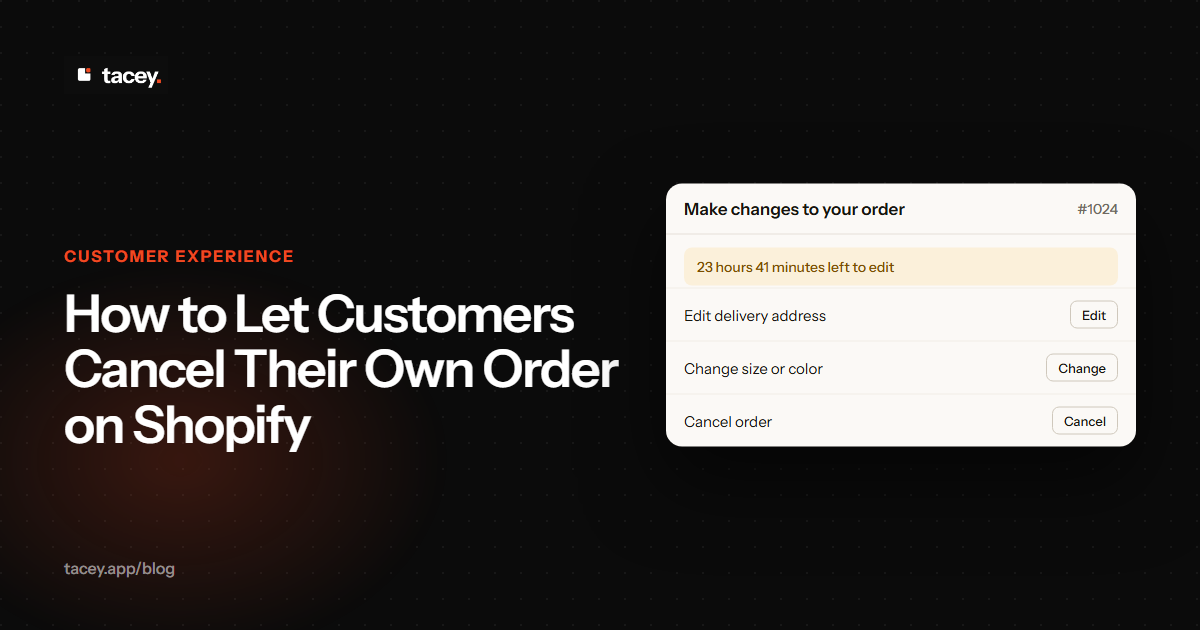
In the Tacey dashboard, you enable the "Cancel order" capability with a single click. You then configure a time-based edit window in the 'Order Editing' settings. Tacey places the cancellation button on the order status page and automatically handles the refund and restock process when a customer uses it.
Tacey unifies cancellation with other post-purchase actions like address edits or item swaps. This avoids a disjointed customer experience and conflicting rule sets from multiple single-purpose apps. All self-serve actions are governed by one consistent set of rules directly on the Shopify order status page.
The core of the feature is the configurable edit window. In the Tacey dashboard, a simple slider lets you set a duration, for example, 60 minutes. This timer creates the primary cancellation window. Once it expires, the option disappears. Tacey also monitors the order's fulfillment status in real time.
The cancellation option is immediately removed the moment the order is marked as 'In Progress' or has a tracking number assigned. This happens regardless of how much time is left on the clock. This dual-gate system provides clear boundaries for both the customer and the fulfillment team. This functionality is part of Tacey's complete order editing toolkit.
When a customer cancels, Tacey handles the entire workflow automatically. The payment is refunded in full to the original method, and the order is marked as canceled in Shopify. For merchants who want to understand why, Tacey can make providing a reason a mandatory step. This transforms every cancellation into a valuable data point.
Tacey's pricing is based on order volume, with all features, including self-serve cancellation, available on every plan starting from $29/month. You can add these capabilities to your store with a 14-day free trial and see the reduction in support tickets for yourself.
Automating this process is one of the highest-impact improvements a growing Shopify store can make. It frees up valuable human resources to focus on growth rather than damage control. The cost of a manual cancellation is not just an agent's time; it is the lost confidence of a customer left waiting for a response.
Frequently asked questions
Can customers cancel their own orders on Shopify by default?
No, Shopify does not have a built-in feature for customer-initiated cancellations. To allow this, merchants must handle requests manually through email or install a third-party app that adds this functionality to the order status page.
What percentage of cancellations are to fix a mistake?
Analysis shows that over 80% of order cancellations are immediately replaced with a new order by the same customer. This suggests most cancellations are not lost sales but attempts to correct an error in the original purchase, like choosing the wrong size or color.
What is the biggest risk of a manual cancellation process?
The biggest risk is the time delay between the customer's request and the support team's action. This delay can lead to an order being fulfilled and shipped before it can be canceled, resulting in unnecessary shipping costs, complex returns, and customer frustration.
Why use the order status page for cancellations?
The order status page is a secure, trusted part of the native Shopify experience that customers already use for tracking. Adding a cancellation button there is intuitive for the customer and technically stable, as it will not break when you update your store's theme.
What is a cancellation window?
A cancellation window is a short, defined period after an order is placed, such as 60 minutes, during which a customer can cancel it themselves. The best apps allow this window to be configured with rules based on product type or other conditions.
How does Tacey prevent cancellations of shipped orders?
Tacey uses a dual-gate system. The cancellation option is only available within a set time window and before the order's fulfillment status changes in Shopify. The option is removed automatically once fulfillment begins, even if time is left on the clock.
Does Tacey automatically restock inventory on a canceled order?
Yes. When a customer cancels an order using Tacey, the entire workflow is automated. The system processes a full refund to the original payment method and ensures the canceled items are correctly restocked in your Shopify inventory without any manual work.
 Install on Shopify