tacey
 Install on Shopify

Chargebacks feel like a cost of doing business, but many are not sophisticated fraud. They are the result of simple, preventable mistakes: a wrong size ordered, a typo in an address, or a customer who cannot get a quick answer. The best defense is not a better dispute-fighting process, but a system that prevents the reason for the dispute in the first place. A stack of specialized Shopify apps can address the root causes, reducing the operational and financial drain of chargebacks.
This article outlines a four-part app stack that targets the most common sources of refund disputes and chargebacks. By combining advanced fraud detection, clear customer communication, accurate address validation, and flexible self-service order editing, you can create a post-purchase experience that solves problems before they escalate.
| Your situation | Pick | Starts at |
|---|---|---|
| You need to give customers a window to fix their own order mistakes. | Tacey | $29/month |
| You need automated, hands-free chargeback fighting and prevention. | Chargeflow | Free to install |
| You need to reduce 'item not received' claims from address errors. | Tacey | $29/month |
| You need to manage customer questions proactively to avoid disputes. | Gorgias or Zendesk (via App Store integration) | Varies |
Why are Shopify chargebacks and refund disputes increasing?
Chargebacks are rising because ordering online is faster than ever, but correcting a mistake is not. Customers expect immediate resolutions, and if they cannot find one through customer service, they will find one through their bank. This path of least resistance often leads directly to a chargeback, which merchants then have to fight.
The issue is compounded by a simple numbers game. With over 1.75 million merchants on the platform, Shopify processes an enormous volume of transactions. Even a tiny percentage of orders resulting in disputes adds up to a significant problem for individual store owners. The average Shopify store uses six apps to manage its operations, highlighting the need for a coordinated approach to customer experience.
Many chargebacks are not malicious. They are categorized as "friendly fraud," where a legitimate customer disputes a charge due to a misunderstanding, a forgotten purchase, or frustration with the post-purchase process. They might have received the wrong item, seen a delay in shipping, or been unable to cancel an order in time. When support is slow or unavailable, a chargeback becomes the customer's quickest path to getting their money back.
The real cost of a single chargeback: a worked example
The cost of a chargeback goes far beyond the initial order value. When a customer disputes a charge, you lose the revenue from that sale, the cost of the goods you shipped, and the original, non-refundable payment processing fee. On top of that, your payment processor adds a separate, punitive chargeback fee for handling the dispute.
Imagine a customer disputes a $100 order. You immediately lose the $100. Let's say the product cost you $40 to make or acquire. You also lose the payment processing fee, around $3. Then the bank adds a chargeback fee, which is typically $15. Your total loss on that single $100 transaction is now $158, a significant financial hit.
These direct costs are only part of the story. Each chargeback increases your dispute rate with payment processors. If this rate exceeds a certain threshold, often around 1%, you risk higher transaction fees, mandatory reserve funds, or even the termination of your merchant account. The time your team spends gathering evidence and fighting the dispute is an additional operational cost.
What is the link between order errors and disputes?
Order errors are a direct cause of disputes because customers who cannot easily fix a mistake, like a wrong size or address, often file a chargeback. This happens when self-service options are missing and support is slow, making a dispute the fastest way for the customer to resolve the issue.
These errors create a direct path to customer frustration. An incorrect shipping address leads to a lost package and an "item not received" claim. A customer who meant to buy one item but accidentally ordered two is now overcharged. If the process to correct these issues is slow or complicated, the customer's trust erodes. They see a charge on their card for something they do not want or have not received.
Consider a customer buying a birthday gift. In their haste, they enter their own address instead of the recipient's. They realize their mistake minutes later but find no way to edit the order. The gift is now heading to the wrong state. The merchant's support team is offline for the weekend. Frustrated, the customer files a chargeback for "item not received" before the package even arrives.
From the customer's perspective, a chargeback is a tool to resolve a problem the merchant did not. By the time a package with the wrong product arrives, the customer has already tried to solve the issue. A self-service option to correct the error on the order status page, moments after payment, can intercept this entire sequence. It turns a potential dispute into a resolved issue, often without any need for support staff intervention.
What are the best apps for self-serve order editing?
The best apps for self-serve order editing allow customers to fix their own mistakes on the order status page after payment but before shipment. This capability, offered by apps like Tacey, reduces chargebacks by letting customers correct sizes, addresses, or quantities without needing to contact support.
Your customer knows their address better than you do. Let them fix it.
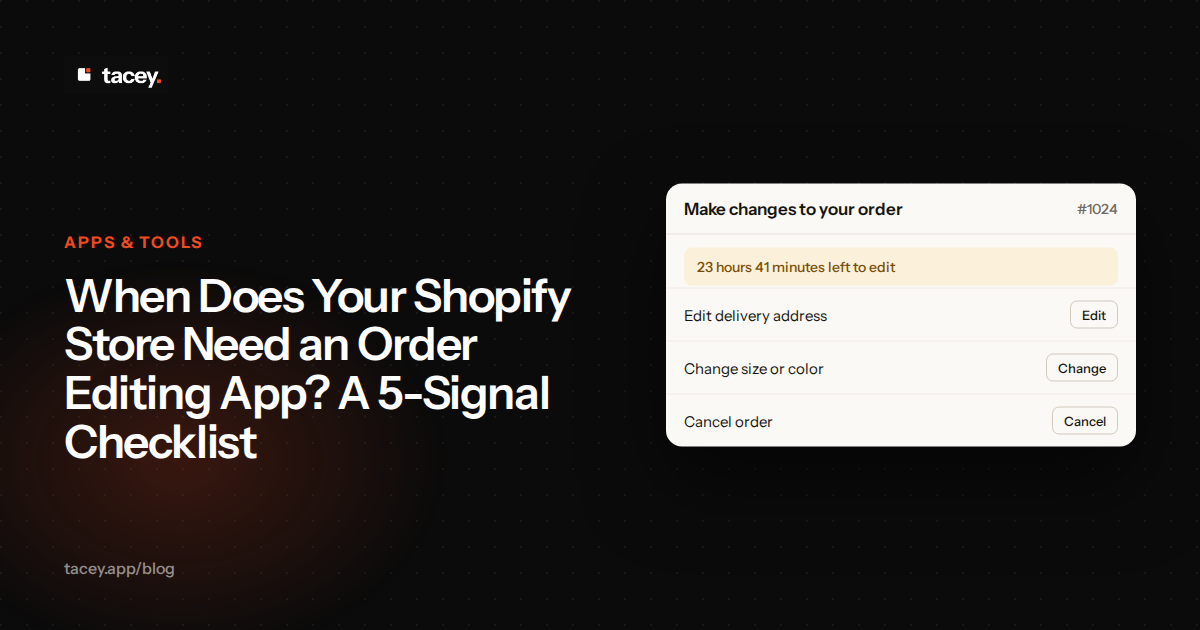
For this capability, we recommend Tacey. Full disclosure: we make Tacey, so treat our placement accordingly. Tacey allows merchants to create a self-service hub on the Shopify order status page. Customers can edit product options, fix address typos, and cancel orders within a time window you set, typically before the order is sent for fulfillment. This happens after payment, so it never interrupts the checkout process.
The Edit Window vs. Fulfillment Speed Trade-Off
Implementing self-service editing introduces a key strategic choice: the "Edit Window vs. Fulfillment Speed" trade-off. A longer editing window, such as four or six hours, gives customers more time to catch mistakes. This maximizes convenience and can prevent more errors. This flexibility means a customer could make a change while the order is already being prepared, so merchants must align their edit window with their warehouse's pace.
A shorter window of one or two hours speeds up your operations, helping you meet customer expectations for fast shipping. But it gives your customers less time to act, potentially letting some mistakes slip through. The right balance depends on your business. A print-on-demand store might offer a longer window, while a store with a 24/7 fulfillment center may need a much shorter one.
When a customer makes a mistake, they can correct it immediately without contacting support. If they change their order to a cheaper item, a refund can be processed. If they add a product, they pay the difference. This self-service model prevents the frustration that leads to many "friendly fraud" chargebacks. Other apps in this category include OrderEditing.com and AE: Order Editing & Upsell, which also provide post-purchase editing capabilities on the order status page.
What are the best apps for advanced fraud prevention?
Advanced fraud prevention apps go beyond Shopify's built-in analysis to identify and block high-risk orders. They use machine learning and larger data sets to score transactions, flagging orders that show signs of fraudulent activity. This provides a crucial layer of defense against malicious chargebacks where stolen credit cards are used.
The Edge Case: When Fraud Prevention Blocks a Good Customer
The primary trade-off with fraud prevention is security versus customer friction. If your rules are too aggressive, you will inevitably create false positives: legitimate orders that are flagged as fraudulent. This can be particularly common with international customers or those using VPNs for privacy, as their data may trigger risk alerts.
When a good customer's order is declined, the impact is severe. They are often confused and offended, with no clear path to resolve the issue. Most will not try the purchase again, and you lose not just a sale but a potential long-term customer. This is why it is critical to have a review process for flagged orders rather than relying on automatic cancellations alone.
A strong choice in this category is Chargeflow. It offers automated chargeback management that includes dispute responses generated by AI and reviewed by experts. The app focuses on recovering revenue from disputes that do occur and offers features to help prevent them. Its pricing is often based on a percentage of the revenue it recovers for you, which aligns its success with your own.
Another option is Disputifier, which provides tools for both preventing and fighting chargebacks. Its features include setting up automatic dispute responses and blocking high-risk customers. These apps act as a specialized defense system. While Shopify Protect covers some fraudulent chargebacks, these third-party apps often provide more comprehensive coverage and tooling for different types of disputes.
What are the best apps for clear customer communication?
Clear, proactive communication is a powerful tool for preventing disputes. Apps that centralize customer conversations and provide quick access to order information can resolve issues before they become chargebacks. When customers know the status of their order and can get answers quickly, they are less likely to resort to a bank dispute.
Helpdesk platforms like Gorgias and Zendesk are essential here. They integrate with Shopify to pull customer and order data directly into the support inbox. When a customer writes in, your team has immediate context: what they ordered, its fulfillment status, and their contact information. This allows for fast, accurate responses that solve the customer's problem on the first try.
These tools also enable you to create automated responses for common questions like "Where is my order?" (WISMO). By providing an instant, helpful answer with a tracking link, you satisfy the customer's need for information and reduce the support team's workload. While Tacey does not currently offer direct connectors for these platforms, they are a key part of a complete chargeback prevention stack.
How does address validation reduce 'item not received' claims?
Address validation reduces 'item not received' claims by checking and correcting shipping addresses before an order ships. This prevents packages from being lost or returned due to typos or missing apartment numbers, which is a common reason customers file chargebacks when they don't receive their purchase.
The cost of a single incorrect address can be surprisingly high. Consider a $75 product. If the package is lost due to a typo, you lose the $75 in revenue and the product's cost, say $30. You also lose the initial shipping cost, perhaps $12. If you reship the item, that is another $12. The total loss from one bad address is over $129, plus the time spent on support emails.
Many "item not received" claims are not fraud; they are the result of a simple data entry error. A customer might mistype a street number or forget an apartment number. The package goes to the wrong location or is returned to the sender, and the customer, seeing the charge but not the product, initiates a chargeback. Validating the address when the order is placed and giving the customer a chance to correct it before the order ships is an effective way to prevent this.
Tacey includes address validation for orders on all plans. It automatically checks shipping addresses for US, Canadian, Mexican, and international orders. More importantly, it can be combined with pre-ship reminders that email the customer, asking them to double-check the address Tacey has flagged. This gives the customer a chance to fix the error themselves on the order status page, ensuring their package arrives as expected.
How do you choose the right dispute prevention stack for your store?
The right stack depends on your store's specific pain points. Start by analyzing your existing chargebacks and refund requests in the Shopify admin. Are most disputes related to fulfillment errors, potential fraud, or shipping issues? Your data will tell you where to focus your investment first.
A Concrete First Step: Auditing Your Disputes
To begin, you must understand your specific problem. In your Shopify Admin, navigate to the "Finances" section and find the chargebacks page. Here, Shopify lists every dispute filed against your store. Export this data for the last six to twelve months so you can see patterns. This is a concrete action you can take in the next ten minutes.
Categorize each dispute by its reason code. Are they mostly "Fraudulent," "Product not received," or "Product unacceptable"? If you see a high number of "Product not received" claims, address validation should be your priority. A spike in "Fraudulent" disputes means you need a better fraud filter. This data-driven approach ensures you invest in the right tools.
If your main issue is customers ordering the wrong size or color, start with an order editing solution that allows customers to make those corrections themselves. If you are a target for fraudulent transactions, a dedicated fraud prevention app is your priority. For stores with high support volume, a helpdesk integration can provide the biggest immediate return by streamlining communication and resolving issues faster.
A balanced approach is usually best. Combine a fraud prevention app to filter out bad actors, a helpdesk to manage communications, and a self-service tool to handle common order mistakes. This creates multiple layers of defense. The goal is to build a system where issues are resolved at the earliest and least expensive stage possible, long before a customer feels the need to contact their bank.
Ultimately, preventing chargebacks is about improving the customer experience. By giving customers the tools to fix their own mistakes, you not only reduce disputes but also build trust and loyalty. An investment in a self-service order editing tool pays dividends in reduced operational costs and increased customer satisfaction. To see how Tacey can help you reduce chargebacks from order errors, install it from the Shopify App Store.
Frequently asked questions
What is the most common reason for a Shopify chargeback?
While reasons vary, many chargebacks fall under "friendly fraud." This is where a legitimate customer disputes a charge due to an issue like not recognizing the transaction, forgetting they made it, or being frustrated with a product or shipping issue they could not easily resolve with the merchant.
Can a Shopify app guarantee no more chargebacks?
No app can completely eliminate chargebacks. The goal of a chargeback prevention stack is to significantly reduce their frequency by addressing the root causes. A combination of fraud detection, clear communication, and self-service tools provides the best defense.
Does Shopify have its own chargeback protection?
Yes, Shopify Protect offers coverage for fraudulent chargebacks on eligible orders processed through Shopify Payments. However, it does not cover disputes for other reasons, like "product not as described" or "item not received," which is why a broader app stack is beneficial.
How much does a chargeback cost a Shopify merchant?
A chargeback costs more than just the disputed amount. Merchants also lose the transaction fee, face a separate chargeback fee from their payment processor, and risk a higher processing rate if their chargeback ratio gets too high. There is also the cost of the lost product and the time spent fighting the dispute.
Is it better to prevent chargebacks or fight them?
Prevention is almost always more effective and less costly than fighting. While having a good dispute process is important for recovering some revenue, focusing on preventing the issues that cause chargebacks in the first place saves time, money, and customer relationships.
How long after an order can a customer file a chargeback?
The window for filing a chargeback varies by card network and issuing bank but is typically between 60 and 120 days from the transaction date or the expected delivery date. This long window is why proactive prevention is so important.
Will letting customers edit orders cause more problems?
When managed within a defined window, customer order editing solves more problems than it creates. By setting a cutoff time (e.g., a few hours, before fulfillment begins), you give customers the power to fix common errors without creating chaos for your warehouse operations.
 Install on Shopify