tacey
tacey Install on Shopify
A single typo in a shipping address can unravel an entire customer experience. The sale is a success, but the delivery fails. The package may return to your warehouse, incurring extra carrier fees, or disappear completely. This one small error generates a support ticket, requires a replacement shipment, and erodes customer trust.
An effective address validation system is a fundamental defense against these preventable losses. These apps check a customer's shipping address against authoritative data to catch typos or missing information. The real difference between them lies in when and how they perform this check. This article breaks down the best options for 2026 so you can choose the right one for your store.
What is Shopify address validation?
Shopify address validation is the process of checking a customer's shipping details for accuracy before you fulfill the order. It confirms that the street, city, postal code, and country form a real, deliverable address. This simple check is critical for preventing the high costs associated with failed deliveries.
When a package is undeliverable, a store faces multiple costs. These include:
- The initial lost shipping fee.
- The potential cost of the goods if they are not returned.
- A return-to-sender fee from the carrier.
- The operational load on your support team to handle the inquiry.
A single failed delivery can easily erase your profit margin. For an order with a $50 value and $8 shipping, a $17 return fee from the carrier means you lose $25 in shipping costs. If you reship the item for another $8, the total direct loss is $33, not including the product cost or support time.
Ultimately, a failed delivery damages the customer's perception of your brand. Even if the typo was their mistake, the frustration of a delay reflects poorly on their experience. Using an address validation app narrows the window for these errors, protecting both your margin and your reputation.
| App | Best For | Method | Starts At |
|---|---|---|---|
| Tacey | Customer self-service | Post-purchase | $29/month |
| Address Validator AddressHero | Free-to-install option | During checkout | Free to install |
| Clearer.io Address Validator | Non-standard addresses | During or post-purchase | Free to install |
| OrderEditing.com | High-volume stores | Post-purchase | $99/month |
| Addressly | Preventing typos at the source | Autocomplete | $6.99/month |
How do Shopify address validation apps work?
Address validation apps work in one of two ways. They either interrupt the checkout process to get a correction, or they flag an order for review after the payment is complete. Each method has distinct trade-offs, and the choice is often dictated by a merchant's Shopify plan.
Validation during checkout tries to catch errors before the order is placed. This often requires access to checkout features available on Shopify Plus plans. The benefit is cleaner data from the start, but the downside is added friction that could cause a customer to abandon their cart.
Validation after checkout happens on the order status or "thank you" page. This approach creates zero friction during the payment process, which helps protect your conversion rate. It works on all Shopify plans and relies on tagging the order for review or letting the customer fix the error themselves.
What is the best app for post-purchase validation?
Tacey is the best option for post-purchase validation that empowers customers without blocking your fulfillment team. It avoids checkout friction by checking the address immediately after an order is placed. Full disclosure: We build Tacey, and we designed it this way because we believe you should not risk a sale to fix a typo.
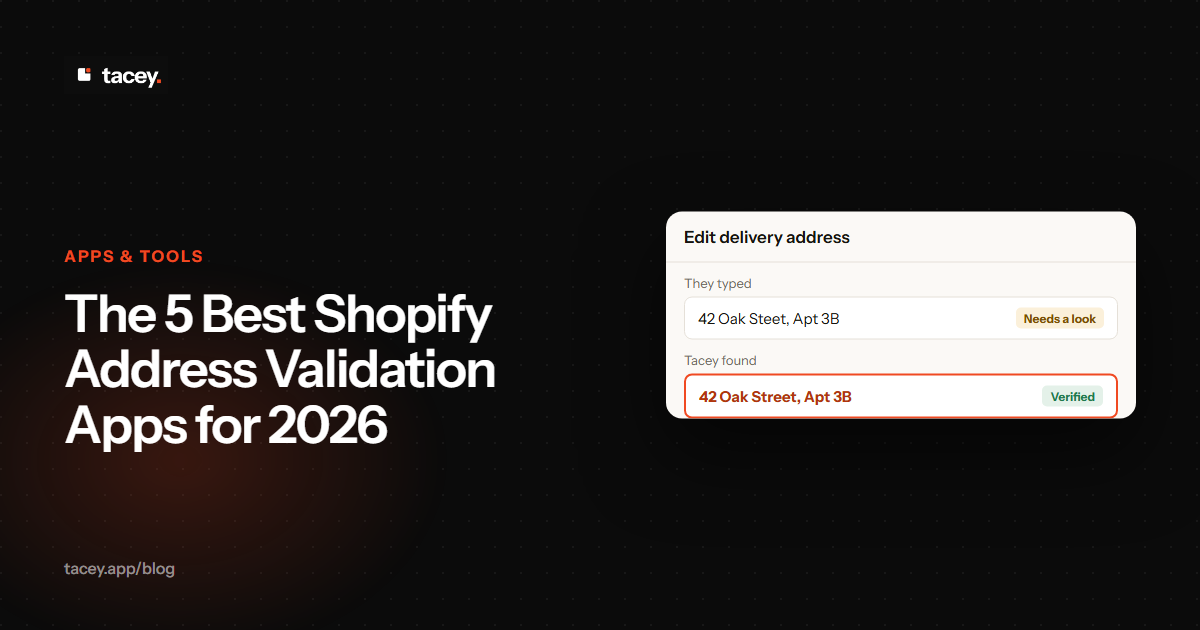
Tacey checks every shipping address against professional data. If an issue is found, the order is tagged in the Shopify admin, but fulfillment is never automatically held. The customer sees a prompt on their order status page and can correct the address themselves before it ships, with no support ticket needed.
This self-service flow resolves most issues in minutes. It respects the customer's time and gives them control, turning a potential problem into a moment of reassurance. It also frees up your support team from manually emailing back and forth about typos, a significant time-saver for your operations.
As part of a broader order editing suite, Tacey's validation is ideal for stores that want a complete self-service experience. Pricing starts at $29/month for up to 750 orders, with a 14-day free trial. You can learn more on our address validation page.
What is a popular free-to-install validation app?
Address Validator AddressHero is a leading choice for merchants who want a dedicated tool that prompts customers during checkout. The app is free to install and has a strong reputation, with a 4.9-star rating from 237 reviews. It shows a pop-up with suggested corrections when it detects a potential issue.
Its primary strength is its focus on doing one job well. It integrates smoothly into the Shopify checkout and is compatible with express checkouts like PayPal and Apple Pay. This makes it an easy solution for stores that want to reduce delivery errors without a large, multi-feature application.
When AddressHero finds an issue, it presents a modal window over the checkout. The customer can choose a suggestion or dismiss the window to proceed. This forces a decision, which is effective but also adds friction. Paid plans, like the "Lite" plan at $9.99/month, add features like blocking PO boxes.
Which app works well for non-standard addresses?
Clearer.io Address Validator is a popular, purpose-built app that handles unconventional addresses well, reducing false positives. It is free to install and has a 4.7-star rating from 196 reviews. It presents customers with corrected suggestions to prevent delivery failures.
For example, a rigid validator might reject a rural route or "care of" address. Clearer.io is designed to recognize these as potentially valid. It will still flag them for review but does not force a change on the customer, preventing frustration for users with legitimate but unusual addresses.
Its pre-checkout validation prompt is only available for merchants on a Shopify Plus plan. For stores on standard Shopify plans, the validation occurs on the 'thank you' page after payment. Pricing is usage-based: the first 100 orders per month are free, then it costs $0.06 per order.
What is the best validation app for high-volume stores?
OrderEditing.com offers address validation as part of a powerful order editing suite for high-volume stores. With a 5-star rating from 332 reviews, it is a proven, premium tool. Its validation feature is one component of a larger system for customer self-service and operational automation.
If your store processes over 2,000 orders a month, the cost of manually reviewing flagged addresses becomes significant. A full suite like OrderEditing.com automates the workflow. You can set rules to automatically hold orders with high-risk addresses and notify customers, managing the process at scale.
This level of automation is overkill for smaller shops but essential for larger operations. Pricing starts at $99/month, which reflects its position as an all-in-one tool. It is best for stores that see address validation as one piece of a larger post-purchase optimization strategy.
How can I prevent address typos with autocomplete?
Addressly prevents errors by providing real-time address autocomplete as the customer types. Instead of just validating a completed address, it uses a global mapping database to suggest accurate addresses. This reduces typos and speeds up the checkout process for the customer.
This method is effective at ensuring accuracy from the start. The app also features a live map picker so shoppers can drop a pin on their exact location. With a 5-star rating from 10 reviews, it is a well-regarded tool for its specific purpose. Pricing starts at an affordable $6.99/month.
The primary weakness of autocomplete is its reliance on map data. In new housing developments, addresses may not appear in the database for weeks or months. It is crucial that the tool allows a clear manual override to avoid losing sales from customers in the newest postal codes.
A returned package isn't just a shipping cost. It's a broken promise to a customer who was excited for their order. Fixing the experience at the source is the only scalable way to handle it.
How do I choose the right address validation app?
The right app depends on your store's needs, budget, and Shopify plan. First, decide if you prefer to catch errors during checkout, with potential friction, or after the sale is secured. Your choice will guide you toward the best tool for the job.
If you are on a Shopify Plus plan, you can use apps that intervene directly in the checkout. For stores on standard plans, a post-purchase validator or an autocomplete tool is a more suitable choice. Also, consider if you need a standalone validator or a larger order editing suite.
To justify the cost, calculate what bad addresses cost you now. Export your orders and filter for returns due to an 'incorrect address'. Sum the lost shipping fees, carrier return fees, and replacement costs. This total is your cost of inaction, which provides a clear budget for a solution.
Frequently asked questions
Can Shopify validate addresses on its own?
Yes, Shopify has a built-in address validation feature that can show suggestions at checkout. However, it only does so with high confidence. Many stores need the advanced rules and post-purchase workflows of third-party apps.
Do these apps work for international addresses?
Most top address validation apps, including Clearer.io and Address Validator AddressHero, offer robust international validation. This is a key feature if you ship globally, as address formats vary dramatically between countries. A good app understands these local differences to be effective.
Will an address validation app slow down my checkout?
Apps that work after checkout, like Tacey, have zero impact on checkout speed. Apps that work during checkout are generally lightweight and optimized for performance. It is always wise to test your page speed after installing any new app.
What's the difference between address validation and address autocomplete?
Address autocomplete, used by Addressly, suggests addresses as you type to prevent errors. Address validation, used by AddressHero, checks the completed address against a database to confirm it is real. They are distinct functions that both improve accuracy.
How much do Shopify address validation apps cost?
Prices vary widely. Some apps are free to install with usage-based fees around $0.04 to $0.06 per order. Others have flat monthly subscriptions from about $7 to over $99, often as part of a larger suite of tools.
Can I use an address validation app on any Shopify plan?
It depends on the app. Post-purchase validation apps work on all Shopify plans. Apps that intervene during checkout with a pop-up often require Shopify Plus for full functionality, though some have found ways to work on all plans.
 Install on Shopify