tacey
 Install on Shopify

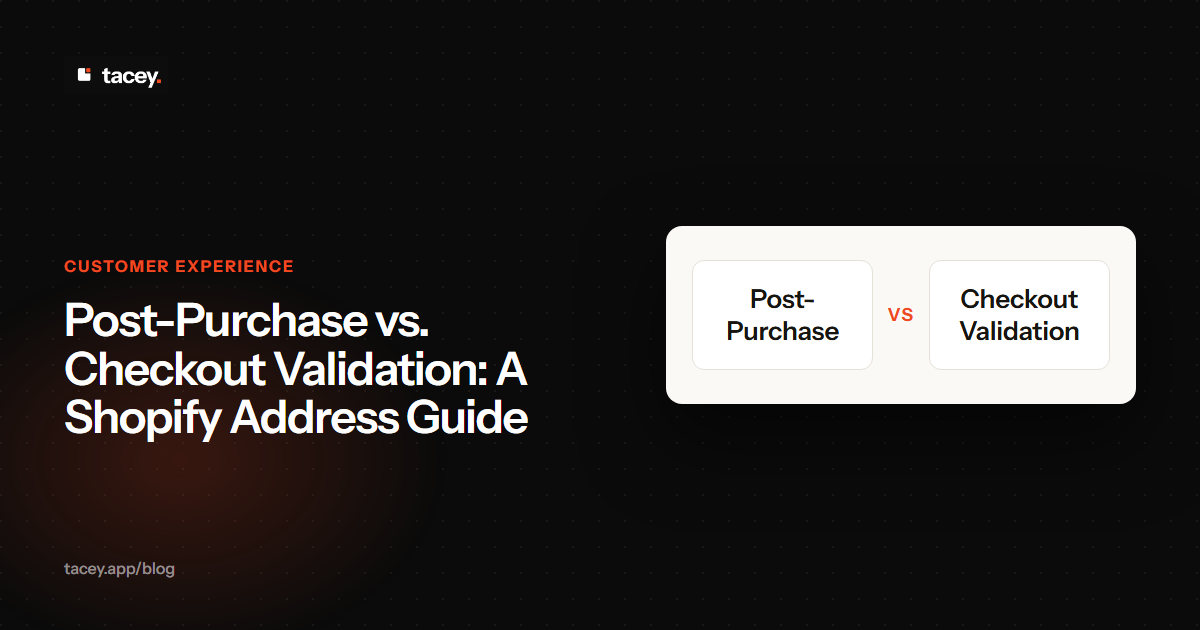
Post-purchase validation checks a shipping address for errors after a customer pays, protecting the sale from being abandoned. In contrast, checkout validation interrupts the payment process to check the address, which can frustrate customers and lead to lost revenue. The post-purchase method secures the sale first and handles cleanup second.
This guide explains the difference between checkout validation and post-purchase address validation. We will cover the mechanics of each, the risks they introduce, and how to decide which is right for your Shopify store. The goal is to reduce shipping errors without sacrificing the conversion rate you worked so hard to earn. It's a balancing act between data purity and a customer experience without friction.
What is checkout address validation?
Checkout address validation verifies a customer's shipping address in real-time, before they complete their payment. It compares the address against a database as the customer types, pausing the checkout to ask for a correction if an error is detected.
This method often relies on an address verification API that checks for things like street name misspellings, incorrect postal codes, or non-existent house numbers. While Shopify has some basic address review features, more advanced real-time validation during checkout is typically a feature reserved for Shopify Plus merchants. This is because it requires access to checkout customizations that are not available on standard Shopify plans.
This access, now available through Shopify's Checkout Extensibility, allows apps to insert validation logic directly into the checkout flow. For non-Plus stores, this level of customization is locked down, which helps maintain platform stability and security. The core idea is to catch errors early, but it forces a direct trade-off between data accuracy and conversion rates, a difficult choice for any merchant.
The core idea is to catch errors at the earliest possible moment. However, this approach creates a significant trade-off. The moment between a customer deciding to buy and actually paying is the most fragile part of the entire purchase journey, where friction is most costly.
Every additional step, or even a second of delay, introduces a new opportunity for a customer to reconsider their purchase. This friction can directly lead to them abandoning their cart, turning a potential sale into a lost opportunity over a minor data entry issue.
What are the risks of validating addresses at checkout?
The primary risk of checkout validation is cart abandonment. Interrupting the payment flow can frustrate customers and directly harm your conversion rate. A slow or inaccurate validation tool can cause a user to give up on the purchase entirely, even if their address is perfectly valid.
False negatives are a common problem. An address validation tool might not recognize a newly constructed building, a complex unit number, or a regional address format, flagging a correct address as an error. This forces the customer into a loop where they cannot proceed with a valid address, leading to a lost sale and a poor customer experience.
The International Address Problem
International addresses pose an even greater risk. Formats vary wildly by country, from Japan's block-based system to the UK's use of post towns. An overly strict, US-centric validator can easily reject valid international addresses. This can silently block sales from entire countries, cutting you off from global markets simply because your checkout tool is not smart enough.
The Edge Case of Military and PO Box Addresses
A frequent point of failure is with military and diplomatic mail. Addresses for APO (Army Post Office), FPO (Fleet Post Office), and DPO (Diplomatic Post Office) use specific formats that many validation tools misread as errors. They use codes like "AE" or "AP" instead of a state, which can halt the checkout for a valid, paying customer. The same is true for many PO Box formats.
A Worked Example: The Cost of Checkout Friction
Imagine the cumulative cost of checkout friction. Even a small drop in your conversion rate, caused by customers who abandon their purchase out of frustration with the validation step, translates into significant lost revenue. When multiplied across thousands of visitors over a year, the value of those lost sales can easily surpass the costs of the shipping errors the tool was meant to prevent. The mechanism is simple: a frustrated customer is not a customer.
Furthermore, every API call to an external service adds a potential point of failure and increases page load time. If the validation service is slow or temporarily unavailable, your checkout process is directly affected. In the world of e-commerce, where every fraction of a second counts, this added dependency can be a liability that hurts your bottom line more than a few bad addresses would.
What is post-purchase address validation?
Post-purchase address validation shifts the verification process to after the order is paid for. The sale is secured first, and only then is the shipping address checked for errors. This approach removes the risk of adding friction to the checkout process or losing a customer at the final step.
Instead of happening in the checkout, this validation occurs on the order status page, the page a customer sees immediately after completing their payment. This is the page Shopify already emails to every customer, containing their order summary and shipping details. The process is separate from the act of payment, turning it from a potential conversion blocker into a helpful post-sale confirmation step.
This changes the psychology of the interaction. A checkout validator demands, "Fix this now, or you can't buy." A post-purchase check asks, "Thanks for your order. Can you quickly confirm your address is correct?" This subtle shift transforms a transactional hurdle into a collaborative, post-sale service touchpoint that builds trust rather than creating friction.
By decoupling validation from payment, you prioritize securing the revenue. The customer has committed to the purchase, and their payment is confirmed. Now, you can work with them to ensure the order gets to the right place. It reframes the interaction from a transactional hurdle to a collaborative, post-sale service touchpoint.
How does post-purchase validation actually work?
After payment, the customer lands on the Shopify order status page. In the background, their shipping address is automatically checked against an address database for accuracy and formatting. If a potential issue is found, the customer is prompted to review and correct it on that same page.
What the Customer Sees
If the system detects a potential error, like a misspelled street name or an invalid ZIP code, a clear and simple message appears on that same order status page. The message highlights the potential issue and gives the customer a one-click option to review and correct their own address. They can fix a typo or update the details right there, without needing to contact customer support.
What the Merchant Sees
Simultaneously, the order is flagged within the Shopify admin. An automated tag, such as `address-issue` or `needs-review`, is applied to the order. This allows your fulfillment team to easily filter and identify orders that require a second look before a shipping label is printed. This creates a simple, concrete workflow: fulfill all untagged orders first, and then review the small subset that has been flagged.
This tag becomes the basis for a new daily workflow. Your team can create a saved view in the Shopify Orders screen for all orders *without* the `address-issue` tag. This becomes their primary fulfillment queue, letting them work only on orders with a high confidence of address accuracy and preventing wasted time on problem orders.
This self-serve approach empowers the customer and reduces the workload for your support team. The corrected address is then automatically updated in your Shopify admin, so the fulfillment team sees the right information. The key is that this entire interaction happens after you have already made the sale, protecting your conversion rate.
Does this process prevent all shipping errors?
No system can prevent every shipping error. Post-purchase validation significantly reduces the likelihood of mistakes from typos or incorrect formatting, but it does not remove the risk. A customer might confirm an incorrect address, or enter a location that is valid but inaccessible to carriers, for example.
An important edge case is the "valid but wrong" address. A customer might autofill their old apartment address, which is a perfectly deliverable location, but it is not where they live now. No validation system can catch this, as it's a human error, not a data error. The package will be marked as delivered, but the customer will not have it, creating a difficult support situation.
The 'Valid vs. Intended' Trade-off
This highlights a critical trade-off. Post-purchase validation is excellent at fixing typos and formatting, turning an *invalid* address into a *valid* one. But it cannot know if a valid address is the *intended* one. By asking the customer to confirm, you accept the small risk of them confirming an old address. In return, you avoid the much larger risk of blocking their checkout entirely.
What this method does is narrow the window of error dramatically. It catches the most common and costly mistakes, like simple typos, before a shipping label is ever printed. The tag in the Shopify admin serves as a crucial signal, alerting your fulfillment team to review the order's details before the package goes out the door. This human review is a vital part of the safety net.
Think of it not as a guarantee, but as a powerful filter. It filters out the obvious mistakes that lead to failed deliveries and returned packages, saving you the associated costs and customer frustration. It improves data quality and reduces operational headaches, all without interfering with your sales process.
Checkout vs. Post-Purchase Validation: A Comparison
The two approaches solve the same problem but operate at different stages of the customer journey, with different trade-offs. Here is a direct comparison of the key differences:
| Feature | Checkout Validation | Post-Purchase Validation |
|---|---|---|
| When it runs | During checkout, before payment is complete. | After payment, on the order status page. |
| Impact on Checkout | Adds a step and potential friction, which can increase cart abandonment. | None. The checkout process remains unchanged and as fast as possible. |
| Who Corrects Errors? | The customer, who is blocked from paying until they fix the issue. | The customer, who is asked to confirm or fix their details after the sale is secure. |
| Primary Risk | Losing the sale due to checkout friction, false negatives, or slow API responses. | A small number of orders may ship with a "valid but wrong" address if the customer confirms it. |
| Shopify Plan Requirement | Typically requires Shopify Plus for checkout customization. | Works on all Shopify plans, from Basic to Plus. |
The table highlights the central trade-off: checkout validation aims for data purity at the risk of the sale itself, while post-purchase validation prioritizes securing the revenue first. The former acts as a gatekeeper that can block entry, while the latter acts as a post-sale safety net. This distinction is crucial for merchants deciding where to focus their optimization efforts.
Ultimately, the choice depends on your store's tolerance for risk. A lost sale is a definitive loss of revenue plus the marketing cost spent to acquire that customer. A shipping error, while costly, is a logistical issue that can be resolved. Post-purchase validation operates on the principle that it is better to solve a fixable logistics problem than to create an irreversible sales problem.
How do I choose between checkout and post-purchase validation?
For most merchants, post-purchase validation is the practical choice. Standard Shopify plans do not allow the checkout customizations needed for effective real-time validation. This makes a post-purchase approach the only one that can be implemented without requiring a Shopify Plus plan or risking checkout abandonment.
For Shopify Plus merchants, the choice is a strategic one. Do you prioritize catching errors before payment, at the risk of losing some sales to checkout friction? Or do you prioritize a frictionless checkout, securing every possible sale and handling corrections afterward? The post-purchase model argues that a confirmed sale with a questionable address is always better than no sale at all.
Consider the cost of a lost sale versus the cost of a shipping error. A lost sale is 100% lost revenue plus the marketing cost spent to acquire that customer. A shipping error, while costly, can often be resolved for a fixed price. Post-purchase validation secures the revenue first, then uses technology and customer self-service to minimize the cost of potential errors. It's a risk management strategy that aligns with the goal of maximizing sales.
How Tacey handles address validation
Tacey is built on the principle that nothing should interfere with a completed sale. That is why our address validation happens exclusively post-purchase. After a customer pays, Tacey automatically checks every shipping address against professional-grade data for accuracy, covering addresses in the US, Canada, Mexico, and internationally.
If an issue is found, a simple, non-intrusive prompt appears on the order status page. This allows the customer to correct their own address details before the order is sent for fulfillment. The entire process is designed to be straightforward and self-serve, reducing "where is my order" (WISMO) tickets and preventing costly reshipments. Because this happens after payment, Tacey never adds friction to your checkout or risks costing you a sale.
We believe the customer is the best person to fix their own address. Our job is to give them the tool to do it at the most convenient moment: right after they've placed their order, on the page they are already looking at.
Getting started is a simple, concrete step. After installing the Tacey app from the Shopify App Store, address validation is enabled by default. There are no code snippets to install or complex settings to configure. Your first order after installation will be checked automatically, and the system will begin protecting your shipments immediately.
This functionality is available on all Tacey plans, starting from our $29/month Starter plan. There are no feature gates; every merchant gets access to the same powerful tools to reduce fulfillment errors and improve the customer experience. You can see the full details on our pricing page.
Ultimately, the goal is to ship the right product to the right address, every time. By moving the validation step out of the critical checkout path, you protect your sales conversions while still catching the majority of address errors before they become expensive problems. It's a smarter way to manage order accuracy without putting your revenue at risk.
Frequently asked questions
What is the main difference between address validation and verification?
Validation checks if an address is formatted correctly according to postal standards, while verification confirms that the address actually exists and is deliverable. Most services, including Tacey, perform both functions to improve data quality.
Is post-purchase address validation available on all Shopify plans?
Yes, because post-purchase validation works on the order status page rather than in the checkout, it is compatible with all Shopify plans, from Basic to Shopify Plus. Apps like Tacey enable this functionality for any Shopify store.
What happens if a customer ignores the address correction prompt?
If a customer does not correct their address, the order proceeds with the original address provided. However, the order is typically tagged in the Shopify admin as having a potential address issue, alerting the merchant to manually review it before fulfillment.
Can post-purchase validation correct an address automatically?
Some systems can automatically correct minor typos (e.g., "stret" to "street"). However, for clarity and to avoid incorrect assumptions, the best practice is to suggest a correction and require the customer to confirm it, which is the model Tacey follows.
Does this work for international orders?
Yes, modern address validation systems work with global address formats. Tacey validates addresses internationally, helping to provide orders shipped across borders with the correct, country-specific formatting needed for delivery.
Will this slow down my fulfillment process?
No, it should not. The validation happens instantly after the order is placed. The time a customer has to make a correction is typically the window between when the order is placed and when your warehouse begins the fulfillment process.
How much does a bad address actually cost?
The total cost of a single bad address is significant. It includes multiple hard and soft costs that can quickly eliminate the profit on a sale. The average e-commerce net profit margin is only about 10%, so there is little room for error. A single failed delivery can easily wipe out the profit from several successful ones.
First, carriers often charge a significant fee to correct an address in transit. Second, if the package is undeliverable, you pay for the return shipping. Then you must pay for the outbound shipping a second time to resend the order. Finally, there is the cost of customer support time to resolve the issue. These combined costs can quickly erase the profit from a sale.
 Install on Shopify