tacey
 Install on Shopify

Self-serve order editing pays for itself when the support time, avoided cancellations and upsell revenue it creates exceed the monthly plan fee. To check that for your own store, count your edit requests and the cancellations caused by simple mistakes, then compare the total with the app's price. Those inputs come from your own support inbox and order history, not from a vendor's estimate.
An email arrives from a customer who just placed an order. They entered the wrong apartment number. Another ticket comes in right after; someone ordered a size medium but meant to get a large. Each request is simple, but they don't solve themselves. Someone on your team has to stop, find the order, make the change, and confirm it with the customer.
This manual process is a quiet, constant drain on resources, and it is a common frustration in merchant forums. In one r/dropship thread on Reddit, a reply recommends looking for a tool that lets customers handle address edits and variant or quantity changes themselves. While each individual edit seems small, the cumulative cost of labor, fulfillment errors, and lost sales is substantial.
The alternative is to let customers fix their own orders, a process called self-serve order editing. But is it worth the investment? The answer requires looking beyond the monthly app fee and calculating the true return.
This article provides a framework for calculating the real ROI of implementing a self-serve order editing solution on your Shopify store. We'll break down the three core components: saved support time, recovered sales from reduced cancellations, and new revenue from post-purchase upsells. Each section provides a simple formula to help you quantify what manual edits are actually costing you.
| Aspect | Manual Order Edits | Self-Serve Order Edits |
|---|---|---|
| Customer Experience | Customer must find contact info, write an email, and wait for a reply. The process is slow and creates uncertainty. | Customer makes the change themselves instantly on the order status page, receiving immediate confirmation. |
| Support Team Effort | High. Every request requires an agent to stop their work, find the order, perform manual data entry, and communicate with the customer. | Minimal. The system handles common requests automatically, freeing up agents for complex issues. |
| Speed & Accuracy | Slow, dependent on support agent availability. High potential for human error during data entry. | Instant, within a merchant-defined window. The customer enters their own correct information, reducing errors. |
| Cost Impact | Direct labor costs for every ticket. High indirect costs from context switching and potential for expensive returns from uncorrected errors. | A fixed monthly software cost. Reduces labor costs, return processing fees, and shipping losses. |
| Revenue Impact | Neutral at best. Can be negative if slow service leads to order cancellations. | Positive. Retains sales by preventing cancellations and creates new revenue through integrated post-purchase upsells. |
How Do You Calculate Support Savings from Self-Service?
Calculate support savings by multiplying your total monthly edit requests by the average time spent on each, then multiply that total time by your support agent's fully-loaded hourly cost. This quantifies the direct labor expense you reclaim through automation.
Start by auditing your support inbox for the last 30 days. Tally every request for an address change, variant swap, quantity update, or cancellation. This gives you a baseline for your monthly edit request volume. Be conservative; even small stores can receive a steady stream of these requests each month.
Next, measure the time it takes to resolve one of these tickets. This includes finding the order, making the edit in the Shopify admin, and communicating with the customer. The average handling time for a manual edit can range from several minutes to much longer if it requires back-and-forth emails. This time adds up quickly across your entire team.
For a broader view, Revize's compilation of Shopify order editing statistics asks how much support work self-service removes. Your own inbox is the number that matters, though, because your volume and your order mix are specific to your store.
Finally, determine the fully-loaded hourly cost of a support agent. This isn't just their wage; it includes benefits, payroll taxes, and software license overhead, so an agent's true cost runs substantially higher than their base salary.
With these figures, you can calculate your monthly savings:
(Monthly Edit Requests) x (Average Minutes per Request) x (Cost per Minute) = Monthly Support Savings
For a store with a significant number of edit requests per month, the time spent on manual changes represents a substantial operational cost. Even if each request takes only a few minutes, handling dozens or hundreds of them diverts a considerable number of paid hours away from growth-focused activities. Multiplying those lost hours by the true, fully-loaded cost of an employee reveals a meaningful monthly expense that automation can reduce.
One self-serve editing app's App Store listing promises to cut support tickets, but the real reduction depends on how many of your tickets are simple edits.
The Hidden Cost of Context Switching
The calculation above doesn't capture the full cost of manual edits. Each request forces an agent to stop what they are doing, switch tasks, and then try to regain focus afterward. This is called context switching, and it carries a heavy productivity penalty. Each time an agent stops to handle a simple edit, their focus on a more complex problem is broken, and regaining that concentration takes time and energy.
When agents constantly toggle between complex support issues and simple data entry, the cumulative time lost to reorientation can be substantial over a year. Automating simple edits protects the focus of your most valuable problem-solvers.
This is the opportunity cost of repetitive work. Instead of fixing typos, agents could be identifying product feedback trends, engaging with high-value customers, or proactively helping shoppers who seem hesitant. Those high-impact activities increase lifetime value and prevent future support tickets. Every simple edit steals time from work that actually grows the business.
This problem is worse for stores using a third-party logistics (3PL) partner. The window to make a change is often extremely short. If an agent sees the ticket too late, the incorrect order ships. This creates a more expensive problem involving intercepting packages and coordinating with the 3PL, all while trying to calm a frustrated customer.
How Do Order Edits Reduce Cancellations and Save Sales?
Self-serve editing saves sales by giving customers an immediate way to fix mistakes like wrong sizes or addresses. Instead of canceling the order out of frustration while waiting for support, they can correct it themselves, which removes the friction that leads to abandoned purchases and costly returns.
A common reason customers cancel is to correct a mistake. Often, a customer who cancels to correct a mistake intends to place a new order immediately. By allowing a customer to directly edit their order, you remove the friction that leads to cancellation. They can fix a wrong size or add a forgotten item without having to scrap the entire purchase.
This is especially critical in the brief window after an order is placed but before it's sent to fulfillment. A customer who can't easily fix an error might send an urgent cancellation request. If that request isn't seen in time, the order ships anyway and becomes a costly return. Processing a return is not free. The costs for shipping, inspection, and restocking can represent a significant portion of the item's original price, eating directly into your margins.
The Cascade Effect of a Single Wrong Order
Imagine a customer orders the wrong size shirt. The order ships before support sees the correction email. The initial shipping cost is lost. The customer receives the wrong item and initiates a return. You pay for the return shipping label. When the item arrives at your warehouse, an employee spends time inspecting and restocking it.
This loss deepens if the returned product is unsellable. It might be a seasonal item that is now out of date, or it could be damaged in transit. When this happens, the entire cost of goods may be a write-off, on top of the labor and multiple shipping fees. A single incorrect order can easily become a significant total loss.
Now you must ship the correct size, incurring a second outbound shipping cost. The entire process for one incorrect order involves three separate shipping fees, multiple support interactions, and significant labor. If the returned item is damaged or not in a condition to be resold at full price, the loss deepens. A single mistake can easily erase the profit from several successful orders.
To calculate the ROI here, consider your store's cancellation rate and average order value (AOV). If you can reduce even a small fraction of cancellations by offering edits, the saved revenue is significant. Preventing just a handful of cancellations each month on typical orders can translate directly into a meaningful amount of retained revenue over the course of a year.
(Cancellations Prevented per Month) x (Average Order Value) = Monthly Revenue Saved
How Do Post-Purchase Upsells Increase Average Order Value?
Self-serve order editing isn't just about fixing mistakes; it's also a powerful tool for increasing revenue. The order status page, where a customer goes to check on their delivery, is a prime opportunity for post-purchase upsells. This strategy allows you to offer complementary products to customers who are already in a buying mindset.
Unlike pre-purchase upsells that can interrupt the checkout flow and increase cart abandonment, post-purchase offers are presented after the initial sale is complete. This makes them a low-friction way to increase a customer's total spend. The customer has already trusted you with their payment details, making an additional purchase feel like a simple, convenient add-on.
How to Choose Profitable Upsell Offers
The key to a successful post-purchase upsell is relevance. The offer should feel like a helpful suggestion, not a random advertisement. Offer a matching accessory for the product just purchased. If a customer bought a camera, offering a memory card is a natural fit. If they bought shoes, offer a can of waterproofing spray.
Another effective tactic is to use a free shipping threshold. For instance, if a customer's order is close to your free shipping threshold, offer a popular, low-cost item that gets them over the line. They get a bonus product and free shipping, while you increase the total order value. The best products for this are low-consideration items that don't require much thought.
Be careful not to offer something that makes the original purchase seem incomplete. Suggesting batteries for a toy is helpful; suggesting a power cord for a lamp is not. The wrong offer can create doubt and erode trust. The goal is to enhance the primary purchase, not to make the customer feel like they made a mistake.
The return on investment from this feature is straightforward to calculate:
(Number of Upsells Taken) x (Average Value of Upsell) = Additional Monthly Revenue
This new revenue is generated from traffic you already acquired, making it a highly profitable addition to your sales strategy. The key is to present relevant products that enhance the customer's original purchase.
What is the Total ROI of Self-Serve Order Editing?
To get the full picture, you need to combine the savings and new revenue, then subtract the cost of the tool. A complete ROI calculation brings together the three components we've discussed: reduced support costs, retained sales from fewer cancellations, and new revenue from upsells.
The formula looks like this:
(Support Savings + Saved Revenue + Upsell Revenue) - App Cost = Total Monthly ROI
Instead of relying on hypothetical figures, consider the combined mechanical effect. The first component, support savings, reclaims hours of paid labor that were previously lost to repetitive manual edits. The second, saved revenue, prevents sales from being lost due to customer friction and avoids the significant costs associated with processing returns. The third, upsell revenue, adds a new, high-margin sales channel without increasing customer acquisition costs.
When these three streams of value are added together, the total return often dwarfs the modest monthly cost of a self-serve editing application. For many stores, preventing just a few cancellations or saving a few hours of support time is enough to cover the app's fee. The additional revenue from upsells and the savings from all other deflected tickets become pure profit.
This calculation doesn't even account for the softer benefits. These include higher customer satisfaction, better reviews, and a support team that is less burned out by repetitive tasks. A positive experience where a customer easily fixes their own mistake can increase their lifetime value (LTV), turning a one-time buyer into a loyal advocate for your brand.
How Tacey Enables Self-Serve Order Editing
Implementing a solution for self-serve order editing on Shopify doesn't require custom development. Tacey runs after payment, on the thank-you page and the order status page that Shopify already shows your customers. The customer makes each change on that page, inside the rules you set.
Merchants set a window during which customers can make changes, and that window closes before the order is fulfilled. The window narrows the risk of an edit arriving after picking has started, but it does not remove that risk entirely, so check the cutoff against your own warehouse timing. Inside the window, a customer can change the shipping address, switch the size or color of an item, or cancel the order. You can also switch customer editing off or cap the number of edits per order.
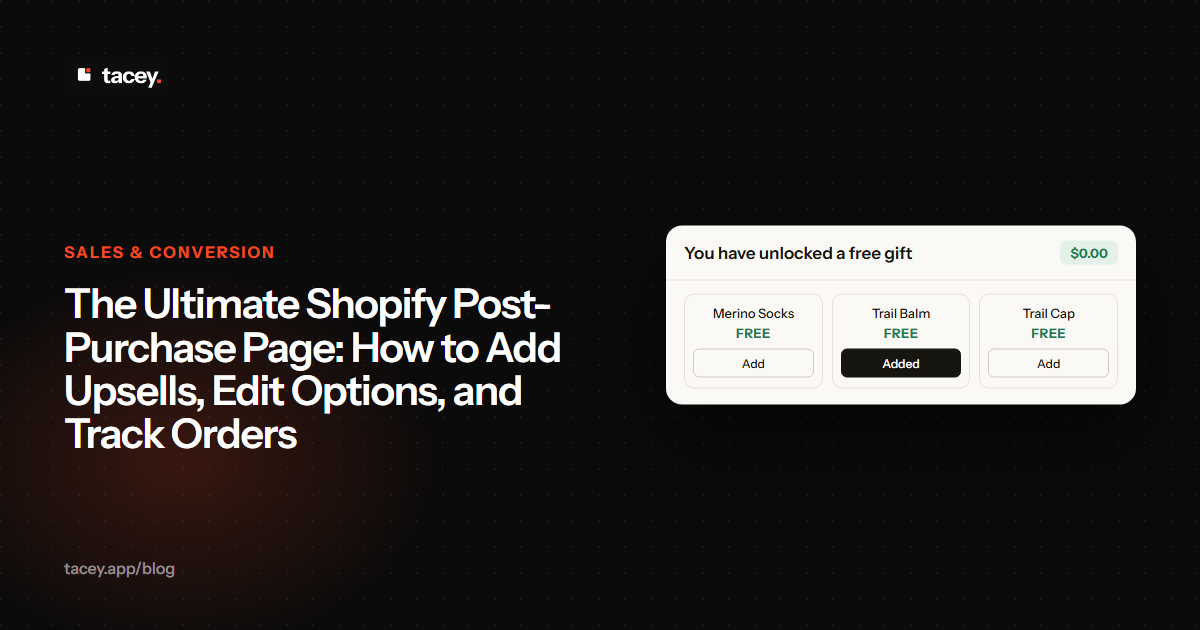
Tacey also includes post-purchase upsells through its Recommended for you block, which shows product cards on the thank-you and order status pages. A customer who adds a recommended item pays any difference through Shopify's own payment link, and the order is held from fulfillment until that payment clears. A Free gift costs the customer nothing. Replacements and other changes that cost more follow the same rule.
The goal is to give the customer control in the moments right after they buy, when they are most engaged. Fixing a typo or grabbing one more item should be simple, not a support ticket.
All these features are designed to address the core drivers of ROI. By automating common edit requests, Tacey can reduce the support tickets that those requests generate. By giving customers a path to fix mistakes, it can help avoid some cancellations. And with recommended products, it adds an upsell path on the post-purchase page, where any paid difference is collected before the order ships.
Tacey has a 14-day free trial on every plan, with paid plans starting at $29 a month for up to 750 orders. You can see the full pricing on our pricing page, or search for Tacey in the Shopify App Store.
Getting Started with Your Own ROI Calculation
You don't need complex analytics software to get a baseline for your store. Start by spending an hour in your helpdesk and Shopify admin. Tag all order-related support tickets for a month to get your request volume. Look at your cancellation reasons to see how many are due to simple mistakes.
Be specific with your helpdesk tags. Create categories like `edit-address`, `edit-variant`, `cancel-mistake`, and `add-item`. This allows you to not only count the volume but also to see which problems are most common. This data is crucial for configuring the rules in a self-serve tool later on.
If your store is new and you have little historical data, estimate with what you know about your own orders. Returns can be costly, especially in categories like apparel, and some of them come from simple, fixable errors. This provides a starting point to estimate savings before you have months of support tickets to analyze.
This initial data will give you a rough but powerful estimate of what manual edits are costing your business. From there, you can make an informed decision about whether a self-serve solution is the right investment. Often, the cost of doing nothing is larger than the app's price.
Automating order edits is not just about saving a few minutes here and there. It's about building a more resilient and efficient operation. It empowers your customers, frees up your support team, and turns a common point of friction into an opportunity for growth.
Frequently asked questions
What is self-serve order editing for Shopify?
Self-serve order editing allows customers to make changes to their own orders after purchase, directly on the order status page. This can include updating a shipping address, changing a product variant, or cancelling the order within a time limit set by the merchant.
How long should my order edit window be?
A good window is long enough for a customer to notice a mistake and short enough to close before your warehouse starts picking the order. The right length depends on how quickly your fulfillment begins, so check your own cutoff before you choose. The ideal window closes just before picking and packing starts.
Can customers change anything they want?
No. The merchant decides which tools are on, such as address, contact details, product options or cancellation. The edit window limits when any of them work, and nothing changes after the order ships.
Will letting customers edit orders cause more problems?
Problems are more likely when there are no limits, so set a window, a cap on edits per order and the list of tools you allow. With clear rules, self-service editing can reduce support tickets and stop small mistakes from becoming costly returns. The changes customers ask for tend to be simple corrections, such as a typo in an apartment number.
Does Tacey run at checkout?
No. Tacey runs after payment, on the thank-you and order status pages Shopify already shows, so it never sits inside the checkout. Every tool is available on every Tacey plan, and the plans differ only by order volume.
How much does a self-serve order editing app cost?
Pricing for these apps typically varies by order volume. For example, Tacey's plans start at $29 per month for up to 750 orders, with a 14-day free trial available to test the functionality.
Is it difficult to set up?
Most self-serve order editing apps are designed for easy installation from the Shopify App Store. Setup usually involves configuring your edit window and deciding which edit options you want to offer to customers. It is a short configuration task rather than a development project.
 Install on Shopify